About this template
Help visitors understand what makes a park worth returning to, how the grounds are cared for, and what a visit might feel like. The Common Ground design presents an imagined city park through its landscape, care practices, community use, and visit information.
Large nature photography, editorial headlines, and clearly numbered sections give the story room to unfold. Practical visit details and a direct contact link bring the page back to what people need when deciding to come by.
Who it’s for
Designed for public parks, urban green spaces, and park organizations that want to introduce their grounds, explain their approach to care, welcome different kinds of visitors, and share basic visit or contact information.
What’s included
The page moves from a visual welcome to the park's purpose, care practices, community appeal, and visitor details. That sequence helps visitors connect the experience of the place with useful information about coming by.
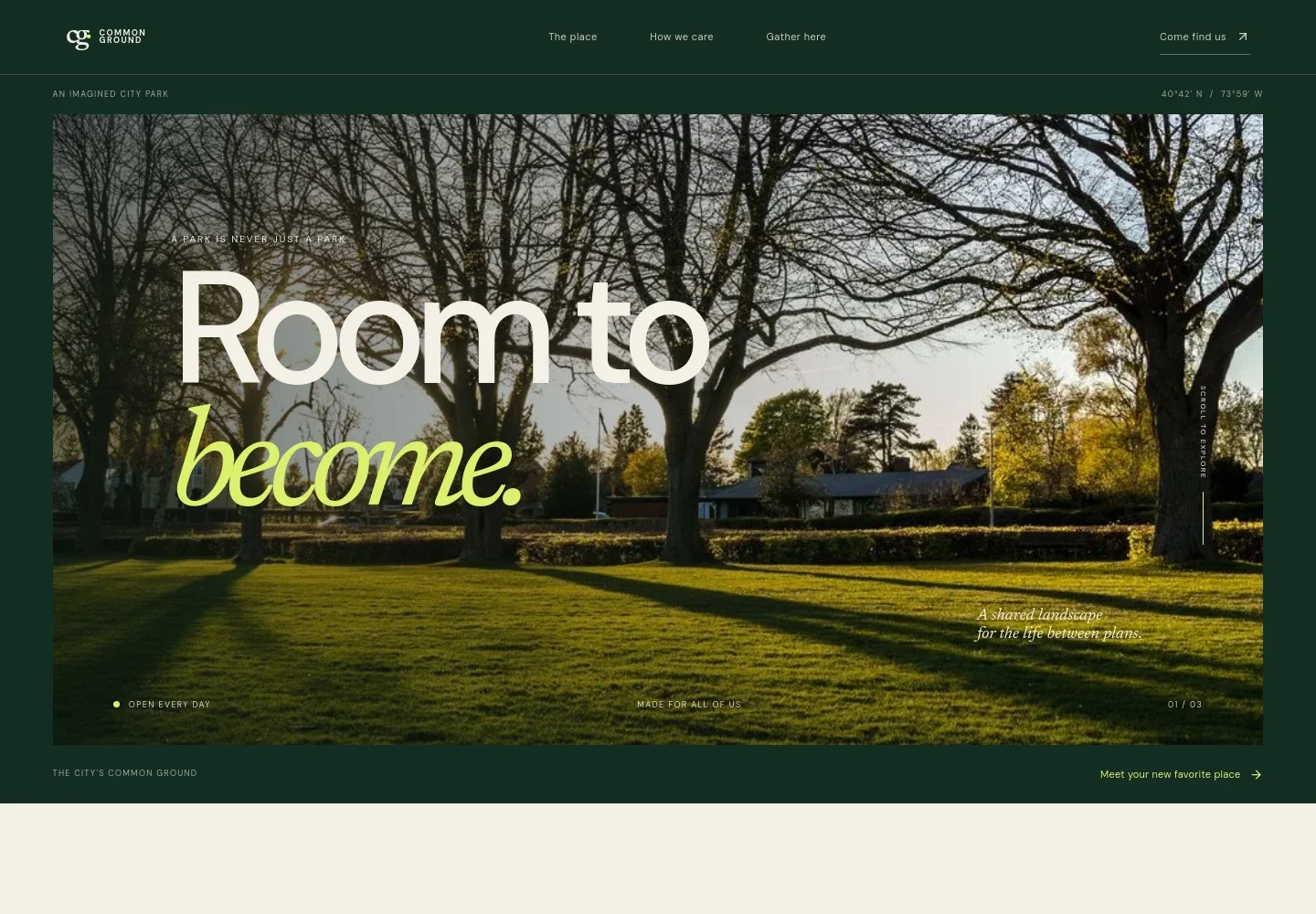
- Park introduction
- A prominent landscape image, short welcome headline, and introductory links establish the park's character and invite visitors to explore.
- The place
- An editorial statement and supporting copy describe the park as shared outdoor space for the everyday moments between plans.
- How we care
- A photograph of a park path accompanies an overview of ongoing care, with details about accessible routes, planting shaped by the local landscape, and visitor comforts.
- Gather here
- A community park image and welcoming copy show the park as a place for different kinds of visits, from a quiet lunch to time with family.
- Visit and contact
- A map-inspired graphic, location text, visit information, email contact, and a direct contact link give visitors a clear place to find next steps.
- Footer navigation
- A compact closing area repeats the park name and provides a link back to the top of the page.
How to use this template
Open in Revamp
Click Use this template and sign in or create an account. You’ll start with your own copy of the design, ready to personalize.
Bring your content
Replace the sample text, photos, and logo with your own. Share your content, a document, or an existing website, and ask Revamp to adapt the template to your business.
Refine and publish
Ask Revamp to adjust the colors, layout, or sections, or edit directly on the page. Review desktop and mobile, then publish. You can keep making changes after launch.
Put your website to work
Make visitor information easier to keep current by asking Revamp to connect tools for event listings, public updates, or visitor inquiries.
-

Share park events
Google CalendarGive visitors a convenient way to see scheduled activities and community events. Ask Revamp to add an event calendar with Google Calendar.
-

Manage public inquiries
HubSpotKeep visitor messages and follow-ups organized in one place. Ask Revamp to connect contact inquiries with HubSpot.
-

Collect visitor interest
MailchimpInvite visitors to receive park news, seasonal updates, or event announcements. Ask Revamp to add an email signup connected to Mailchimp.
Frequently asked questions
Is this template free?
Yes. This premium template is free to use via Use this template. This applies to the template itself, not hosting or other services.
Can I use my own content?
Yes. Ask Revamp to personalize the copy, park details, images, and contact information to fit your organization.
Do I need coding skills?
No. Ask Revamp to make content and design changes in plain language, without coding.
Can I change the design?
Yes. Ask Revamp to adjust the colors, typography, imagery, layout, or other design details to suit your park.
Can I keep editing after publishing?
Yes. You can keep editing after launch. Ask Revamp to update information or refine the design as your needs change.


