About this template
Help prospective clients understand your permanent makeup services, your approach to personalized results, and what to expect before a procedure. The design gives brows and lip blush their own clear place, alongside the consultation and decision-making process.
A close-up beauty portrait, editorial typography, and a restrained palette create a considered studio feel. Visitors can move from your point of view to specific techniques, process details, suitability considerations, and a direct contact prompt.
Who it’s for
Permanent makeup artists, cosmetic tattoo studios, and independent brow or lip blush professionals who want to explain their services and invite prospective clients to start a conversation.
What’s included
The page guides visitors through the studio’s approach, treatment options, process, considerations, and next step, helping them make an informed inquiry.
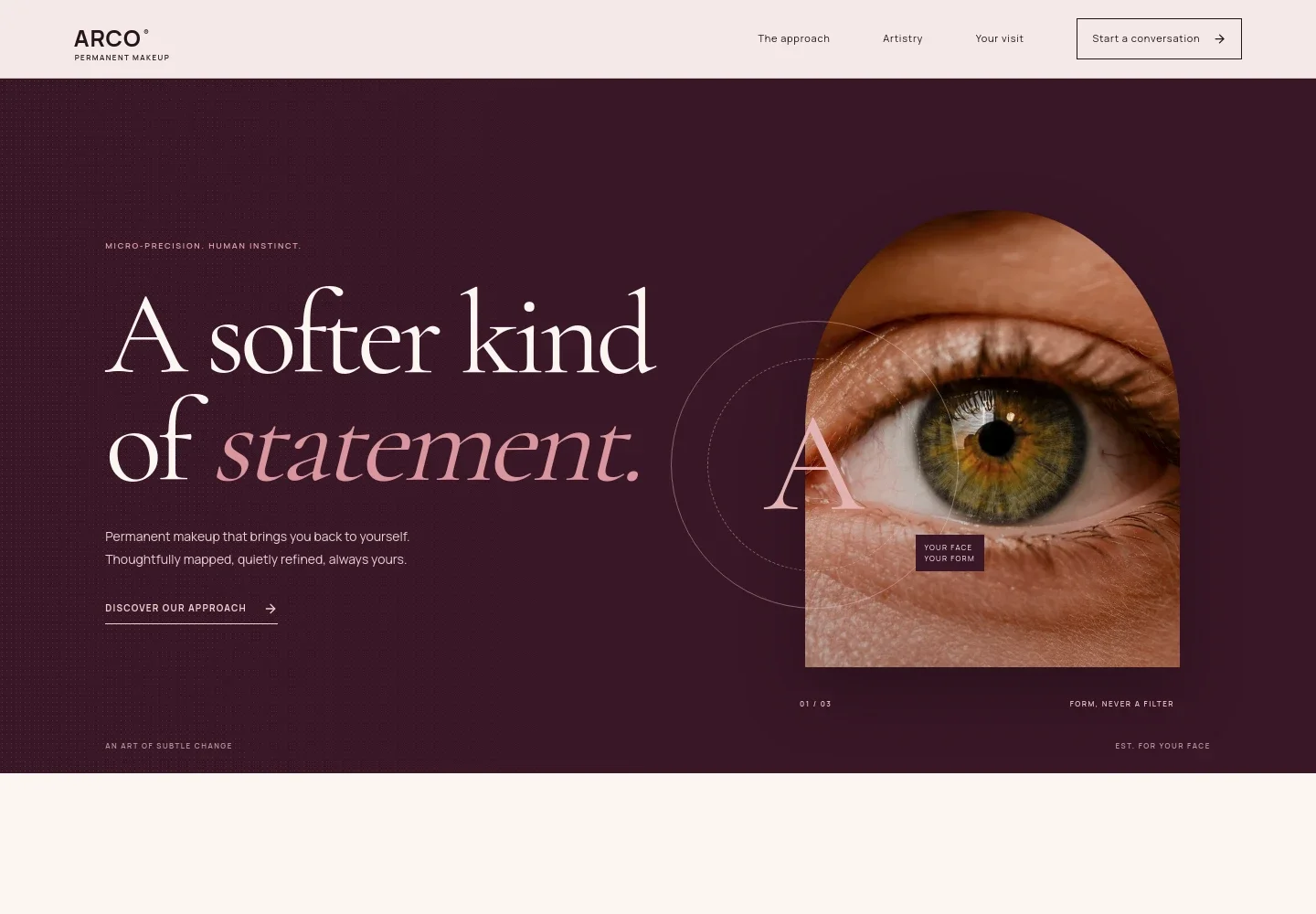
- Studio introduction
- A prominent headline, natural eyebrow and eye portrait, and short introduction establish a subtle, personalized approach to permanent makeup.
- The approach
- Explain how you consider a client’s features, preferences, and routine before shaping a plan. The section balances a clear point of view with space for practical details.
- Artistry and services
- Separate service descriptions cover powder and soft-shade brows, pixelated hair strokes, and soft tint lip blush, helping visitors compare the techniques and areas offered.
- What to expect
- A three-stage Listen, Map, Refine sequence explains consultation, drawn-on preview, and aftercare, showing visitors how decisions can be considered before a procedure.
- Suitability and care
- A dedicated considerations section addresses suitability, healing, variation in skin and pigment response, and sharing a photo of existing pigment before arranging a consultation.
- Contact the studio
- A closing invitation encourages visitors to describe what they are considering and write to the studio, with a visible email contact prompt.
How to use this template
Open in Revamp
Click Use this template and sign in or create an account. You’ll start with your own copy of the design, ready to personalize.
Bring your content
Replace the sample text, photos, and logo with your own. Share your content, a document, or an existing website, and ask Revamp to adapt the template to your business.
Refine and publish
Ask Revamp to adjust the colors, layout, or sections, or edit directly on the page. Review desktop and mobile, then publish. You can keep making changes after launch.
Put your website to work
Make it easier to manage inquiries and consultations as your studio grows. Ask Revamp to add or connect tools that fit the way you handle appointments and client communication.
-

Appointment scheduling
CalendlyGive prospective clients a convenient way to request a consultation. Ask Revamp to add appointment booking with Calendly.
-

Beauty appointments and client records
VagaroOrganize appointment scheduling and client details for a beauty business. Ask Revamp to connect Vagaro for booking and client management.
-

Studio booking and client management
BoulevardSupport a more structured booking and client-management process. Ask Revamp to connect Boulevard for appointment and client-management tools.
Frequently asked questions
Is this template free?
Yes. This premium template is free to use through Use this template. Free refers to the template itself.
Can I use my own content?
Yes. Ask Revamp to personalize the copy, service descriptions, images, contact details, and other content for your studio.
Do I need coding skills?
No. You can ask Revamp to personalize the content and design without coding.
Can I change the design?
Yes. Ask Revamp to adjust the colors, typography, layout, imagery, or other design details to suit your brand.
Can I keep editing after publishing?
Yes. You can keep asking Revamp to make changes after your site launches.