About this template
Help customers see how their digital photos can become prints and albums they can hold, display, and share. The design introduces print formats, explains the ordering journey, and gives visitors clear paths to explore products or get in touch.
A bold editorial layout pairs large photography with concise copy, numbered process steps, and a dedicated print-size list. The visual storytelling suits a photo-printing business because it shows finished photos and printing details while helping customers understand what to choose and what happens next.
Who it’s for
Photo-printing businesses, photo labs, and online print shops offering photo prints or albums to individuals and families.
What’s included
The page moves from the value of printed photographs to product options, an ordering overview, and a final call to action, giving customers a straightforward route from browsing to making an inquiry.
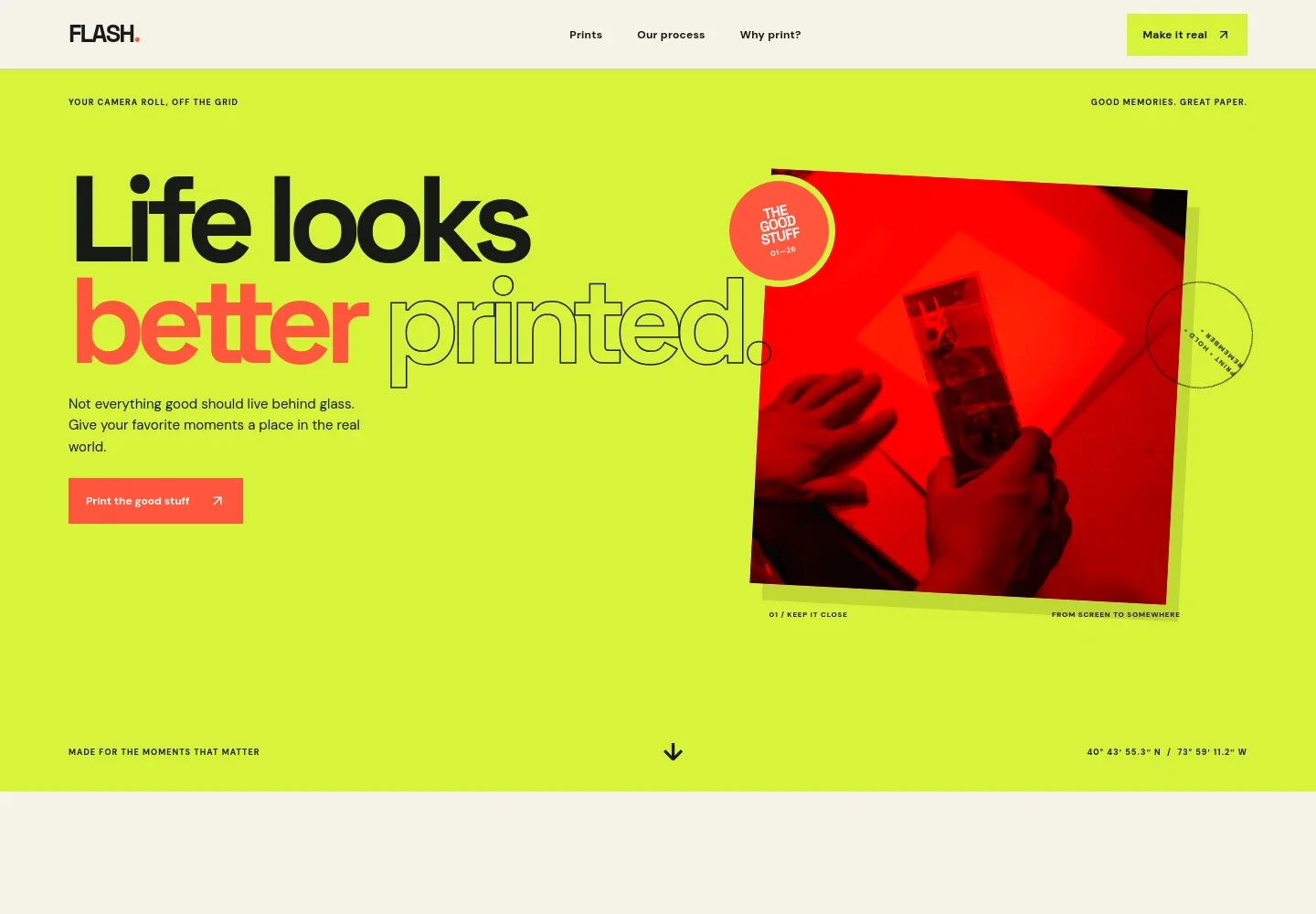
- Hero and print call to action
- A prominent headline and darkroom photograph introduce the idea of bringing camera-roll images into the physical world, with a clear link to print options.
- Why print
- A short editorial section explains the appeal of keeping favorite photographs in a tangible form, setting context before visitors consider products.
- Print formats and sizes
- A photo-led product area lists Everyday prints in 4 × 6 and 5 × 7, larger prints in 8 × 10 and 11 × 14, and a softcover photo album. A prominent link invites visitors to start an order.
- Three-step ordering overview
- The page outlines choosing photos, selecting a size and finish, and receiving prints, so customers can quickly understand the intended ordering journey.
- Paper and print details
- A darkroom image and supporting copy focus on color, paper, and finish, providing a place to describe the care behind the printing offer.
- Closing call to action and contact
- A final invitation points visitors back to the print options, while the footer provides a contact link.
How to use this template
Open in Revamp
Click Use this template and sign in or create an account. You’ll start with your own copy of the design, ready to personalize.
Bring your content
Replace the sample text, photos, and logo with your own. Share your content, a document, or an existing website, and ask Revamp to adapt the template to your business.
Refine and publish
Ask Revamp to adjust the colors, layout, or sections, or edit directly on the page. Review desktop and mobile, then publish. You can keep making changes after launch.
Put your website to work
Make it easier for customers to place orders, pay, and hear about new print offers. Ask Revamp to add or connect tools that support the way your print business handles sales.
-

Accept online payments
ShopifyGive customers a familiar way to pay for print orders. Ask Revamp to add checkout with Shopify.
-

Take card payments
StripeOffer a straightforward way to collect payment for print orders. Ask Revamp to add payment processing with Stripe.
-

Reach customers with print updates
MailchimpShare product news and seasonal print offers with your mailing list. Ask Revamp to connect Mailchimp.
Frequently asked questions
Is this template free?
Yes. This premium template is free to use through Use this template. The offer applies to the template itself.
Can I use my own content?
Yes. Ask Revamp to personalize the page with your own photos, product formats, print details, business name, and contact information.
Do I need coding skills?
No. Ask Revamp to personalize the content and design for your business without coding.
Can I change the design?
Yes. Ask Revamp to adjust the layout, colors, typography, imagery, and other design details to suit your print shop.
Can I keep editing after publishing?
Yes. You can keep editing after launch. Ask Revamp to update your content or design as your print offerings change.


