About this template
Help visitors understand what a planetarium experience feels like, compare programs, and find the information they need to plan a visit. The design introduces an immersive dome experience through astronomy-focused copy, a striking orbital illustration, and a full-width visitor image.
The page moves from the planetarium concept to three sample programs, then into visitor planning details and a contact link. A dark palette, large editorial typography, and restrained celestial graphics give the content a clear sense of place without obscuring practical details.
Who it’s for
Planetariums, science centers, astronomy attractions, and immersive dome venues looking to explain their experience, present programs, and help visitors plan a visit.
What’s included
The single-page layout guides visitors from an overview of the planetarium experience to program choices and visit details, with clear points for further inquiry.
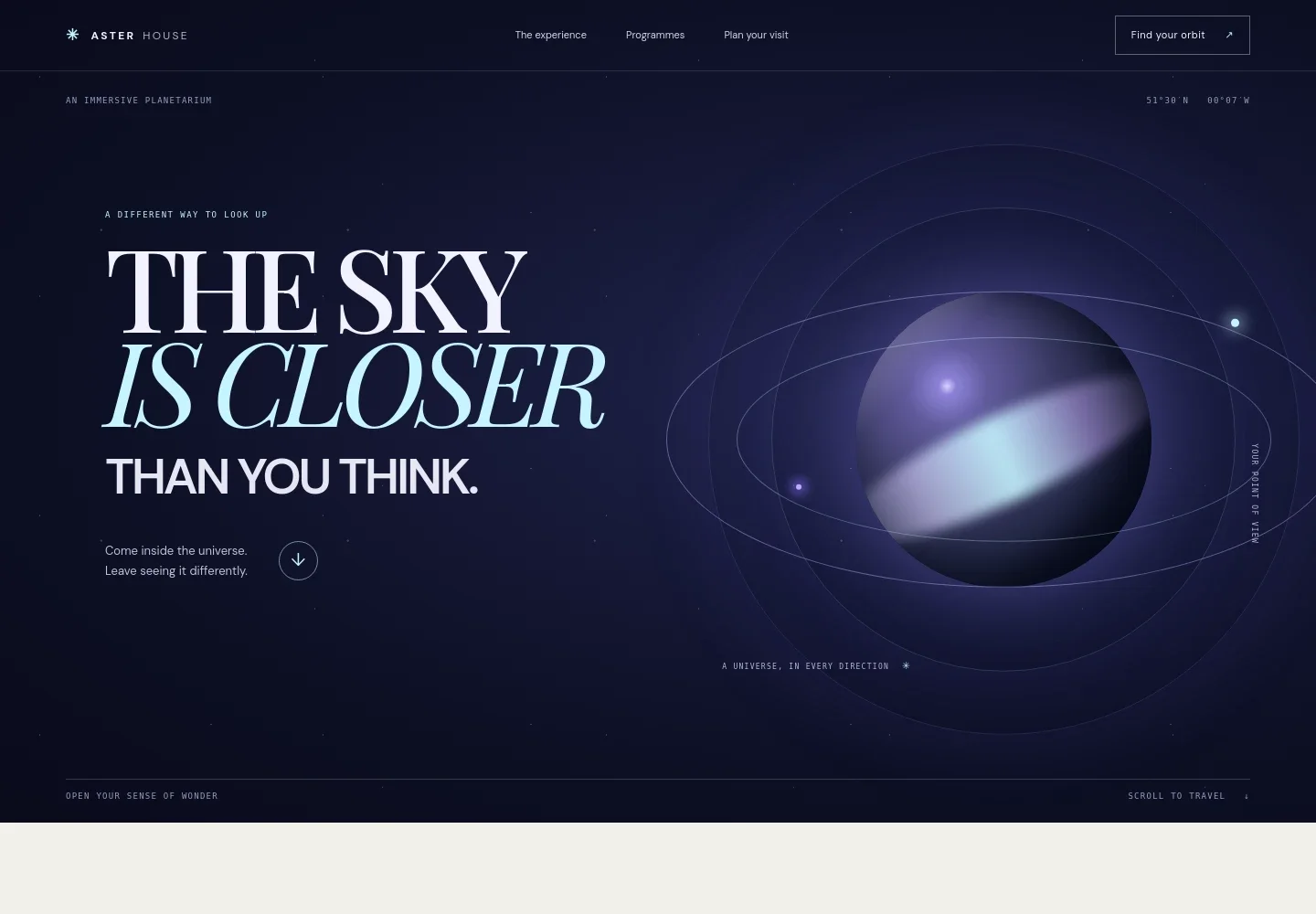
- Immersive hero
- An astronomy-inspired headline, illustrated orbit, and concise introduction establish the planetarium experience and invite visitors to explore.
- The experience
- A short editorial section explains the dome-based setting and the sense of looking at the universe all around you.
- Visitor image
- A prominent image of a young visitor beneath a star-like projection adds a human view of the experience.
- Program list
- Three sample programs are presented with titles, durations, and audience notes, including an all-ages show, a program for ages four to eight, and a live-guided session.
- Selected program detail
- A dedicated panel gives a short description of the selected program and links visitors toward visit planning.
- Plan your visit
- A visitor section pairs an inquiry link with location and opening-hours information areas, making practical planning details easy to find.
- Footer navigation
- The closing area repeats the venue identity, provides a return-to-top link, and includes space for a brief closing message.
How to use this template
Open in Revamp
Click Use this template and sign in or create an account. You’ll start with your own copy of the design, ready to personalize.
Bring your content
Replace the sample text, photos, and logo with your own. Share your content, a document, or an existing website, and ask Revamp to adapt the template to your business.
Refine and publish
Ask Revamp to adjust the colors, layout, or sections, or edit directly on the page. Review desktop and mobile, then publish. You can keep making changes after launch.
Put your website to work
Make it easier for visitors to book sessions, coordinate group visits, and keep in touch. Ask Revamp to add or connect tools that support those tasks.
-

Simplify session reservations
CalendlyGive visitors a way to choose a session time and request a booking. Ask Revamp to add appointment booking with Calendly.
-

Organize school and group inquiries
HubSpotKeep track of school visits, group questions, and follow-up with prospective organizers. Ask Revamp to connect HubSpot for contact management.
-

Share program updates
MailchimpSend visitors news about upcoming shows and events. Ask Revamp to connect Mailchimp for email newsletter sign-ups and communications.
Frequently asked questions
Is this planetarium template free?
Yes. This premium template is free to use when you select Use this template. The offer applies to the template itself.
Can I use my own planetarium content?
Yes. Ask Revamp to personalize the page with your venue name, program descriptions, visitor information, images, and contact details.
Do I need coding skills to customize it?
No coding skills are needed. Ask Revamp to make content and design changes in plain language.
Can I change the design?
Yes. Ask Revamp to adjust the colors, typography, imagery, layout, or other design details to suit your planetarium.
Can I keep editing after publishing?
Yes. You can keep asking Revamp to update the site after launch as your programs, visitor information, and plans change.


