About this template
Help prospective clients understand your podcast studio’s approach, creative services, and production process. The design introduces the studio with a strong visual identity, a recording-room image, and a sample audio control.
A dedicated craft section walks through positioning and format, editorial development, recording and sound, and launch planning. A closing contact section invites visitors to start a conversation about a podcast idea.
Who it’s for
Independent podcast studios, audio producers, and creative teams presenting podcast strategy, editorial, recording, or production services to prospective clients.
What’s included
The page pairs an editorial, dark-toned visual style with a clear path from studio introduction to production approach and contact. Its prominent audio motif and numbered craft steps make the subject and service offering easy to follow.
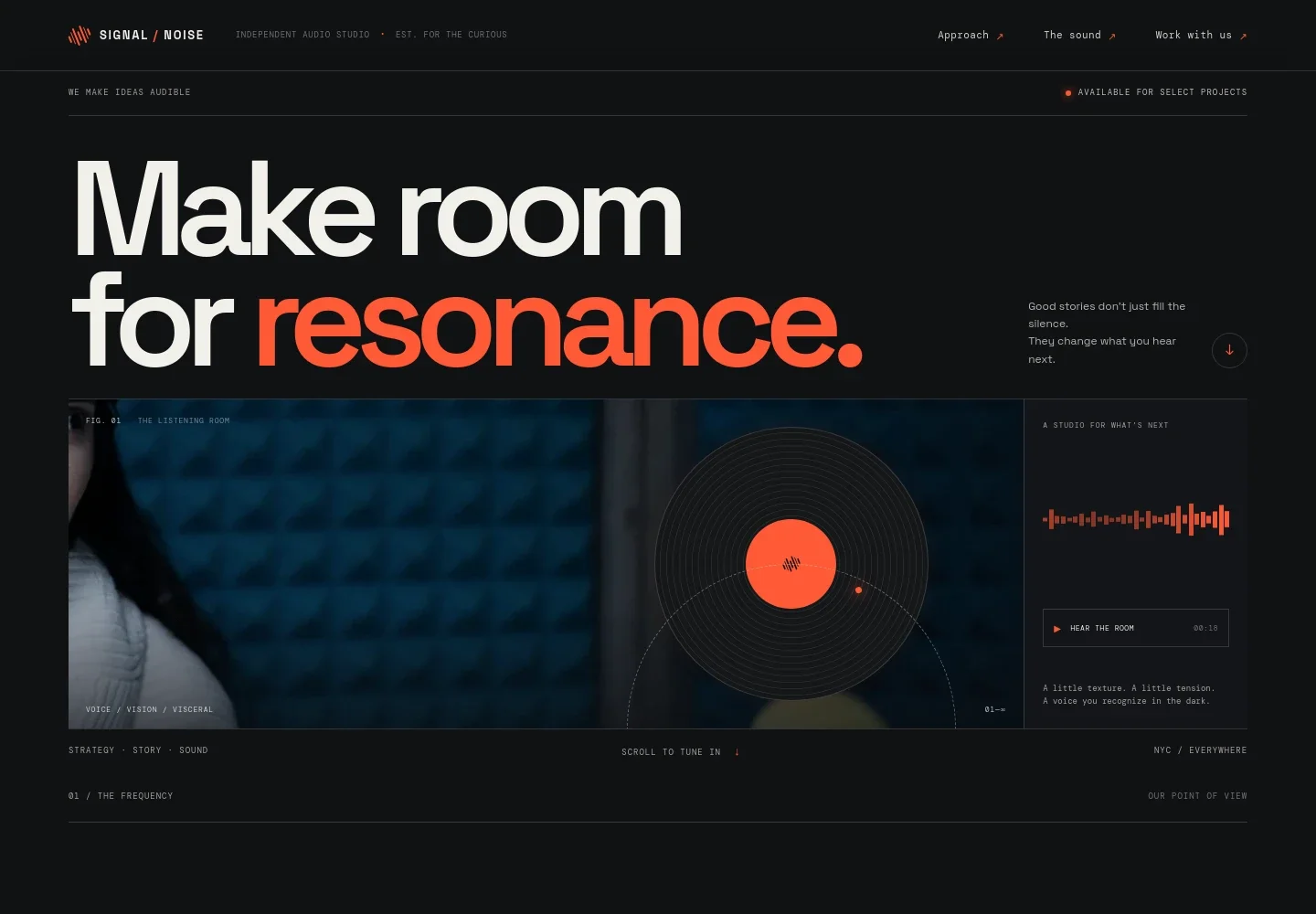
- Studio introduction
- A large headline, recording-studio portrait, waveform graphic, and sample-play control establish the audio focus and introduce the studio’s point of view.
- Studio approach
- A short point-of-view section explains the studio’s emphasis on clear storytelling, distinctive character, and careful production.
- Production craft
- Four numbered steps describe the work from show positioning and editorial development through recording, sound, and launch planning.
- Listening principle
- A brief editorial statement and waveform graphic provide a visual pause and reinforce the page’s focus on thoughtful listening.
- Contact
- A conversation-led closing section gives prospective clients a clear invitation to write about an idea or project.
How to use this template
Open in Revamp
Click Use this template and sign in or create an account. You’ll start with your own copy of the design, ready to personalize.
Bring your content
Replace the sample text, photos, and logo with your own. Share your content, a document, or an existing website, and ask Revamp to adapt the template to your business.
Refine and publish
Ask Revamp to adjust the colors, layout, or sections, or edit directly on the page. Review desktop and mobile, then publish. You can keep making changes after launch.
Put your website to work
A few tools can help podcast studios organize inquiries, coordinate production, and keep listeners informed. Ask Revamp to add or connect the services that fit your workflow.
-

Manage new project inquiries
HubSpotKeep prospective client conversations and follow-ups organized. Ask Revamp to connect HubSpot for contact and inquiry management.
-

Coordinate recording sessions
CalendlyLet guests choose a suitable time for an interview or planning call. Ask Revamp to add scheduling with Calendly.
-

Share show updates with listeners
MailchimpGive visitors a way to receive new episode announcements and studio news. Ask Revamp to add an email signup connected to Mailchimp.
Frequently asked questions
Is this template free?
Yes. This premium template is free to use when you select Use this template. This applies to the template itself, not hosting or other services.
Can I use my own content?
Yes. Ask Revamp to personalize the copy, imagery, studio details, services, and contact information with your own content.
Do I need coding skills?
No coding skills are needed. Ask Revamp to make content and design changes in plain language.
Can I change the design?
Yes. Ask Revamp to adjust the colors, typography, imagery, and layout to better reflect your studio and show offering.
Can I keep editing after publishing?
Yes. You can keep asking Revamp to update the site after launch as your studio, services, and content change.


