About this template
Help prospective clients understand what your print studio makes, how it approaches a project, and how to start a conversation. The design introduces books and editions, direct mail and brand campaigns, and packaging, with copy focused on material choices and the role print can play.
A large press photograph and an animated sheet illustration give visitors a visual sense of the print process. The work categories and project enquiry call to action make it easier for clients to identify a relevant service and get in touch.
Who it’s for
Independent print houses, print production studios, and commercial printers offering books, campaign materials, direct mail, or packaging.
What’s included
The page moves from the studio’s point of view to its process, services, and project enquiry, helping visitors understand the work before they make contact.
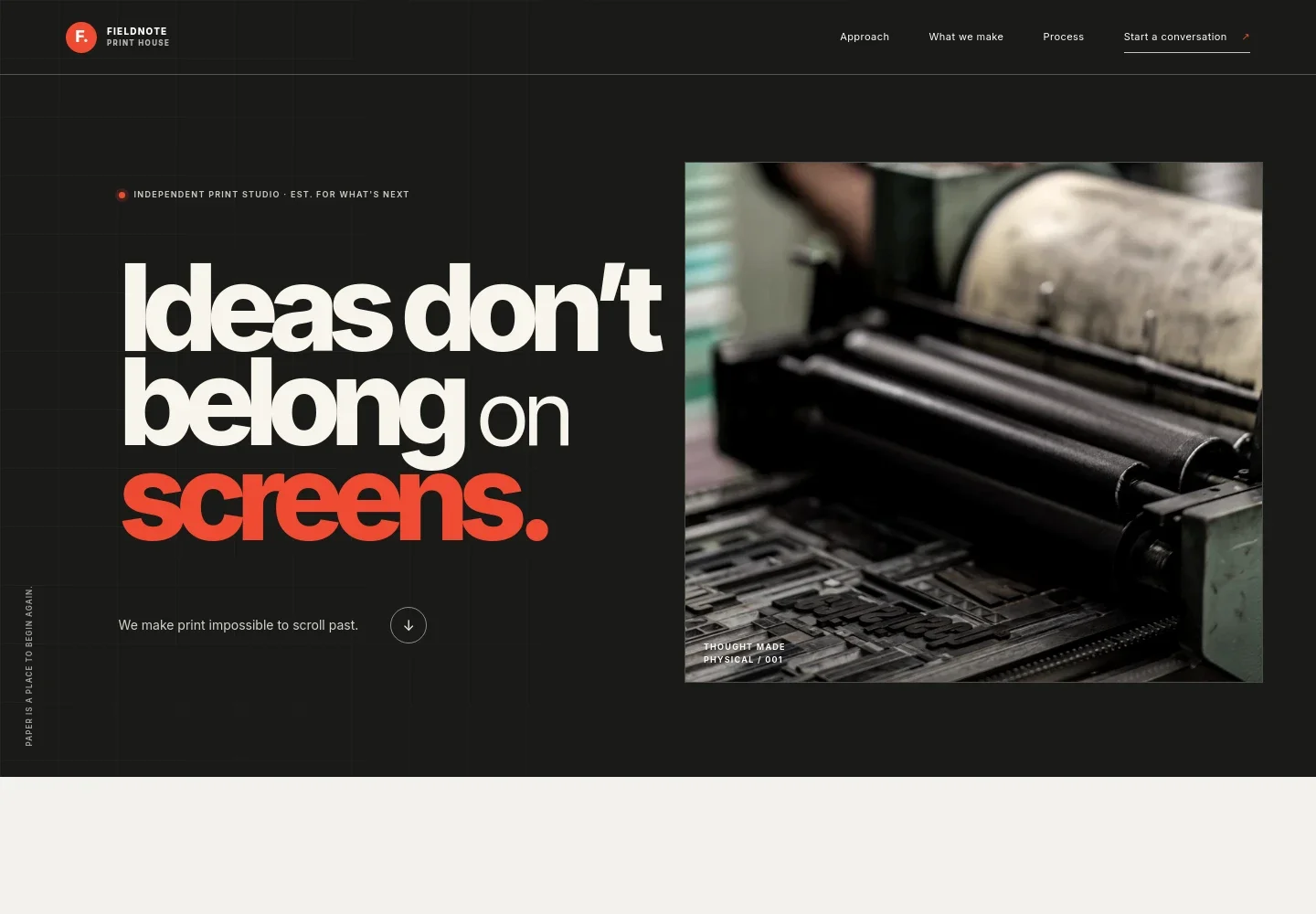
- Hero and studio introduction
- A prominent print-press image sits beside the headline and a short statement about making print. The studio identity and navigation links orient visitors to the approach, services, process, and contact sections.
- Studio approach
- A point-of-view section explains the value of physical print and describes the studio’s work from concept through delivery.
- Print process illustration
- A visual sheet-and-ink sequence depicts color registration, giving visitors a simple way to see the transformation from an idea into a printed piece.
- Print services
- Three service descriptions cover books, journals and editions; direct mail and brand campaigns; and packaging. Each explains the kinds of print decisions involved, including paper, binding, finish, format, and structure.
- Project enquiry
- A closing prompt invites visitors to describe their idea, with an email link for starting a conversation.
- Footer
- The footer repeats the studio name and email contact, and includes a short brand statement and specimen-template notice.
How to use this template
Open in Revamp
Click Use this template and sign in or create an account. You’ll start with your own copy of the design, ready to personalize.
Bring your content
Replace the sample text, photos, and logo with your own. Share your content, a document, or an existing website, and ask Revamp to adapt the template to your business.
Refine and publish
Ask Revamp to adjust the colors, layout, or sections, or edit directly on the page. Review desktop and mobile, then publish. You can keep making changes after launch.
Put your website to work
Streamline project enquiries and production coordination by asking Revamp to connect business tools that suit your studio’s workflow.
-

Organize client and project enquiries
HubSpotKeep prospective-client conversations and follow-ups organized. Ask Revamp to add HubSpot CRM to your enquiry workflow.
-

Schedule project consultations
CalendlyLet prospective clients request a time to discuss print formats, materials, and project scope. Ask Revamp to add consultation booking with Calendly.
-

Track print jobs and production costs
QuickBooksKeep project estimates, job details, and production expenses organized. Ask Revamp to connect QuickBooks Online with your business workflow.
Frequently asked questions
Is this template free?
Yes. This premium template is free to use when you select Use this template. This applies to the template itself, not hosting or other services.
Can I use my own content?
Yes. Ask Revamp to personalize the page with your studio name, print services, images, project details, and contact information.
Do I need coding skills?
No coding skills are needed. Ask Revamp to make content and design changes in plain language.
Can I change the design?
Yes. Ask Revamp to adjust the layout, colors, typography, imagery, and other design details to suit your print business.
Can I keep editing after publishing?
Yes. You can keep asking Revamp to update your content and design after your site launches.


