About this template
Help customers understand the printer problems you handle and how you approach a repair. The page introduces service for office and production printers, with clear sections for paper-feed faults, print-quality issues, mechanical problems, and printer or network troubleshooting.
A step-by-step service overview shows visitors what to share, what to expect from a diagnosis, and how a repair is tested. Prominent phone contact gives people a direct next step when a printer interruption is holding up their work.
Who it’s for
Independent printer repair businesses and technicians serving offices or production environments. Useful for teams that want to explain repair services, set expectations about diagnosis, and make it easy for prospective customers to call.
What’s included
The design pairs a distinctive paper-feed illustration with practical service information. Visitors can move from the impact of a printer fault to the repair areas, understand the service steps, and find phone and email contact details.
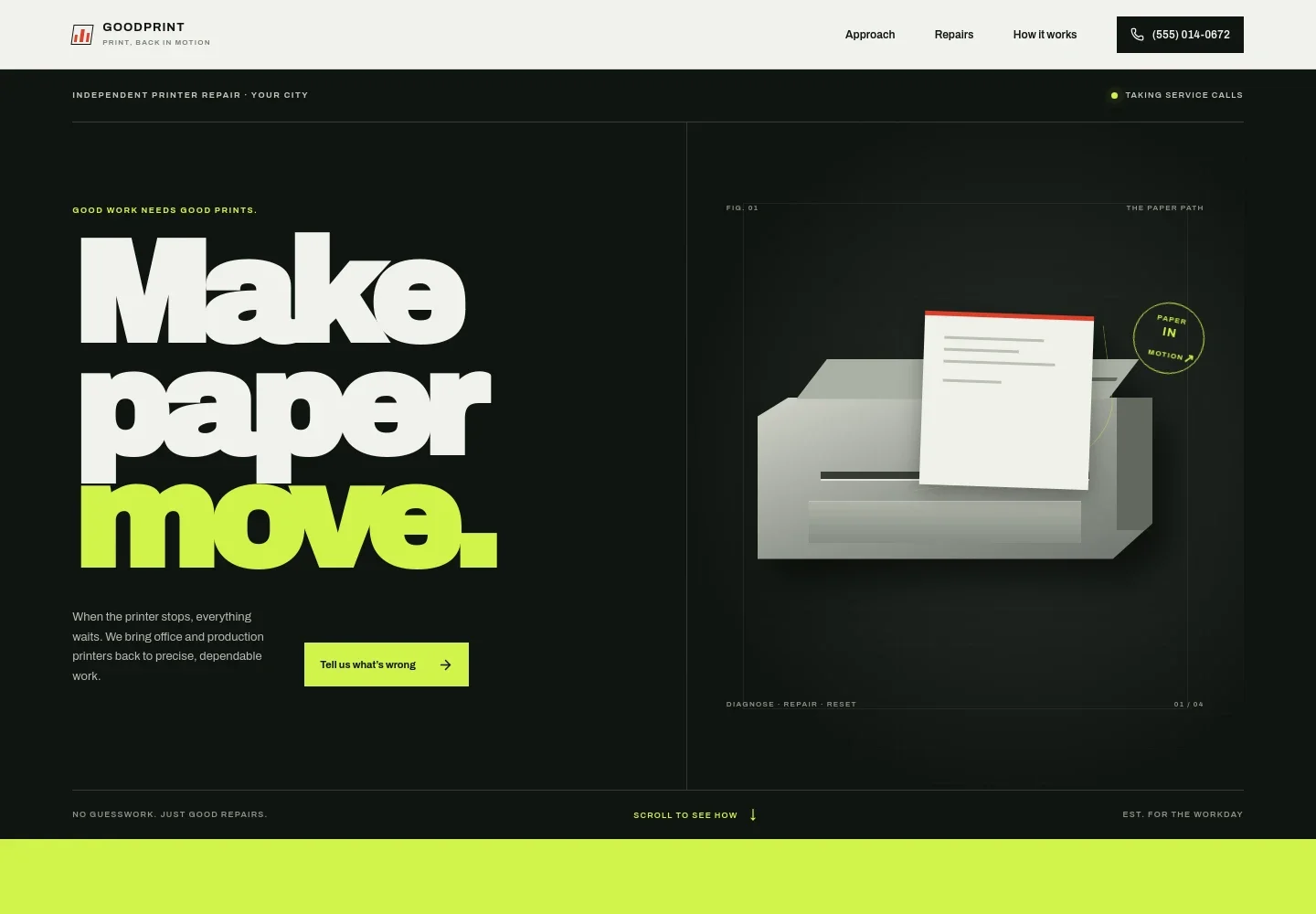
- Printer repair hero
- Introduces independent printer repair for office and production machines, with a paper-path illustration and a prominent link to the contact section.
- Service approach
- Explains how a small printer fault can disrupt a workday and emphasizes finding the cause, explaining the repair, and clarifying what happens next.
- Repair services
- Groups work into paper-feed problems, print-image faults, mechanical issues, and printer or network troubleshooting, helping visitors identify the kind of problem they have.
- Repair or replace guidance
- Invites customers unsure about a repair to share the printer model and problem so they can discuss repair versus replacement before work begins.
- How service works
- Sets out three clear steps: describe the fault, receive an explanation of the diagnosis and repair, then have the fix tested with real output.
- Contact and footer
- Closes with a direct phone call prompt, email details, illustrative weekday hours, and footer navigation. Replace the sample contact information with your own.
How to use this template
Open in Revamp
Click Use this template and sign in or create an account. You’ll start with your own copy of the design, ready to personalize.
Bring your content
Replace the sample text, photos, and logo with your own. Share your content, a document, or an existing website, and ask Revamp to adapt the template to your business.
Refine and publish
Ask Revamp to adjust the colors, layout, or sections, or edit directly on the page. Review desktop and mobile, then publish. You can keep making changes after launch.
Put your website to work
Keep service inquiries and follow-up easier to manage by asking Revamp to add tools suited to your repair business.
-

Organize repair inquiries
HubSpotTrack customer details, printer models, reported faults, and follow-up in one customer record. Ask Revamp to add a HubSpot inquiry form for printer repair leads.
-

Offer a time to talk
CalendlyGive customers a way to request a convenient call about a printer problem. Ask Revamp to add consultation booking with Calendly.
Frequently asked questions
Is this template free?
Yes. This premium template is free to use when you select Use this template. Free refers to the template itself.
Can I use my own content?
Yes. Ask Revamp to personalize the page with your business name, repair services, service area, contact details, and other content.
Do I need coding skills?
No. Ask Revamp to personalize the content and design in plain language, without coding.
Can I change the design?
Yes. Ask Revamp to adjust the layout, colors, typography, illustrations, or other design details to suit your printer repair business.
Can I keep editing after publishing?
Yes. You can keep editing after launch. Ask Revamp to update your content or design as your services and business details change.


