About this template
Help prospective clients understand how your launch studio turns a product idea into a clear story and a considered introduction to market. The page presents a three-part approach, moving from defining the product's signal to building desire and delivering the launch.
Use the service list to explain your studio's offer across positioning and story, launch identity, digital experiences and reveals, and go-to-market planning. A bold red-and-black visual direction, oversized headlines, and editorial imagery give the page the feel of a creative launch practice.
Who it’s for
Independent launch studios, product launch consultants, and creative teams introducing positioning, brand identity, campaign, or go-to-market services to founders and businesses preparing to launch.
What’s included
The layout guides visitors from your point of view on launches to a clear view of your services and a direct invitation to start a conversation. Its numbered sections and concise service descriptions suit a studio that needs to explain both its thinking and its capabilities.
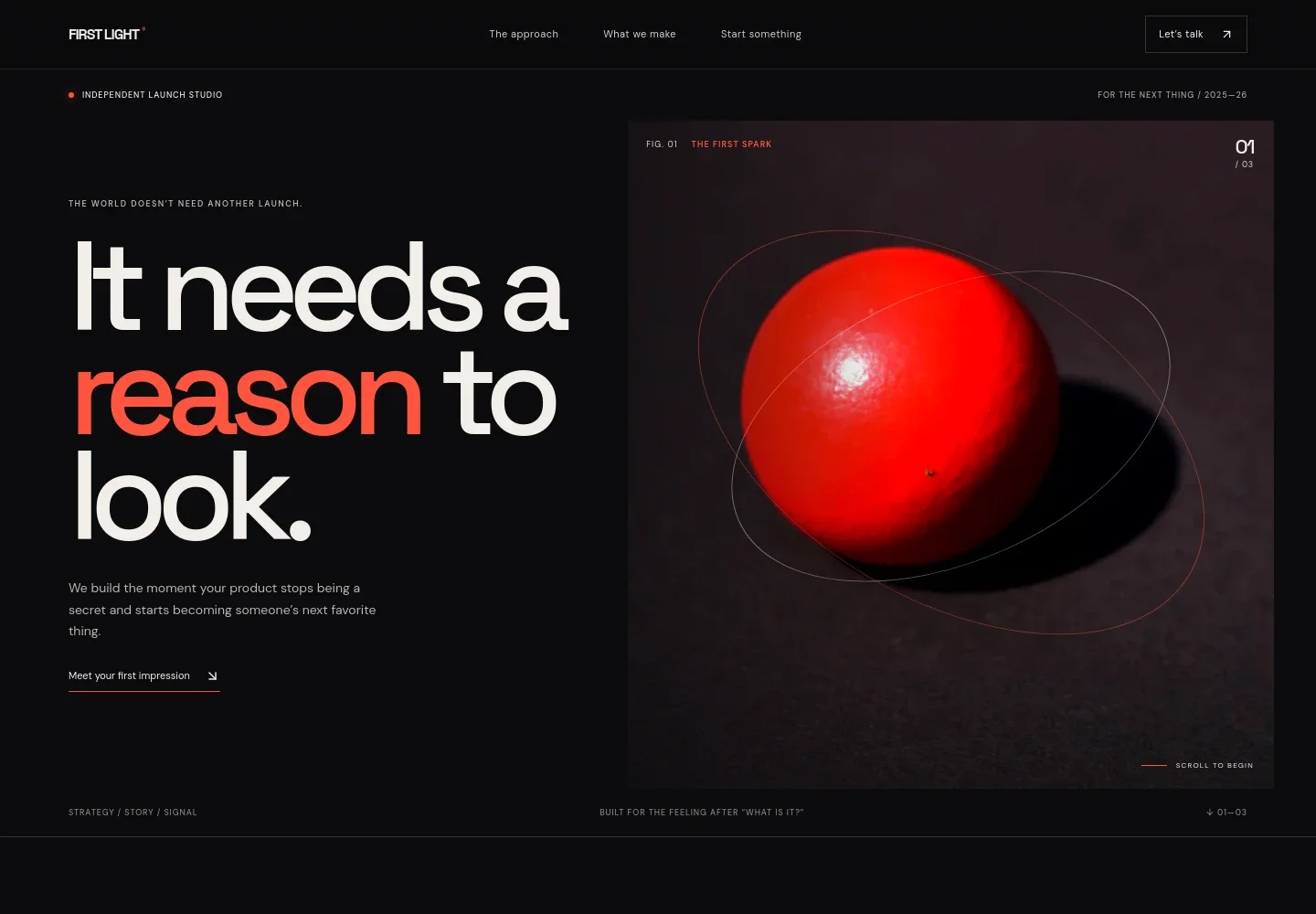
- Hero and navigation
- A high-impact headline, short introduction, striking red-sphere image, and links to the approach, services, and contact sections establish the studio's offer and give visitors clear next steps.
- Launch point of view
- A manifesto-style section explains why a launch is the beginning of a product's story, helping visitors understand the studio's perspective before reviewing its services.
- Three-part launch sequence
- A visual sequence frames the work as Define, Desire, and Deliver, with supporting copy about shaping the steps from product clarity to audience interest.
- Capabilities
- Four numbered service rows describe positioning and story, launch identity, experience and reveal, and go-to-market rhythm. The format makes a multidisciplinary offer easy to scan.
- Contact invitation
- A closing prompt invites prospective clients to start a conversation, with a contact link and space to personalize the displayed email address.
- Footer
- The footer repeats the studio name and tagline, provides a back-to-top link, and includes a small copyright line.
How to use this template
Open in Revamp
Click Use this template and sign in or create an account. You’ll start with your own copy of the design, ready to personalize.
Bring your content
Replace the sample text, photos, and logo with your own. Share your content, a document, or an existing website, and ask Revamp to adapt the template to your business.
Refine and publish
Ask Revamp to adjust the colors, layout, or sections, or edit directly on the page. Review desktop and mobile, then publish. You can keep making changes after launch.
Put your website to work
A launch studio can use marketing and customer-management tools to organize early interest and follow-up. Ask Revamp to add connections that fit your client and campaign workflow.
-

Capture launch interest
MailchimpBuild an email audience for launch updates and campaign announcements. Ask Revamp to connect Mailchimp for newsletter signup.
-

Track prospective clients
HubSpotKeep company and contact details organized as launch inquiries come in. Ask Revamp to connect HubSpot for lead management.
-

Schedule introductory calls
CalendlyGive prospective clients a straightforward way to choose a meeting time. Ask Revamp to add consultation booking with Calendly.
Frequently asked questions
Is this template free?
Yes. This premium template is free to use via Use this template.
Can I use my own content?
Yes. Ask Revamp to personalize the copy, images, studio details, services, and contact information with your content.
Do I need coding skills?
No. Ask Revamp to personalize the template and its design without coding.
Can I change the design?
Yes. Ask Revamp to adjust the visual direction, colors, typography, imagery, or layout to better suit your studio.
Can I keep editing after publishing?
Yes. You can keep editing after launch and ask Revamp to make further updates as your studio and services evolve.


