About this template
Help prospective renters understand your approach, get a feel for the homes you offer, and see how to take the next step. The Fieldnote design pairs neighborhood and home photography with clear explanations of the rental experience.
A point-of-view section lays out service principles, while the homes section describes how renters can find a suitable place and what to expect along the way. Practical rental FAQs and a direct contact prompt help visitors move from browsing to asking questions.
Who it’s for
Residential rental companies, apartment operators, and property managers who want to introduce their homes and explain the renter experience to prospective tenants.
What’s included
The page guides renters from the feeling of finding a home to useful details about choosing one, with prominent home and city imagery, concise service explanations, and clear prompts to explore or get in touch.
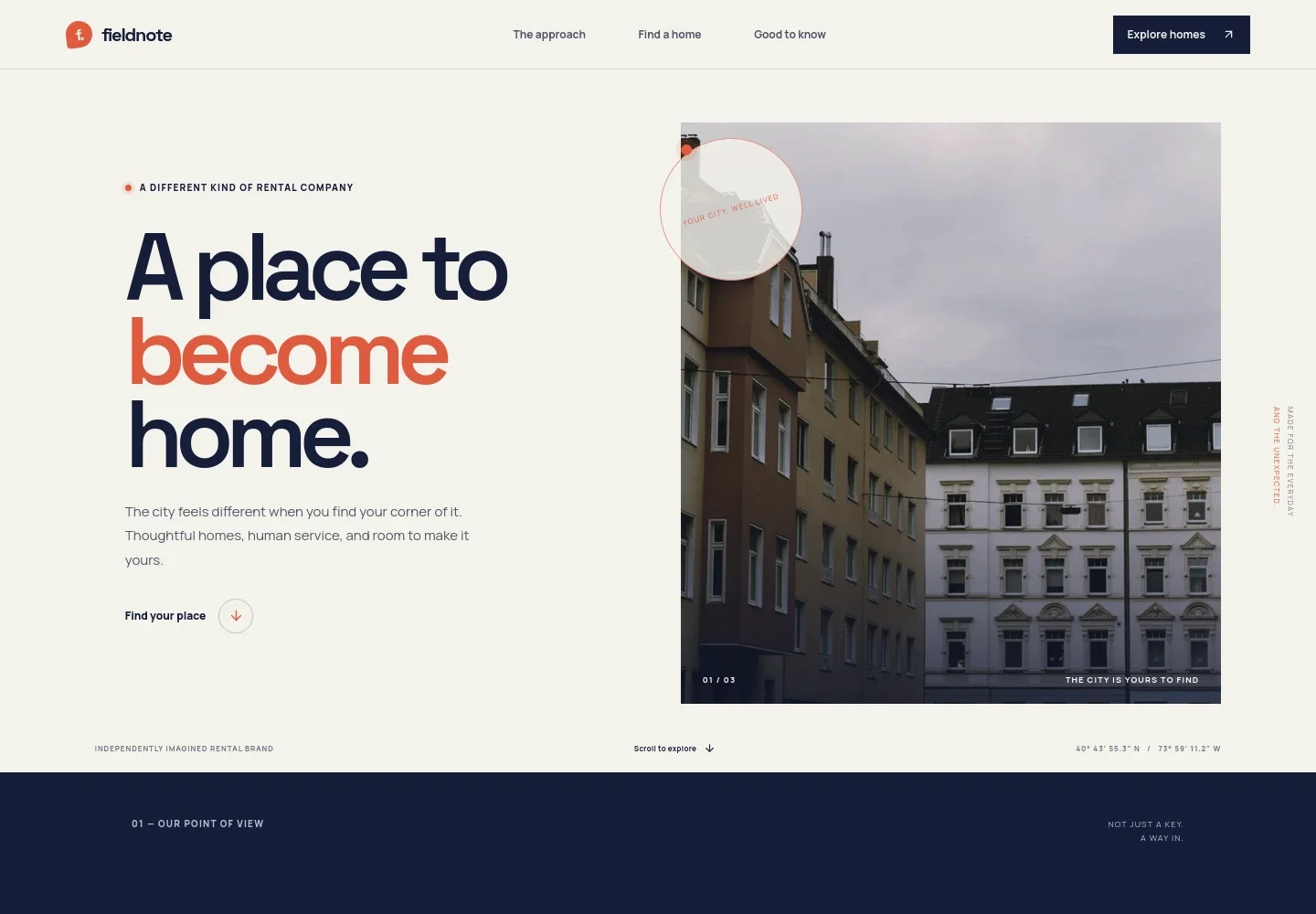
- Rental brand introduction
- A large headline, city-neighborhood image, and short welcome introduce the rental company and direct visitors toward exploring homes.
- Approach and service principles
- A point-of-view statement and three principles explain the brand's focus on clear information, personal contact, and homes that feel livable.
- Homes and renter experience
- An apartment image and supporting copy frame the search around finding a suitable home. Three concise points cover exploring with clarity, moving at a considered pace, and settling in.
- Neighborhood story
- A full-width city image and short editorial message connect a home search with the everyday places that make a neighborhood feel familiar.
- Renter FAQs
- Answers address what to prepare, whether renters can view a home before deciding, and what support to expect after moving in.
- Contact invitation
- A closing message invites prospective renters to share what matters to them and start a conversation by email.
- Footer navigation
- The footer repeats the brand identity, links to the approach and homes sections, and provides an email contact.
How to use this template
Open in Revamp
Click Use this template and sign in or create an account. You’ll start with your own copy of the design, ready to personalize.
Bring your content
Replace the sample text, photos, and logo with your own. Share your content, a document, or an existing website, and ask Revamp to adapt the template to your business.
Refine and publish
Ask Revamp to adjust the colors, layout, or sections, or edit directly on the page. Review desktop and mobile, then publish. You can keep making changes after launch.
Put your website to work
Give renters a clearer path from finding a property to arranging a viewing, and help your team keep enquiries organized. Ask Revamp to add connections such as:
-

Coordinate property viewings
CalendlyMake it easier for prospective renters to choose a viewing time. Ask Revamp to add appointment scheduling with Calendly.
-

Organize rental enquiries
HubSpotKeep prospective tenant conversations and follow-ups in one place. Ask Revamp to add enquiry management with HubSpot.
-

Track property and leasing details
BuildiumBring property records and rental activity into a dedicated management system. Ask Revamp to connect the site with Buildium.
Frequently asked questions
Is this template free?
Yes. This premium template is free to use when you select Use this template. The offer applies to the template itself.
Can I use my own content?
Yes. Ask Revamp to personalize the page with your company name, property details, photos, rental information, and contact details.
Do I need coding skills?
No. You can ask Revamp to personalize the content and design without coding.
Can I change the design?
Yes. Ask Revamp to adjust the layout, colors, imagery, and other design details to suit your rental business.
Can I keep editing after publishing?
Yes. You can keep editing after launch. Ask Revamp to make updates as your properties, information, or presentation changes.