About this template
Help prospective clients understand your communications approach, areas of expertise, and the kinds of stories your firm can shape. The page leads with a clear point of view, then connects that perspective to services such as earned media, executive communications, launches, and reputation work.
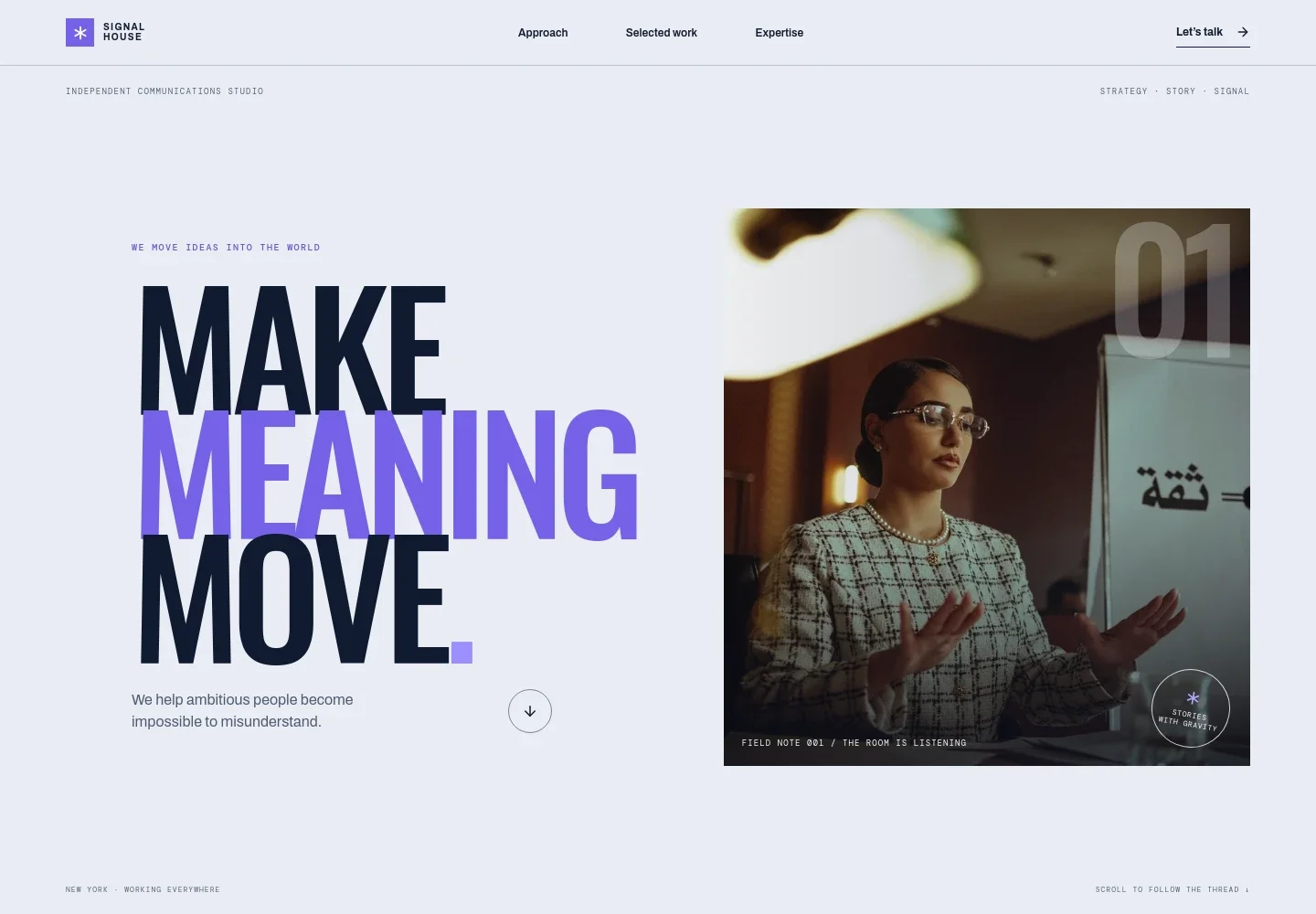
The design pairs editorial typography and a striking speaker image with concise copy, numbered expertise rows, and illustrative creative concepts. A direct contact section gives visitors a clear next step when they are ready to discuss a communications challenge.
Who it’s for
Public relations firms, independent communications studios, and PR consultants who want to introduce their approach, explain their services, show illustrative creative directions, and invite prospective clients to start a conversation.
What’s included
The page guides visitors from the firm's point of view to its services and contact invitation, helping prospective clients understand what the firm works on and how to begin a conversation.
- Opening statement
- A bold editorial headline, studio descriptor, and speaker photograph establish the communications focus and give the page an immediate visual anchor.
- Approach and principles
- A point-of-view statement explains the emphasis on insight, clear storytelling, relationships, and trust, followed by three concise working principles.
- Selected work concepts
- Two clearly labeled illustrative concepts show how the firm might frame a culture-first launch and an executive point-of-view platform. The page identifies these as creative directions rather than client engagements or claimed results.
- Expertise
- Five numbered service rows describe narrative and positioning, earned media and influence, executive communications, launches and cultural moments, and reputation and issues.
- Closing statement
- A short, prominent statement reinforces the firm's communications method before the page moves into the contact invitation.
- Contact invitation
- A clear conversation prompt and email link give prospective clients a direct way to get in touch. The displayed contact details are illustrative and can be personalized.
How to use this template
Open in Revamp
Click Use this template and sign in or create an account. You’ll start with your own copy of the design, ready to personalize.
Bring your content
Replace the sample text, photos, and logo with your own. Share your content, a document, or an existing website, and ask Revamp to adapt the template to your business.
Refine and publish
Ask Revamp to adjust the colors, layout, or sections, or edit directly on the page. Review desktop and mobile, then publish. You can keep making changes after launch.
Put your website to work
A few communications tools could help organize media relationships, monitor coverage, and manage client work. Ask Revamp to add or connect the tools that fit your firm's process.
-

Organize media relationships
Muck RackKeep journalist and outlet contacts, outreach notes, and follow-up activity organized. Ask Revamp to add a media-relations workflow with Muck Rack.
-

Monitor brand and media mentions
MeltwaterTrack coverage and mentions across news and online sources to support media monitoring. Ask Revamp to connect a monitoring workflow with Meltwater.
-

Coordinate client work
AsanaManage client projects, tasks, and deadlines in one place. Ask Revamp to add project coordination with Asana.
Frequently asked questions
Is this template free?
Yes. This premium template is free to use when you select Use this template. Free refers to the template itself.
Can I use my own content?
Yes. Ask Revamp to personalize the copy, images, firm details, services, and contact information for your business.
Do I need coding skills?
No. Ask Revamp to personalize the content and design in plain language, without coding.
Can I change the design?
Yes. Ask Revamp to adjust the colors, typography, imagery, layout, or other design details to suit your firm.
Can I keep editing after publishing?
Yes. You can keep asking Revamp to update your site after launch as your services, content, and business details change.