About this template
Help listeners understand your station’s sound, find programs by time of day, and tune in online. The design brings the broadcast identity, schedule, listening information, and station story into one clear page.
A dark, editorial style pairs bold display typography with a frequency-dial illustration and a studio-console image. Program rows show time slots alongside short descriptions, so visitors can quickly see what is on the dial.
Who it’s for
Independent radio stations, online broadcasters, community stations, and music-led radio projects looking to introduce their programming and direct listeners to the broadcast.
What’s included
The page is organized around the listener’s next step: discover the station, find a program, and learn how to listen. Clear navigation connects the schedule, listening section, station story, and contact area.
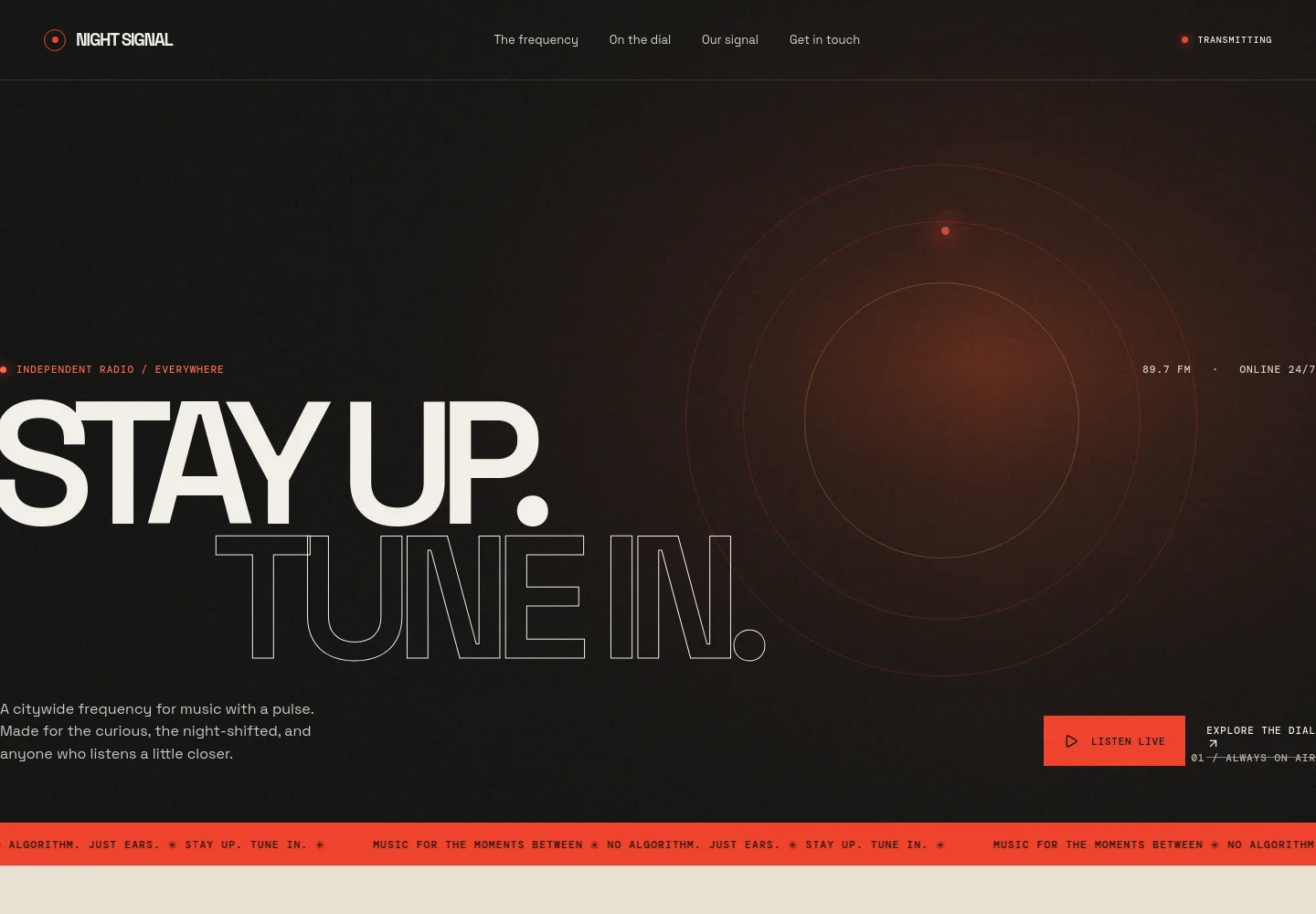
- Station introduction
- A prominent hero introduces the station’s identity and broadcast frequency, with a Listen live call to action and a link to the program schedule.
- Program schedule
- Four program rows pair time slots with show names and concise descriptions, helping listeners choose a part of the day to tune into.
- Listening information
- A dedicated listening section describes the station’s approach and presents a frequency-dial illustration alongside a link for listening questions.
- About the station
- A station-story section explains its human-curated musical identity, supported by an illustrated studio console and a short statement of its editorial promise.
- Contact footer
- The closing area invites visitors to get in touch and displays the station’s contact email and broadcast identity.
How to use this template
Open in Revamp
Click Use this template and sign in or create an account. You’ll start with your own copy of the design, ready to personalize.
Bring your content
Replace the sample text, photos, and logo with your own. Share your content, a document, or an existing website, and ask Revamp to adapt the template to your business.
Refine and publish
Ask Revamp to adjust the colors, layout, or sections, or edit directly on the page. Review desktop and mobile, then publish. You can keep making changes after launch.
Put your website to work
Make it easier to build a regular audience and keep listeners informed. Ask Revamp to add connections with tools commonly used for email newsletters and audience management.
-

Build a listener newsletter
MailchimpGive listeners a way to hear about upcoming shows and station news. Ask Revamp to add newsletter signup with Mailchimp.
-

Organize station contacts
HubSpotKeep track of audience, sponsor, and community outreach inquiries. Ask Revamp to add contact management with HubSpot.
Frequently asked questions
Is this radio station template free?
Yes. This premium template is free to use through Use this template. Hosting and other services may have separate costs.
Can I use my own station content?
Yes. Ask Revamp to personalize the station name, broadcast details, program schedule, listening information, images, and contact content for your radio business.
Do I need coding skills to customize it?
No coding skills are needed. Ask Revamp to personalize the content and design in plain language.
Can I change the design?
Yes. Ask Revamp to adjust the colors, typography, imagery, layout, and other design details to suit your station.
Can I keep editing after publishing?
Yes. You can keep editing your website after launch. Ask Revamp to make further content or design changes as your station evolves.


