About this template
Help listeners understand your station’s sound, discover its shows and find the current broadcast. The design introduces Frequency Radio as an independent station for adventurous music, conversation and stories.
A live-listening strip highlights the show on air, while the schedule gives visitors a clear view of three programs, their hosts and their time slots. Editorial sections explain the station’s point of view and invite listeners to get in touch.
Who it’s for
For independent radio stations, online broadcasters and radio show teams who want to introduce their programming, show schedule and station identity to listeners.
What’s included
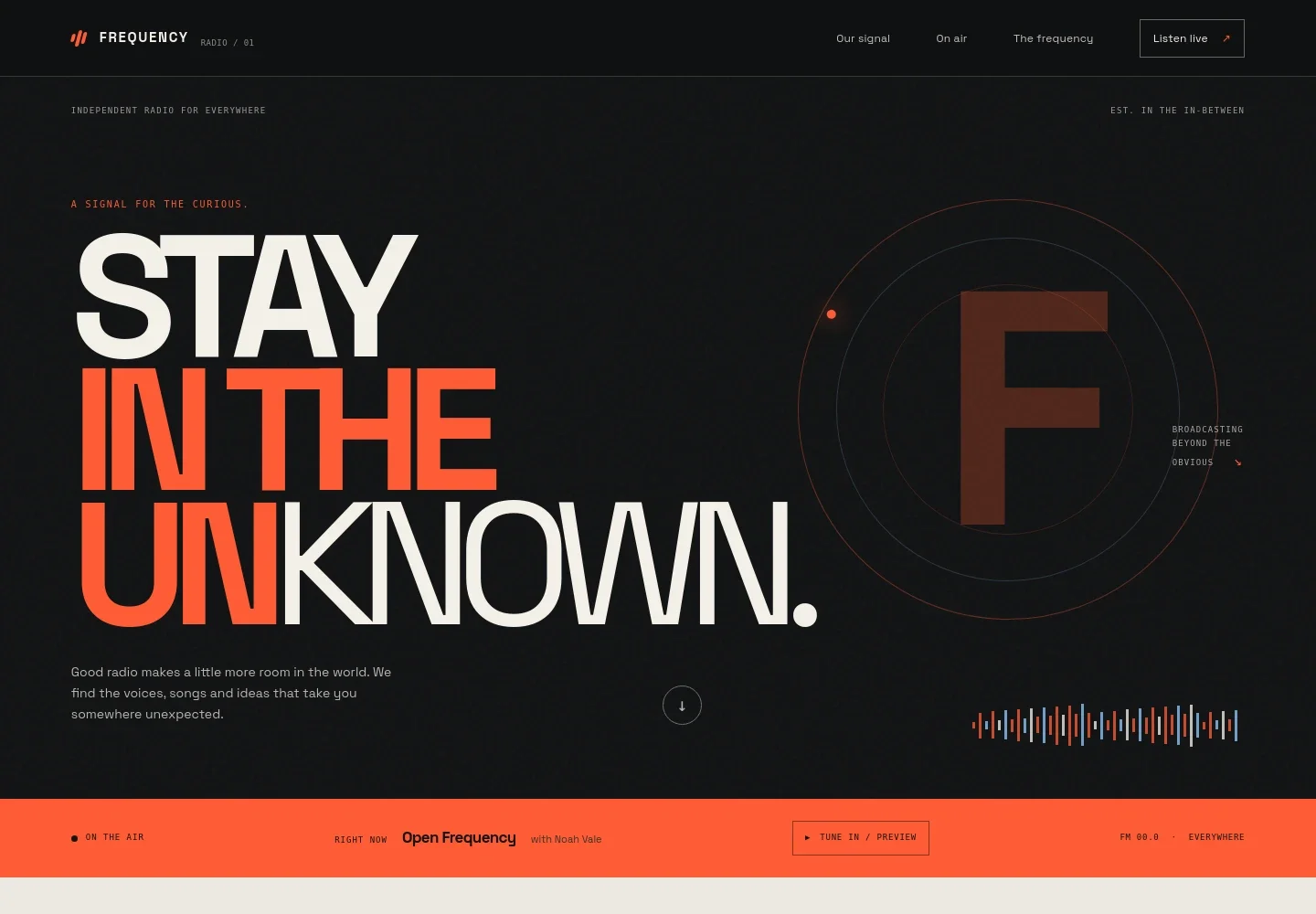
The page pairs a bold station identity with practical listening and programming details. Its dark, editorial presentation uses vivid accents, oversized type and studio imagery to give the station a distinct feel while keeping the on-air information easy to find.
- Station introduction
- A large hero statement and short introduction establish the station’s independent identity and approach to music, conversation and storytelling.
- On-air listening strip
- A prominent broadcast strip identifies the current show and host, with a tune-in control that gives listeners a clear place to start.
- Station idea
- A dedicated section explains the station’s focus on discovery and gives visitors more context about its editorial direction.
- Studio feature
- A full-width recording-studio image and accompanying text bring the people and sound-making environment into view.
- Show schedule
- Three program rows display show names, hosts, short descriptions and time slots, helping visitors see what is on across the day.
- Listener community and contact
- A closing community message invites listeners to share their curiosity and get in touch through the displayed email link.
- Footer navigation
- Station branding, a back-to-top link and a short closing line provide a simple end point for the page.
How to use this template
Open in Revamp
Click Use this template and sign in or create an account. You’ll start with your own copy of the design, ready to personalize.
Bring your content
Replace the sample text, photos, and logo with your own. Share your content, a document, or an existing website, and ask Revamp to adapt the template to your business.
Refine and publish
Ask Revamp to adjust the colors, layout, or sections, or edit directly on the page. Review desktop and mobile, then publish. You can keep making changes after launch.
Put your website to work
Make it easier to publish episodes, manage listener updates and coordinate station content. Ask Revamp to add or connect tools that support your station’s workflow.
-

Publish and distribute episodes
BuzzsproutGive listeners another way to find recorded shows. Ask Revamp to connect Buzzsprout for podcast episode publishing and distribution.
-

Manage listener newsletters
MailchimpKeep listeners informed about upcoming shows and station news. Ask Revamp to connect Mailchimp for email campaign management.
-

Organize station programming
AirtableKeep show plans and production schedules in one place. Ask Revamp to connect Airtable for organizing programming and content details.
Frequently asked questions
Is this radio website template free?
Yes. This premium template is free to use when you select Use this template. Hosting or other services may have separate terms.
Can I use my own station content?
Yes. Ask Revamp to personalize the page with your station name, show descriptions, host details, schedule, images and contact information.
Do I need coding skills to customize it?
No coding skills are needed. Ask Revamp to change the content or design in plain language.
Can I change the design?
Yes. Ask Revamp to adjust the colors, typography, imagery, layout or other visual details to suit your station.
Can I keep editing after publishing?
Yes. You can continue editing your website after launch. Ask Revamp to update the schedule, station details or design as your needs change.


