About this template
Help visitors understand how your development company approaches a place, from recognizing a site's potential to considering its role in the wider neighbourhood. The design gives your point of view and development process room to come through before inviting a conversation.
A city-focused visual identity combines a contemporary architectural image, an abstract skyline illustration, editorial typography, and clear numbered sections. Use the page to introduce your approach, explain how you think about development, and give landowners and potential partners a direct way to get in touch.
Who it’s for
Real estate developers, property development companies, and urban regeneration teams introducing their approach to landowners, investors, local partners, and people interested in a development.
What’s included
The completed design guides visitors from your development philosophy through your process and long-term perspective to a clear invitation to discuss a place or idea.
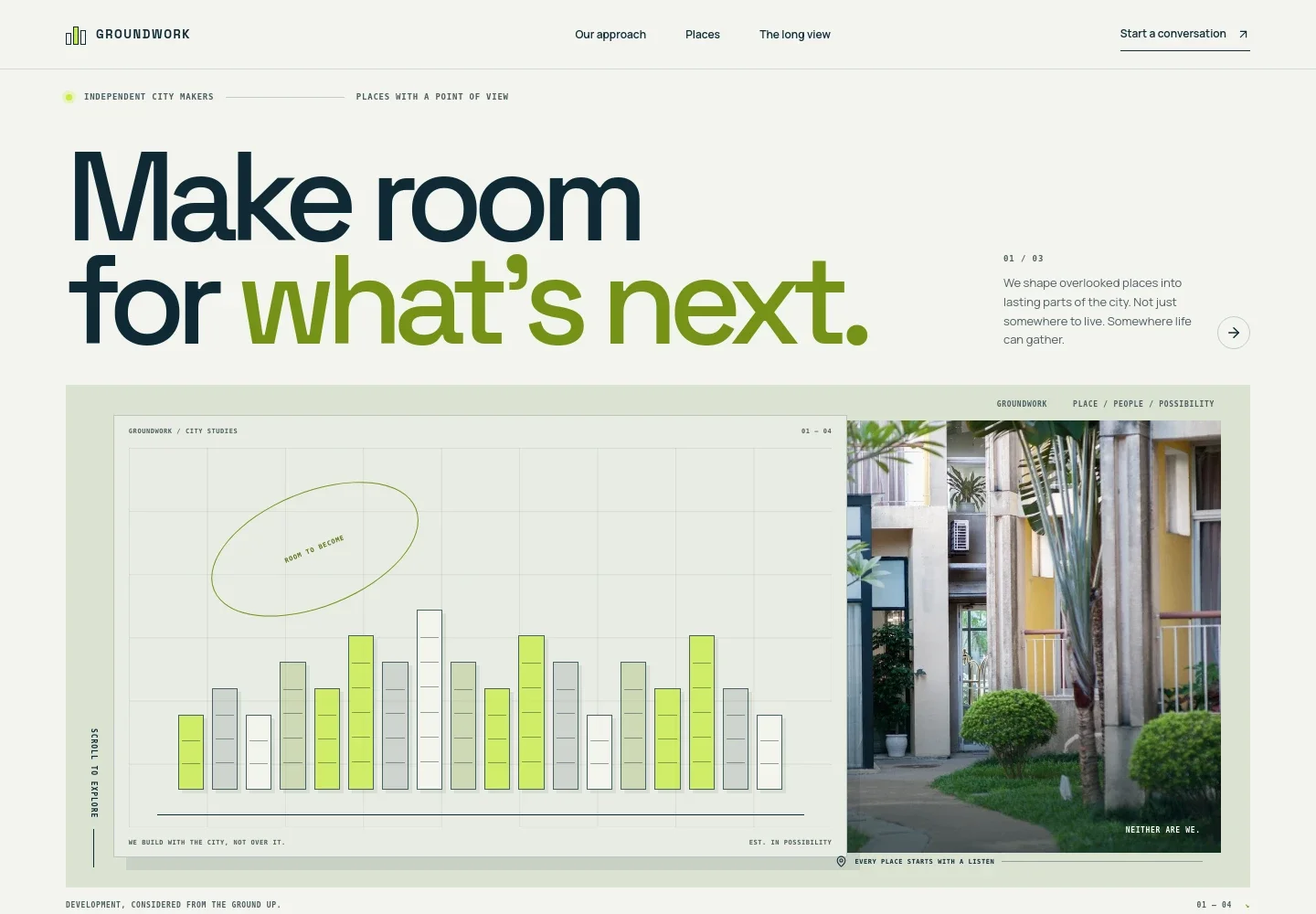
- Development-focused hero
- A bold headline, short introduction, illustrated skyline, and contemporary homes image establish a city-making perspective. The main navigation links to the approach, places, long view, and contact sections.
- Our approach
- A manifesto-style section explains why development should begin with the streets, people, and needs already present in a neighbourhood.
- What we do
- Four numbered steps describe a development approach: identifying a site's potential, listening and imagining, bringing land, design, and delivery together, and planning for the long term.
- The long view
- A dedicated section pairs a close architectural image with copy about adaptable homes, durable materials, welcoming ground floors, and shared spaces.
- Contact invitation
- A closing prompt invites visitors to share a site, question, or possibility, with an email link that can be personalized for your business.
How to use this template
Open in Revamp
Click Use this template and sign in or create an account. You’ll start with your own copy of the design, ready to personalize.
Bring your content
Replace the sample text, photos, and logo with your own. Share your content, a document, or an existing website, and ask Revamp to adapt the template to your business.
Refine and publish
Ask Revamp to adjust the colors, layout, or sections, or edit directly on the page. Review desktop and mobile, then publish. You can keep making changes after launch.
Put your website to work
Make it easier to follow up on development enquiries and keep project information organized. Ask Revamp to add or connect tools that suit the way your team works.
-

Track development enquiries
HubSpotKeep landowner, investor, and partner conversations organized. Ask Revamp to connect HubSpot for contact and enquiry management.
-

Coordinate project information
AirtableOrganize site details, project notes, and planning information in one workspace. Ask Revamp to connect Airtable for project tracking.
-

Schedule introductory conversations
CalendlyGive prospective partners a straightforward way to request a meeting time. Ask Revamp to add consultation booking with Calendly.
Frequently asked questions
Is this template free?
Yes. This premium template is free to use when you select Use this template. This applies to the template itself.
Can I use my own content?
Yes. Ask Revamp to personalize the copy, images, company details, and contact information for your development business.
Do I need coding skills?
No coding skills are needed. Ask Revamp to make content or design changes in natural language.
Can I change the design?
Yes. Ask Revamp to adjust the layout, colors, typography, imagery, or other design details to suit your brand and projects.
Can I keep editing after publishing?
Yes. You can keep editing your site after launch. Ask Revamp to update your content or design as your projects and business evolve.