About this template
Help visitors understand your rescue and recovery approach, the conditions you work in, and how to start a conversation about support. The page frames response as a process, from locating and stabilizing through recovery and restoration.
The design pairs maritime and remote-access capabilities with a people-first operating philosophy. A dedicated contact area gives organizations a clear next step for discussing response capability, preparedness planning, or recovery questions.
Who it’s for
Independent rescue and recovery teams, maritime response providers, remote-access specialists, and organizations that discuss preparedness or recovery support.
What’s included
A dark, field-oriented layout gives rescue and recovery teams space to explain their method, capabilities, operating principles, and contact options.
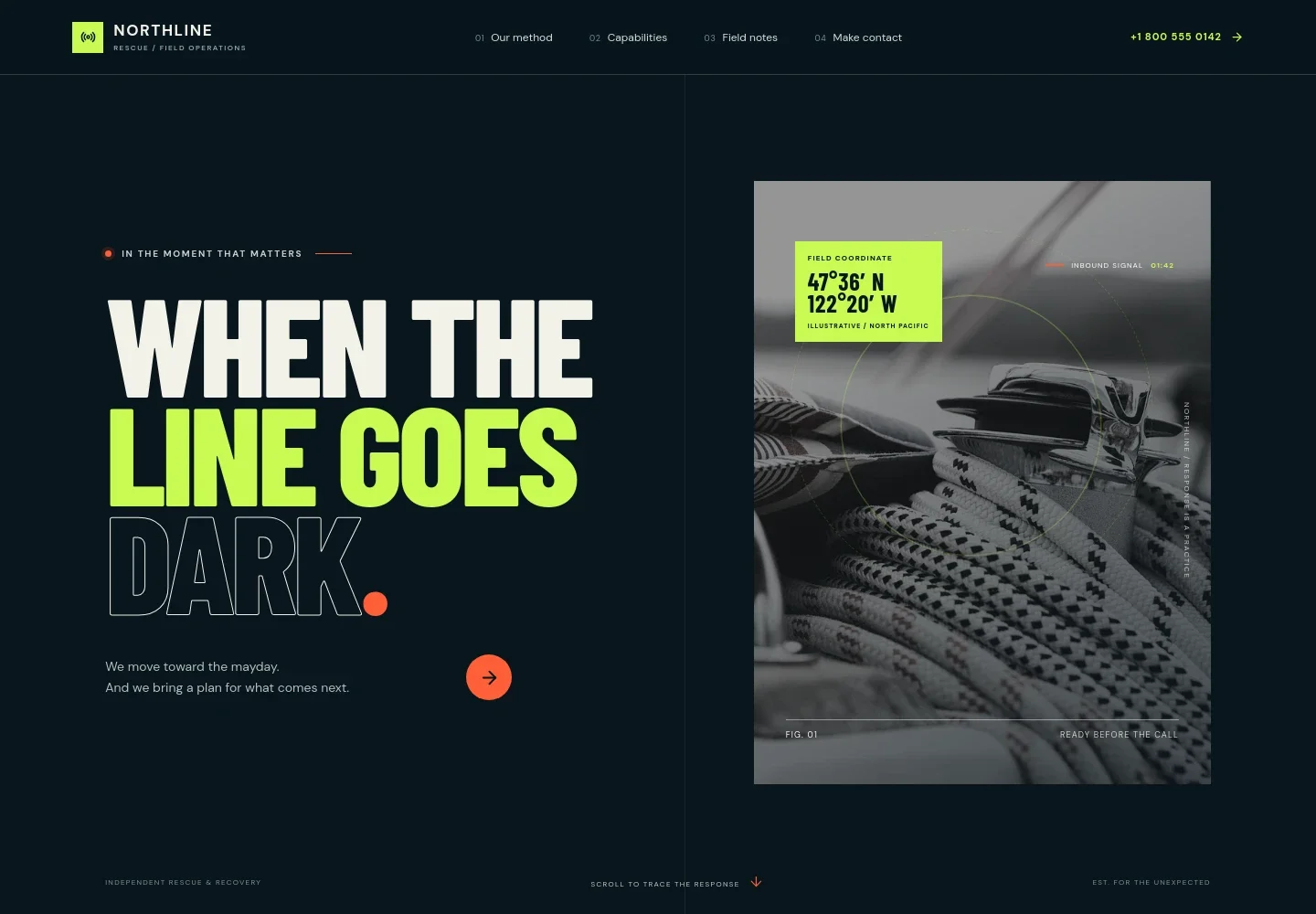
- Response-focused hero
- A bold headline, maritime equipment image, and concise introduction establish the rescue context. The header includes navigation and a prominent response-line contact area.
- Four-step response method
- A numbered sequence explains the approach as locate, stabilize, recover, and restore, with short descriptions that help visitors follow the response from initial signal to handoff.
- Capabilities
- Three capability entries describe maritime response, remote access, and recovery and continuity, covering search coordination, difficult terrain, evacuation logistics, and handoff.
- Operating principles
- A dedicated section explains calm decision-making, practical planning, and clear communication, followed by three principles: listen before moving, name uncertainty early, and leave a clear handoff.
- Contact
- A closing invitation directs visitors to discuss response capability, preparedness planning, or recovery questions, with email contact and space to identify the operating region.
- Footer navigation
- The footer repeats the organization identity and rescue focus, provides a back-to-top link, and leaves room for a brief business note.
How to use this template
Open in Revamp
Click Use this template and sign in or create an account. You’ll start with your own copy of the design, ready to personalize.
Bring your content
Replace the sample text, photos, and logo with your own. Share your content, a document, or an existing website, and ask Revamp to adapt the template to your business.
Refine and publish
Ask Revamp to adjust the colors, layout, or sections, or edit directly on the page. Review desktop and mobile, then publish. You can keep making changes after launch.
Put your website to work
Make it easier to coordinate requests, share field information, and keep response communications organized. Ask Revamp to add or connect tools that fit your team's operations.
-

Organize operational inquiries
HubSpotKeep preparedness and recovery inquiries organized for follow-up. Ask Revamp to add contact management with HubSpot.
-

Coordinate response calendars
Google CalendarHelp teams keep planning meetings and availability in view. Ask Revamp to add calendar scheduling with Google Calendar.
-

Collect structured field information
Google SheetsGather and organize planning details or field reports in a shared spreadsheet. Ask Revamp to add a Google Sheets workflow.
Frequently asked questions
Is this template free?
Yes. This premium template is free to use when you select Use this template. This applies to the template itself, not hosting or other services.
Can I use my own content?
Yes. Ask Revamp to personalize the site with your organization name, response approach, service descriptions, imagery, and contact details.
Do I need coding skills?
No coding skills are needed. Ask Revamp to make content and design changes for you.
Can I change the design?
Yes. Ask Revamp to adjust the colors, images, layout, and other design details to suit your organization.
Can I keep editing after publishing?
Yes. You can keep asking Revamp to update your content and design after launch.


