About this template
Help restaurant teams see the kinds of kitchen essentials you supply, from cookware and bakeware to knives, smallwares, service and storage gear. The page frames the range around the practical demands of prep and service.
A clear product-range section leads into your approach to recommending useful equipment, then invites visitors to describe what their kitchen needs. Use the contact area to start conversations about outfitting a new kitchen, refreshing a station or finding a particular item.
Who it’s for
Restaurant supply shops and foodservice equipment sellers serving restaurant owners, chefs, kitchen managers and hospitality teams.
What’s included
The design guides restaurant buyers from an equipment-focused introduction to a categorized product range, a plainspoken explanation of your approach and a direct supply inquiry.
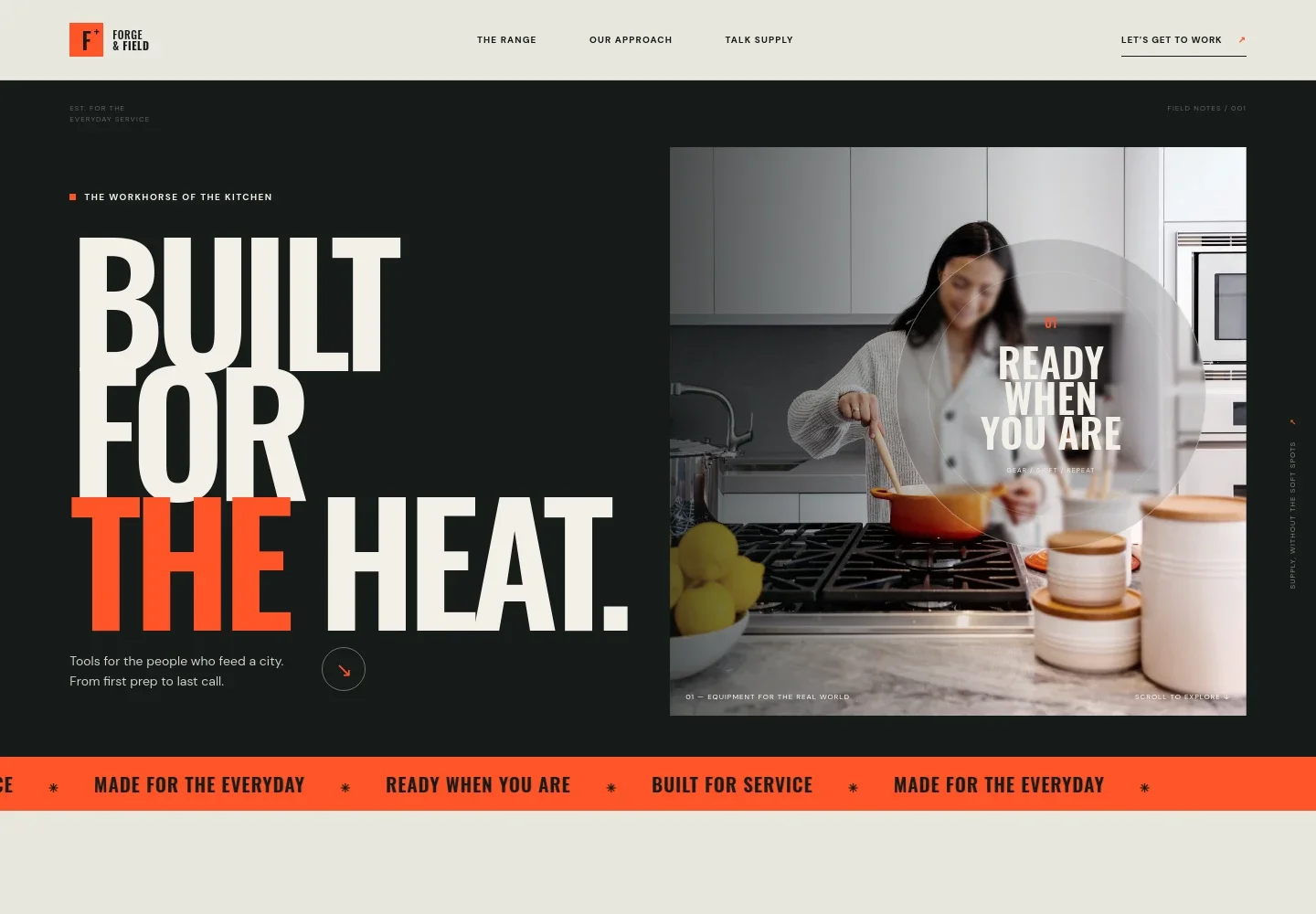
- Kitchen equipment hero
- A bold headline, commercial-kitchen imagery and a link to the product range establish the focus on professional gear for everyday service.
- Product range
- Four linked categories cover cookware and bakeware, knives and prep, smallwares, and service and storage. Short descriptions help buyers scan the range and consider what their kitchen needs.
- Supply approach
- A statement about listening first and keeping recommendations practical gives visitors a sense of how the supplier works with kitchen teams.
- Supply inquiry
- The contact section invites buyers to discuss a new kitchen, a station refresh or a specific equipment need, with a prominent start-a-conversation link.
- Footer navigation
- The footer repeats the brand, summarizes its focus on kitchen teams and provides a back-to-top link.
How to use this template
Open in Revamp
Click Use this template and sign in or create an account. You’ll start with your own copy of the design, ready to personalize.
Bring your content
Replace the sample text, photos, and logo with your own. Share your content, a document, or an existing website, and ask Revamp to adapt the template to your business.
Refine and publish
Ask Revamp to adjust the colors, layout, or sections, or edit directly on the page. Review desktop and mobile, then publish. You can keep making changes after launch.
Put your website to work
Make product inquiries easier to manage and keep customer follow-up organized. Ask Revamp to add connections to tools such as these.
-

Organize customer inquiries
HubSpotKeep track of restaurant buyers, supply conversations and follow-ups. Ask Revamp to connect HubSpot for customer relationship management.
-

Manage product and order data
Google SheetsKeep product details, stock records or order information organized in spreadsheets. Ask Revamp to connect Google Sheets.
-

Schedule buyer conversations
CalendlyGive restaurant buyers a way to request a time to discuss equipment needs. Ask Revamp to add consultation booking with Calendly.
Frequently asked questions
Is this template free?
Yes. This premium template is free to use when you select Use this template. This applies to the template, not hosting or other services.
Can I use my own content?
Yes. Ask Revamp to personalize the page with your store name, product categories, business details, images and contact information.
Do I need coding skills?
No. Ask Revamp to personalize the content and design for your restaurant supply business without coding.
Can I change the design?
Yes. Ask Revamp to change the colors, imagery, layout and other design details to suit your store.
Can I keep editing after publishing?
Yes. You can keep editing after launch. Ask Revamp to update your content or design as your product range and business needs change.


