About this template
Help diners understand your restaurant at a glance, from its live-fire cooking and sample menu to the setting and practical details for a visit. The page pairs food and dining-room photography with concise copy about the restaurant’s approach.
A seasonal menu list gives visitors a feel for the dishes, ingredients, and prices, while the visit section provides space for address, opening hours, phone, email, and an inquiry link. The design uses a dark, warm visual style and editorial food imagery to tell a clear story from kitchen to table.
Who it’s for
Independent restaurants, neighborhood dining rooms, and fire-led kitchens that want to introduce their food, atmosphere, menu, and visitor information.
What’s included
The page guides visitors from the restaurant’s identity and cooking approach to sample dishes and visit information. Its photography, menu list, and clearly grouped practical details help diners decide whether the restaurant suits their evening and how to get in touch.
- Restaurant introduction
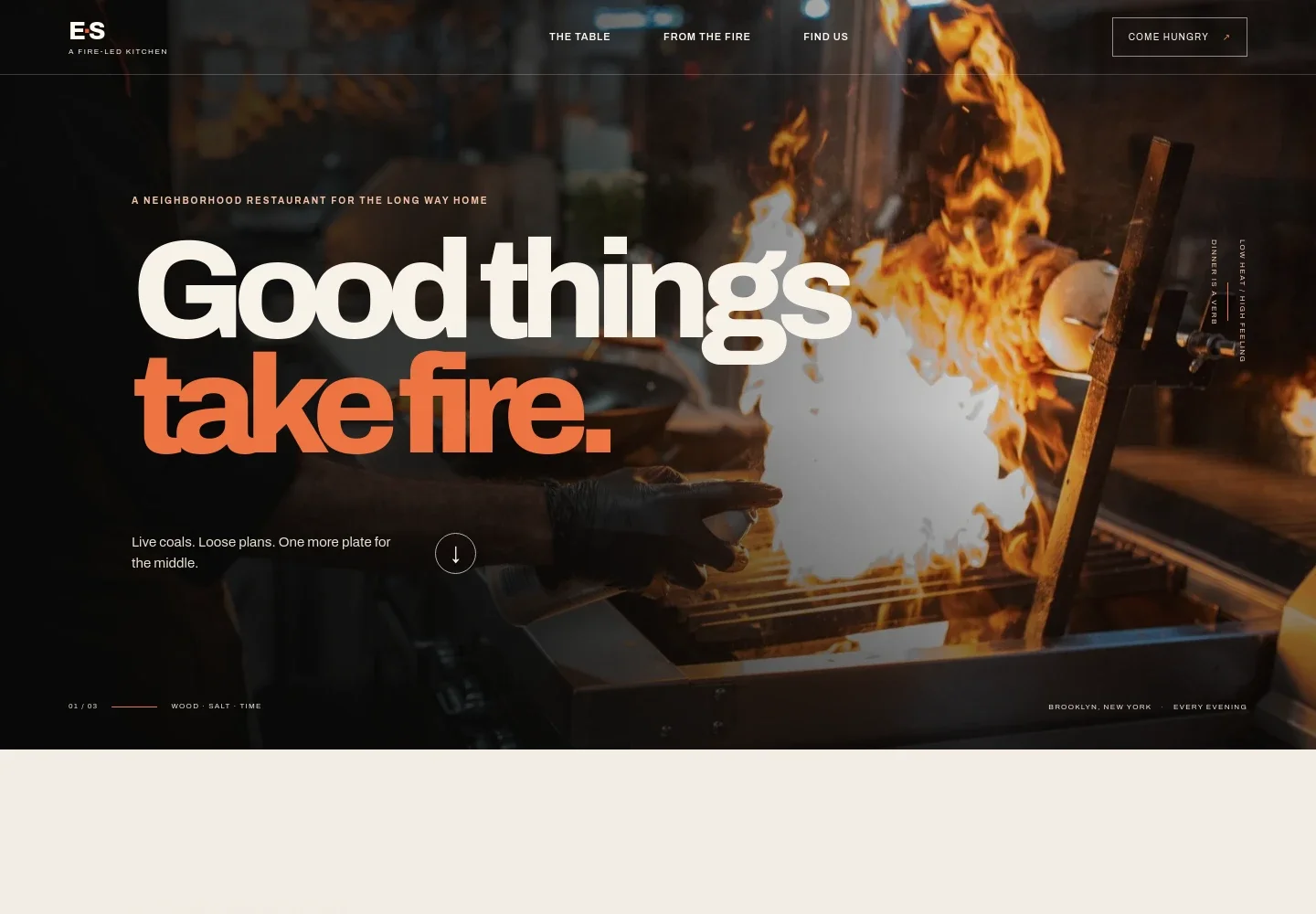
- A full-width hero pairs a professional-kitchen fire image with a restaurant name, short positioning copy, and links into the page. An introductory section then explains the intended dining experience.
- Cooking and dining story
- A visual sequence combines dining-room and food photography with copy about live-fire cooking, including vegetables, fish, and meat. It gives the restaurant room to explain its approach without relying on a long text block.
- Sample menu
- A seasonal menu presentation lists example dishes, ingredient descriptions, and prices, with a note that the sample menu changes. This helps visitors understand the style of food while leaving room to update offerings.
- Visit and contact details
- A dedicated visit section pairs dining-room photography with walk-in and larger-gathering guidance, an inquiry link, and spaces for address, hours, phone, and email. The visible contact and location details are illustrative placeholders to personalize.
- Navigation and footer
- Navigation links take visitors to the restaurant story, food, and visit information. The footer repeats the restaurant identity and location label and provides a back-to-top link.
How to use this template
Open in Revamp
Click Use this template and sign in or create an account. You’ll start with your own copy of the design, ready to personalize.
Bring your content
Replace the sample text, photos, and logo with your own. Share your content, a document, or an existing website, and ask Revamp to adapt the template to your business.
Refine and publish
Ask Revamp to adjust the colors, layout, or sections, or edit directly on the page. Review desktop and mobile, then publish. You can keep making changes after launch.
Put your website to work
Online reservations can make it easier for diners to plan a visit. Ask Revamp to add a booking option using a restaurant reservation platform that suits your service.
-

Manage reservations and tables
OpenTableGive diners a convenient way to request a table and help your team manage bookings. Ask Revamp to add reservation booking with OpenTable.
-

Handle reservations and guest details
ResyLet guests book online while organizing reservation and guest information. Ask Revamp to add reservation booking with Resy.
-

Coordinate reservations and service
TockOffer online table booking and support reservation management for your dining room. Ask Revamp to add reservations with Tock.
Frequently asked questions
Is this restaurant template free?
Yes. This premium template is free to use when you select Use this template. Free refers to the template itself.
Can I use my own restaurant content?
Yes. Ask Revamp to personalize the page with your restaurant name, food photography, menu, address, hours, and contact details.
Do I need coding skills to customize it?
No. Ask Revamp to update your content and design in natural language, without coding.
Can I change the design?
Yes. Ask Revamp to adjust the colors, typography, imagery, layout, and other design choices to better suit your restaurant.
Can I keep editing after publishing?
Yes. You can keep editing after launch. Ask Revamp to update the menu, visit information, content, or design as your restaurant changes.