About this template
Help prospective renters understand the experience behind your room rentals. This design presents furnished rooms in shared homes, with clear messaging about personal space, shared living, and finding housemates who are a good fit.
The page moves from your approach to shared housing, through three practical points about rooms, housemates, and settling in, then invites visitors to browse rooms or start a conversation. Photography of a bright communal living area and a calm bedroom helps visitors picture the spaces.
Who it’s for
Room rental operators, shared-housing providers, and coliving businesses looking to introduce their homes and help prospective renters take the next step.
What’s included
The layout gives visitors a straightforward path from understanding your shared-living approach to viewing room information and getting in touch.
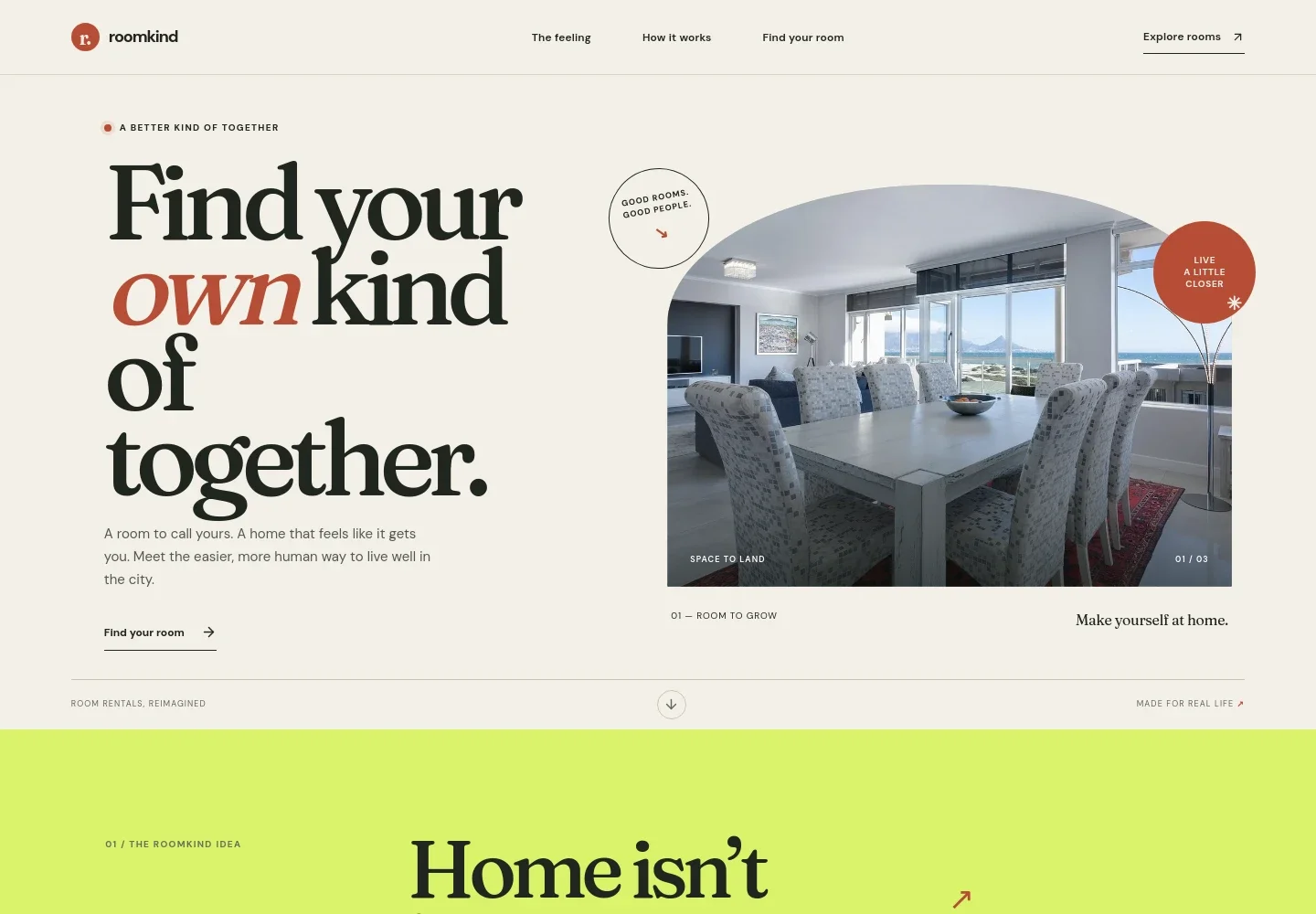
- Room rental introduction
- A prominent headline, supporting copy, and room image introduce the kind of shared-living experience your business offers, with links directing visitors toward the room section.
- Your approach to shared living
- An editorial-style section explains the role of comfort, community, and independence in the experience, giving operators space to describe what matters in their homes.
- How the experience differs
- Three numbered points cover furnished rooms, housemate fit, and having space to make a home your own. This makes the offer easy to scan without relying on unsupported claims or ratings.
- Room detail and contact
- A bedroom photo sits beside copy about furnished rooms in shared homes and a contact link, giving visitors a visual reference and a clear next step.
- Closing call to action and footer
- A final invitation to find a place leads into a compact footer with the brand, a short sign-off, and a contact link.
How to use this template
Open in Revamp
Click Use this template and sign in or create an account. You’ll start with your own copy of the design, ready to personalize.
Bring your content
Replace the sample text, photos, and logo with your own. Share your content, a document, or an existing website, and ask Revamp to adapt the template to your business.
Refine and publish
Ask Revamp to adjust the colors, layout, or sections, or edit directly on the page. Review desktop and mobile, then publish. You can keep making changes after launch.
Put your website to work
A room-rental business can use listing and property-management tools to organize availability, inquiries, and renter communication. Ask Revamp to add or connect tools that support the way you manage your homes.
-

Organize room availability and renter inquiries
BuildiumAsk Revamp to connect listings and property details with a system such as Buildium, helping visitors find relevant rental information and giving your team a place to manage property operations.
-

Manage rental listings and applications
Zillow Rental ManagerAsk Revamp to connect room listings with Zillow Rental Manager so prospective renters can find available spaces and submit inquiries or applications.
-

Keep rental operations and tenant communication organized
AppFolioAsk Revamp to connect property and tenant information with AppFolio to support the day-to-day management of shared homes.
Frequently asked questions
Is this template free?
Yes. This premium template is free to use when you select Use this template. This applies to the template itself, not hosting or other services.
Can I use my own content?
Yes. Ask Revamp to personalize the text, photos, brand details, room information, and contact details for your room rental business.
Do I need coding skills?
No. Ask Revamp to personalize the content and design in plain language. You do not need coding skills.
Can I change the design?
Yes. Ask Revamp to adjust the colors, typography, imagery, layout, and other design details to suit your business.
Can I keep editing after publishing?
Yes. You can keep making changes after launch. Ask Revamp to update your room details, images, copy, or design as your business changes.


