About this template
Show visitors how your software helps teams bring projects, conversations, decisions, and customer signals into a shared view. The page introduces Relay as a way to make work easier to understand and carry forward.
A connected visual map, a three-step explanation, and audience-specific content help prospective customers grasp the product’s purpose before they start a conversation.
Who it’s for
For SaaS founders, product teams, and software businesses presenting a collaboration or workflow product to prospective customers.
What’s included
The design moves from a clear product promise to an illustrated product concept, an explanation of how it works, and a direct contact invitation. Its structured sections help software businesses explain both the product idea and who it is for.
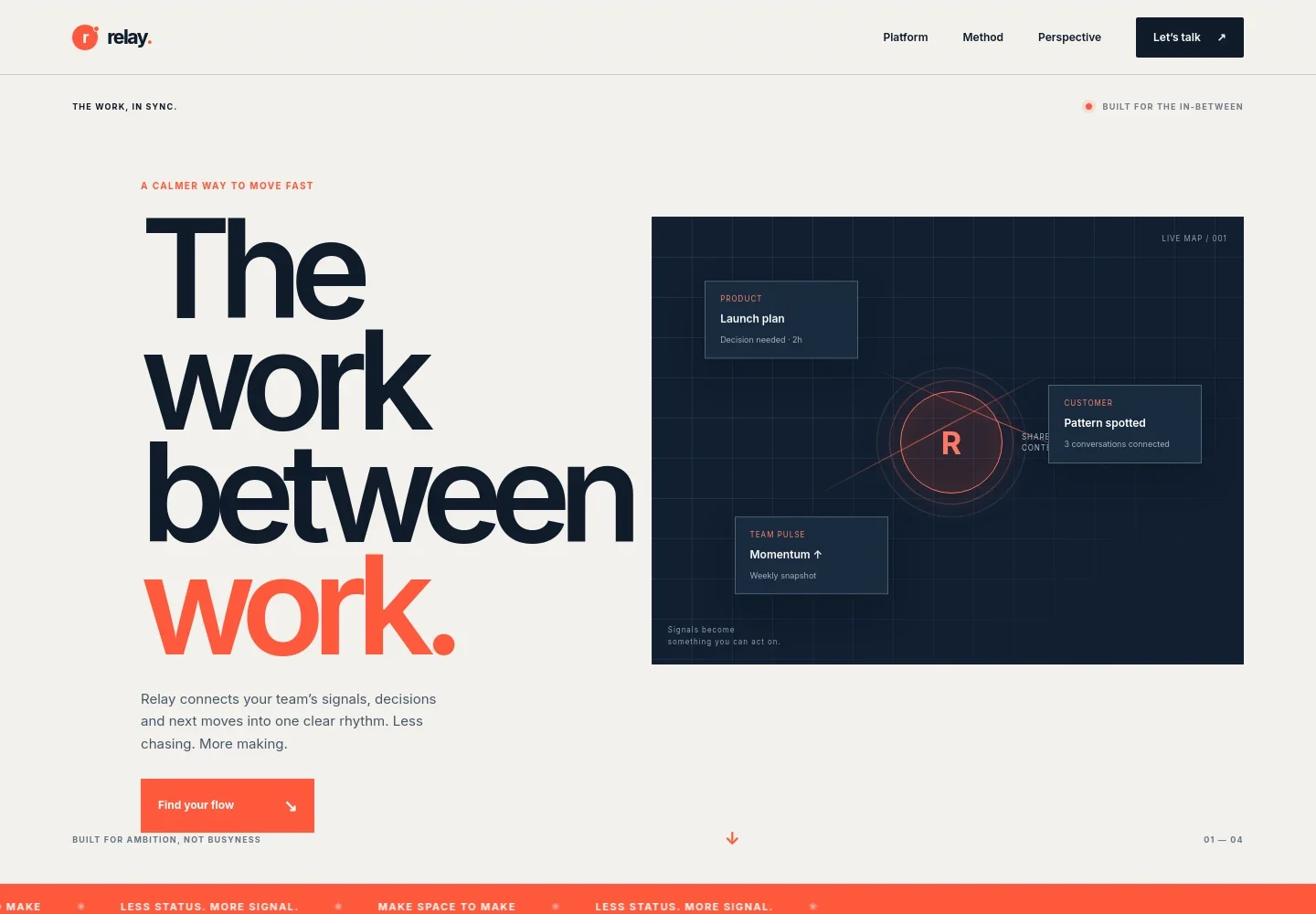
- Product hero and signal visualization
- A prominent headline and concise product explanation introduce the promise of bringing team signals, decisions, and next moves into one rhythm. Floating product, customer, and team-pulse cards make the concept tangible.
- Shared-work overview
- An orbit-style illustration connects product, customer, growth, and operations around one shared signal, supporting a quick visual explanation of how different workstreams relate.
- How it works
- Three numbered steps describe gathering important context, seeing connections, and moving with intent. This gives visitors a simple narrative for understanding the product’s proposed approach.
- Product point of view
- A large editorial statement explains the distinction between being busy and making progress, with supporting copy about helping teams focus on what matters.
- Audience use cases
- Dedicated entries for product teams, company builders, and people who connect the dots show different reasons a team might value shared context.
- Contact invitation
- A closing section invites visitors to start a conversation about what their team is trying to make happen, followed by branded footer navigation.
How to use this template
Open in Revamp
Click Use this template and sign in or create an account. You’ll start with your own copy of the design, ready to personalize.
Bring your content
Replace the sample text, photos, and logo with your own. Share your content, a document, or an existing website, and ask Revamp to adapt the template to your business.
Refine and publish
Ask Revamp to adjust the colors, layout, or sections, or edit directly on the page. Review desktop and mobile, then publish. You can keep making changes after launch.
Put your website to work
A SaaS business can use connected tools to capture interest, manage customer conversations, and collect payments. Ask Revamp to add the services that fit your product’s sales and onboarding needs.
-

Capture and organize leads
HubSpotKeep prospective customer details and follow-up activity organized. Ask Revamp to add lead capture and customer management with HubSpot.
-

Make it easy to book a product conversation
CalendlyLet visitors choose a time for a demo or consultation. Ask Revamp to add meeting scheduling with Calendly.
-

Collect subscription payments
StripeGive customers a clear path to pay for a software plan. Ask Revamp to add payment checkout with Stripe.
Frequently asked questions
Is this template free?
Yes. This premium template is free to use when you select Use this template. This applies to the template itself.
Can I use my own content?
Yes. Ask Revamp to personalize the text, product details, visuals, and contact information for your business.
Do I need coding skills?
No. You can ask Revamp to personalize the content and design without coding.
Can I change the design?
Yes. Ask Revamp to adjust the layout, colors, typography, and other design details to suit your product.
Can I keep editing after publishing?
Yes. You can keep asking Revamp to update your content and design after your site has launched.


