About this template
Show visitors how your science and technology studio turns research questions into instruments, systems, and practical applications. The design introduces your focus areas and explains how you work, from framing a problem to prototyping and building toward real-world use.
A dark, editorial layout pairs a prominent headline with an orbital visualization, then organizes the studio story into clear sections for research frontiers, working method, and contact. Adapt the copy, fields, visuals, and contact details to reflect your actual work by asking Revamp.
Who it’s for
Independent science and technology studios, research-led consultancies, interdisciplinary R&D teams, and organizations working across areas such as photonics, artificial intelligence, materials, biology, and fabrication.
What’s included
The page helps prospective collaborators understand what your studio investigates, how it approaches complex questions, and how to start a conversation.
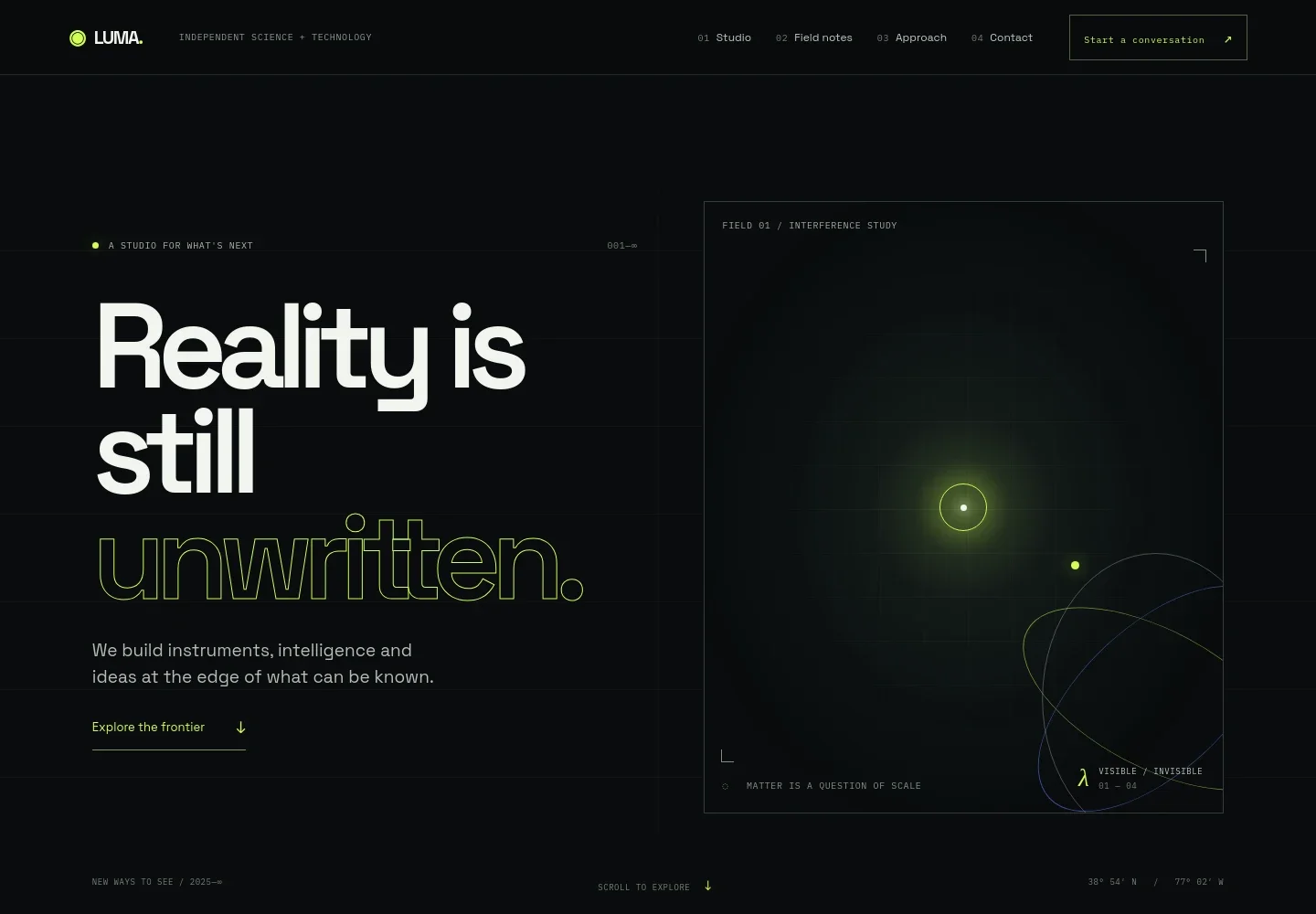
- Hero with orbital visualization
- A large statement and short introduction set the tone, while an orbital-style graphic creates a science-led visual focal point. Navigation links guide visitors to the studio, field notes, approach, and contact sections.
- Studio introduction
- A manifesto-style section explains the studio's interest in turning scientific curiosity into tools and systems, with room to describe how it partners with teams.
- Working frontiers
- Three topic cards introduce photonics and materials, AI and computation, and biology and fabrication. Each combines a field label, a short explanation, and a link to the approach section.
- Approach
- A numbered three-step layout explains a working method: frame the question, prototype a possible direction, and build toward application alongside a team.
- Contact invitation
- A closing prompt invites visitors to share the question they are working on and begin a conversation. The displayed contact email is illustrative and can be personalized by asking Revamp.
- Footer
- A compact footer repeats the studio identity and provides a return-to-top link.
How to use this template
Open in Revamp
Click Use this template and sign in or create an account. You’ll start with your own copy of the design, ready to personalize.
Bring your content
Replace the sample text, photos, and logo with your own. Share your content, a document, or an existing website, and ask Revamp to adapt the template to your business.
Refine and publish
Ask Revamp to adjust the colors, layout, or sections, or edit directly on the page. Review desktop and mobile, then publish. You can keep making changes after launch.
Put your website to work
Make it easier to turn interest in your research or services into organized conversations. Ask Revamp to add relevant tools for scheduling, project coordination, or sharing technical work.
-

Schedule research conversations
CalendlyGive prospective collaborators a straightforward way to book an introductory call. Ask Revamp to add consultation booking with Calendly.
-

Coordinate research projects
AsanaKeep project tasks, milestones, and team discussions organized in one workspace. Ask Revamp to connect your project workflow with Asana.
-

Share technical work
GitHubGive visitors and collaborators a clear route to explore code, documentation, or open-source projects. Ask Revamp to add links to your GitHub organization or selected repositories.
Frequently asked questions
Is this template free?
Yes. This premium template is free to use when you select Use this template. Free refers to the template itself, not hosting or other services.
Can I use my own content?
Yes. Ask Revamp to personalize the text, research areas, visuals, contact details, and other page content to reflect your studio.
Do I need coding skills?
No coding skills are needed. Ask Revamp to personalize the content and design in natural language.
Can I change the design?
Yes. Ask Revamp to adjust the layout, colors, typography, imagery, or other design details to suit your brand and audience.
Can I keep editing after publishing?
Yes. You can keep editing after launch. Ask Revamp to update your content or design as your work and priorities change.


