About this template
Help customers see what your screen printing shop makes, how you approach each print, and how to start a project. The page presents apparel, posters and paper goods alongside a clear overview of your print process.
A bold, editorial layout pairs a large print-studio image with service descriptions, process steps, ink color swatches and a project inquiry call to action. Use it to explain your offerings and help visitors share what they need printed.
Who it’s for
Screen printing studios and print shops serving clothing brands, businesses, artists, event organizers and other customers looking for custom apparel, posters or paper goods.
What’s included
The design moves from a screen-printing studio image and concise introduction to specific services, a three-stage process, print details and a project inquiry. Visitors can quickly understand what you print and what information to share when getting in touch.
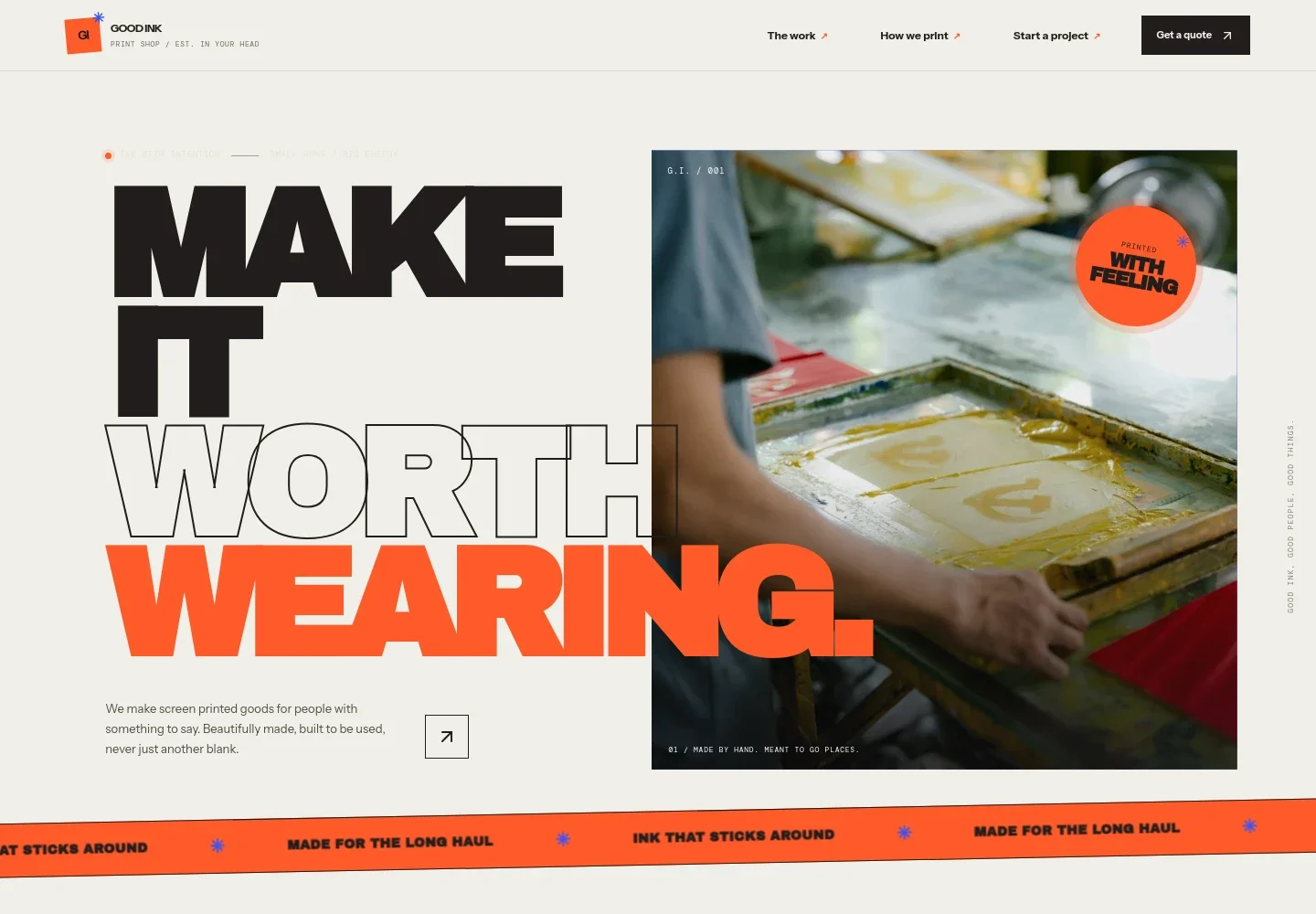
- Studio introduction
- A prominent headline, screen-printing press image and short introduction establish the shop's focus on made-to-use printed goods. Navigation links lead visitors to the work, process and project inquiry.
- Printing services
- Three service descriptions cover apparel such as tees, sweats, totes and workwear; posters and paper goods; and help preparing artwork, separating colors and choosing a print approach.
- Print process
- A three-step overview explains artwork preparation, printing one color at a time, and packing the finished run with wash notes. It helps set expectations without requiring visitors to know printing terminology.
- Ink and print details
- Copy introduces choices such as soft-hand or textured ink and single-color or multi-color prints, alongside a stack of four color swatches.
- Project inquiry
- A closing call to action invites visitors to share what they are making, how many they need and when they need the order. The visible email address is labeled as an example contact.
How to use this template
Open in Revamp
Click Use this template and sign in or create an account. You’ll start with your own copy of the design, ready to personalize.
Bring your content
Replace the sample text, photos, and logo with your own. Share your content, a document, or an existing website, and ask Revamp to adapt the template to your business.
Refine and publish
Ask Revamp to adjust the colors, layout, or sections, or edit directly on the page. Review desktop and mobile, then publish. You can keep making changes after launch.
Put your website to work
Streamline project inquiries, track customer conversations and organize production details by asking Revamp to connect tools that suit your print shop.
-

Track print shop inquiries
HubSpotKeep customer details and project conversations organized in one place. Ask Revamp to add HubSpot contact management for incoming print inquiries.
-

Organize orders and production tasks
Google SheetsTrack job details, artwork status and due dates across your team. Ask Revamp to connect your project information with Google Sheets.
-

Arrange project consultations
CalendlyLet customers choose a time to discuss artwork, materials and print options. Ask Revamp to add consultation booking with Calendly.
Frequently asked questions
Is this screen printing website template free?
Yes. This premium template is free to use when you select Use this template. Free refers to the template itself.
Can I use my own content?
Yes. Ask Revamp to personalize the text, images, services, contact details and other content for your print shop.
Do I need coding skills to customize it?
No coding skills are needed. Ask Revamp to make content and design changes in natural language.
Can I change the design?
Yes. Ask Revamp to adjust the colors, typography, images, layout and other design details to fit your shop.
Can I keep editing after publishing?
Yes. You can keep asking Revamp to update your site after launch as your services, work and business details change.


