About this template
Help film and television producers, collaborators, and prospective clients understand your writing focus and how you approach a story. The page introduces an independent story studio, its perspective on character and dramatic tension, and its work across development, screenplays, and series.
A cinematic writing-desk image, dark color palette, large editorial headlines, and scene-inspired labels give the page the feel of a writer’s workspace. The sequence section turns three story beats into a visual example, while the writing process and closing contact section give visitors a clear path from learning about your approach to starting a conversation.
Who it’s for
Independent screenwriters, screenplay consultants, and story development professionals presenting their writing practice to producers, filmmakers, collaborators, or clients.
What’s included
The layout leads with the writer’s point of view, then guides visitors through a story example, writing approach, and contact invitation. Its film-inspired visual details make the subject immediately clear without relying on a conventional list of credits or projects.
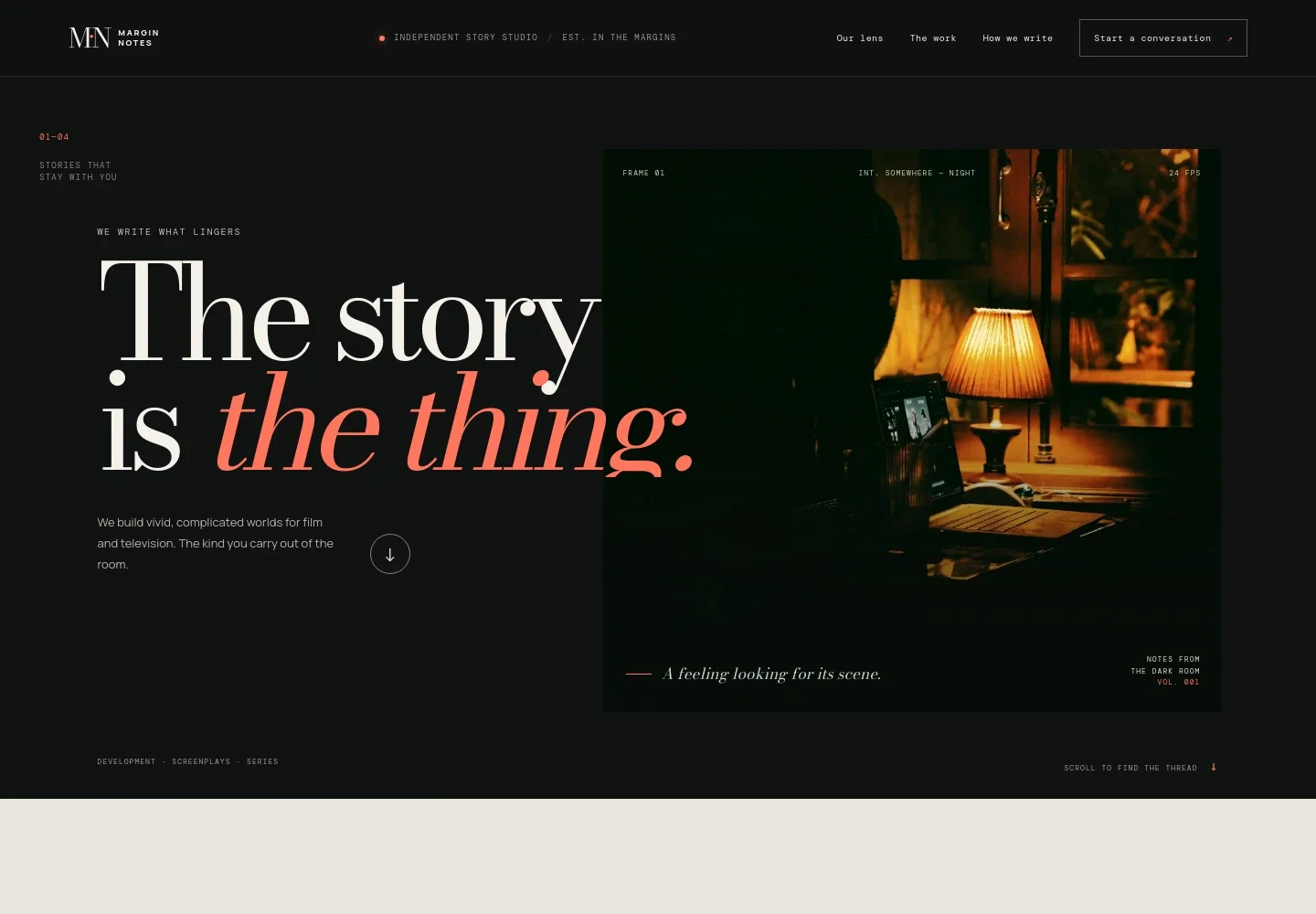
- Screenwriting hero
- A prominent story-focused headline sits beside an atmospheric writing-desk image, with supporting copy identifying work in development, screenplays, and series.
- Creative lens
- Introduces the writer’s focus on character, emotional pressure, setting, and consequential choices, alongside a graphic story-engine illustration labeled want, wound, and choice.
- Interactive story beats
- Three selectable lines show how a story can shift from a kept secret to an open door and a life-changing choice. The scene-style image and labels present the sequence as a writing exercise.
- Writing process
- Three steps describe moving from an initial story question to the human conflict inside a premise, then shaping and refining a draft.
- Contact section
- A closing invitation encourages visitors to share a story idea or draft, with an email link for starting a conversation.
How to use this template
Open in Revamp
Click Use this template and sign in or create an account. You’ll start with your own copy of the design, ready to personalize.
Bring your content
Replace the sample text, photos, and logo with your own. Share your content, a document, or an existing website, and ask Revamp to adapt the template to your business.
Refine and publish
Ask Revamp to adjust the colors, layout, or sections, or edit directly on the page. Review desktop and mobile, then publish. You can keep making changes after launch.
Put your website to work
Make it easier to turn interest in your writing into a useful next step. Ask Revamp to add relevant tools for consultation scheduling, project inquiries, or keeping track of prospective collaborators.
-

Schedule introductory conversations
CalendlyLet producers and collaborators choose a time to discuss a project. Ask Revamp to add consultation booking with Calendly.
-

Keep project inquiries organized
HubSpotTrack prospective projects and follow-up conversations in one place. Ask Revamp to connect HubSpot for managing contact inquiries.
-

Plan conversations around your calendar
Google CalendarHelp visitors request a meeting at a convenient time. Ask Revamp to add scheduling with Google Calendar.
Frequently asked questions
Is this screenwriter template free?
Yes. This premium template is free to use when you select Use this template. Free refers to the template itself.
Can I use my own writing, images, and contact details?
Yes. Ask Revamp to personalize the page with your own writing focus, project details, images, and contact information.
Do I need coding skills to customize it?
No. Ask Revamp to update the content and design for your screenwriting practice without coding.
Can I change the design to fit my style?
Yes. Ask Revamp to adjust the colors, imagery, typography, and layout to suit your professional identity.
Can I keep editing after publishing?
Yes. You can keep editing after launch. Ask Revamp to make updates as your writing services, projects, or contact details change.


