About this template
Help diners understand your seafood restaurant at a glance, from your approach to the day’s catch to what they can expect at the table. The design gives oysters, fire-kissed whole fish, and other menu highlights their own space without suggesting a fixed menu.
A clear visit section puts your address, opening hours, and contact details where guests can find them. The sample page welcomes walk-ins and uses illustrative contact and location details, ready for you to personalize.
Who it’s for
Independent seafood restaurants, neighbourhood fish houses, and dining venues that want to introduce their food, atmosphere, and practical visit information.
What’s included
The page moves from the restaurant’s identity and seafood point of view to menu highlights, dining atmosphere, and visit details. That sequence helps diners picture the experience and find the information they need before arriving.
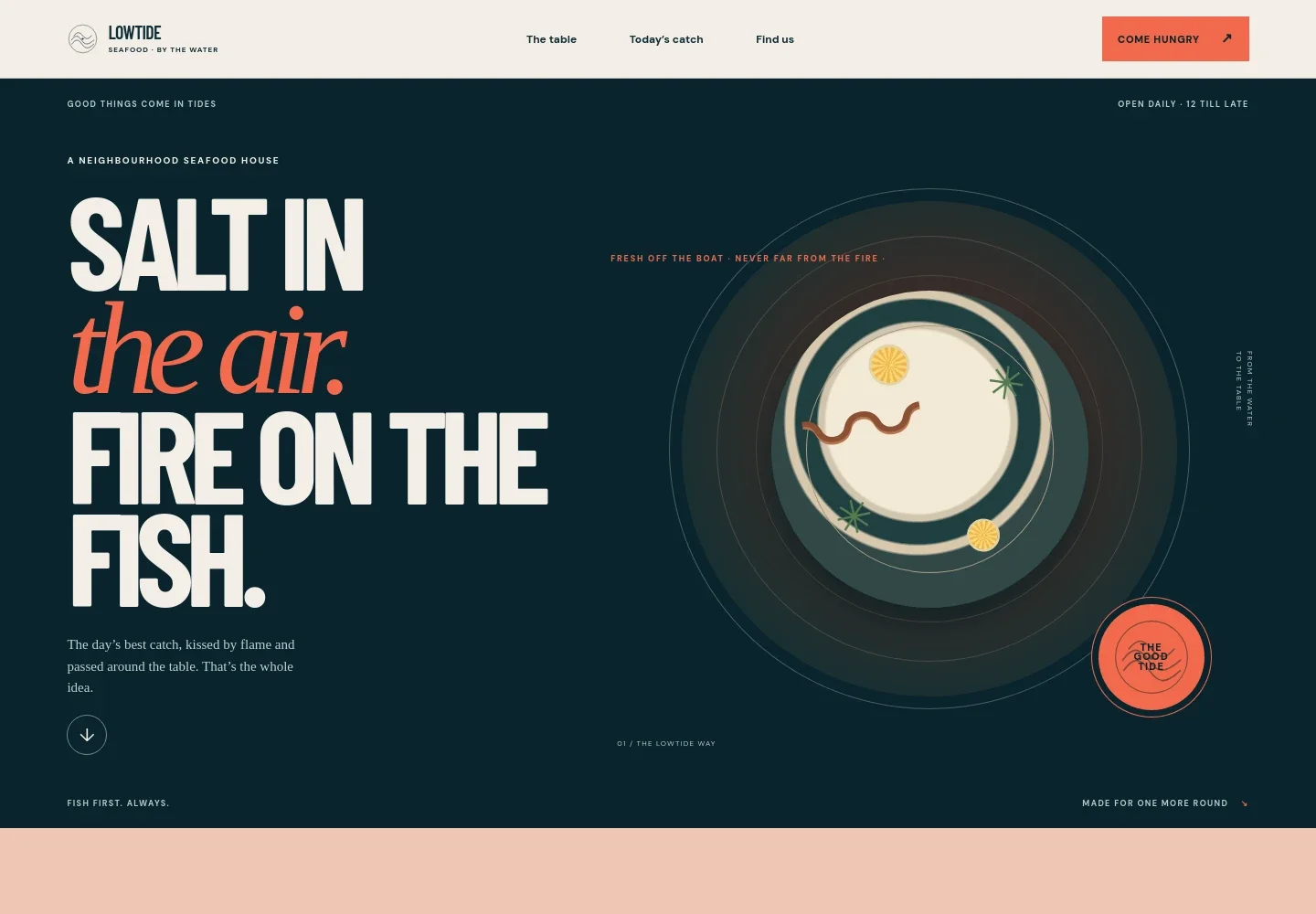
- Restaurant introduction
- A prominent hero introduces Lowtide as a neighbourhood seafood house, with copy about the day’s catch and cooking over fire.
- Restaurant approach
- A short point-of-view section describes a relaxed seafood supper built around a proper catch, a hot grill, and sharing a meal.
- Today’s catch and menu highlights
- A flexible menu section explains that the selection changes with the boats and seasons, then highlights oysters, whole fish, and chips. A note invites guests to ask about dietary questions.
- Dining experience
- A dedicated section sets a leisurely tone, describing a visit that can last beyond a quick bite and encouraging guests to enjoy the table together.
- Visit and contact details
- A practical closing section provides space for the restaurant’s location, hours, and contact information, alongside a walk-in welcome. Replace the illustrative details with your own.
How to use this template
Open in Revamp
Click Use this template and sign in or create an account. You’ll start with your own copy of the design, ready to personalize.
Bring your content
Replace the sample text, photos, and logo with your own. Share your content, a document, or an existing website, and ask Revamp to adapt the template to your business.
Refine and publish
Ask Revamp to adjust the colors, layout, or sections, or edit directly on the page. Review desktop and mobile, then publish. You can keep making changes after launch.
Put your website to work
Make it easier for guests to plan a meal or hear about menu updates. Ask Revamp to add or connect tools that suit the way your restaurant serves customers.
-

Turn interest into table bookings
OpenTableGive guests a direct way to choose a time and request a table. Ask Revamp to add reservation booking with OpenTable.
-

Keep guests informed about the catch
MailchimpBuild an email audience for menu news and restaurant updates. Ask Revamp to add newsletter sign-up with Mailchimp.
Frequently asked questions
Is this template free?
Yes. This premium template is free to use through Use this template. This refers to the template itself, not hosting or other services.
Can I use my own content?
Yes. Ask Revamp to personalize the restaurant name, menu descriptions, food imagery, address, hours, and contact details with your own content.
Do I need coding skills?
No coding skills are needed. Ask Revamp to personalize the content and design for your restaurant.
Can I change the design?
Yes. Ask Revamp to adjust the colors, typography, imagery, layout, or other design details to suit your restaurant.
Can I keep editing after publishing?
Yes. You can keep editing after launch. Ask Revamp to update your menu highlights, visit details, content, or design as your needs change.