About this template
Introduce a footwear brand and help visitors understand what makes a featured shoe suited to everyday movement. This design centers on the Stride One, describing its cushioned landing, breathable upper, and traction for sidewalks and park paths.
The page pairs a bold product introduction with a short brand story, a three-point feature list, and a closing contact invitation. Its editorial copy and graphic shoe illustration give a single-product concept a clear identity.
Who it’s for
Footwear brands, independent shoe labels, and retailers presenting a featured running or everyday shoe.
What’s included
A focused product story helps visitors move from the shoe’s purpose to its features and the brand’s point of view, with a contact link at the end.
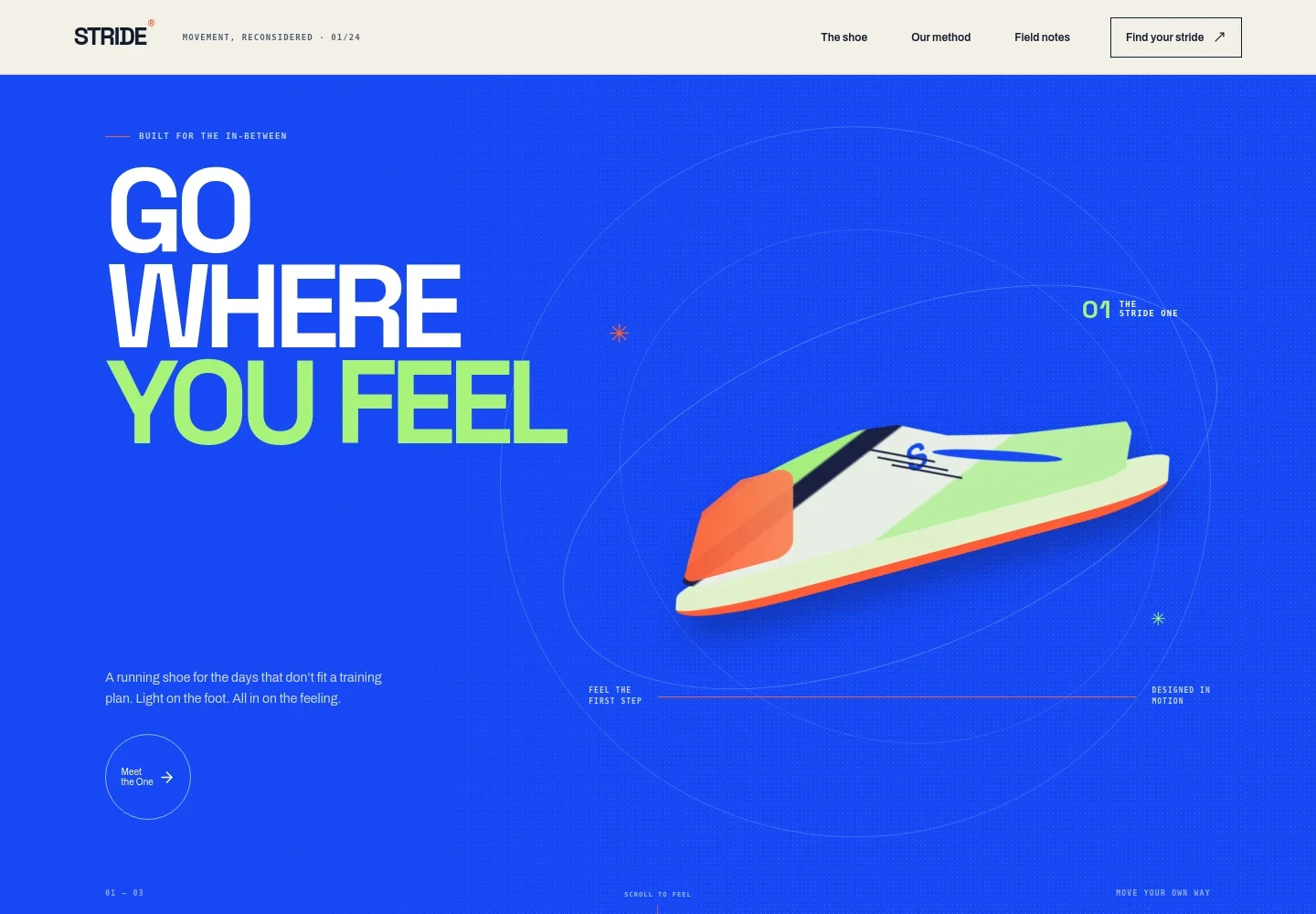
- Product hero
- Opens with the Stride One name, an everyday-running message, and a cobalt shoe illustration. A prominent link leads visitors into the product details.
- Everyday running introduction
- Sets out the shoe’s intended feel and use, with copy about easy runs, longer routes, and movement beyond a training plan.
- Design approach and shoe features
- Pairs an editorial image with three concise feature descriptions: a cushioned landing, a breathable upper, and traction for paths and sidewalks.
- Brand note and contact invitation
- Closes with a short statement about movement at your own pace and a link inviting visitors to ask about the shoes.
- Footer contact details
- Includes an email contact link and a back-to-top link, giving visitors a simple way to return to the beginning or get in touch.
How to use this template
Open in Revamp
Click Use this template and sign in or create an account. You’ll start with your own copy of the design, ready to personalize.
Bring your content
Replace the sample text, photos, and logo with your own. Share your content, a document, or an existing website, and ask Revamp to adapt the template to your business.
Refine and publish
Ask Revamp to adjust the colors, layout, or sections, or edit directly on the page. Review desktop and mobile, then publish. You can keep making changes after launch.
Put your website to work
Support product discovery and customer follow-up by asking Revamp to add ecommerce, email marketing, or customer management tools.
-

Sell footwear online
ShopifyGive customers a way to browse products and place orders. Ask Revamp to add an online store with Shopify.
-

Keep customers informed
MailchimpShare product launches and brand updates with subscribers. Ask Revamp to connect email campaigns with Mailchimp.
-

Organize customer inquiries
HubSpotKeep track of customer questions and follow-ups. Ask Revamp to connect customer management with HubSpot.
Frequently asked questions
Is this template free?
Yes. This premium template is free to use when you select Use this template. Free refers to the template itself.
Can I use my own content?
Yes. Ask Revamp to personalize the product details, brand story, images, and contact information with your own content.
Do I need coding skills?
No. Ask Revamp to personalize the content and design in plain language, without coding.
Can I change the design?
Yes. Ask Revamp to adjust the colors, typography, layout, and other design details to suit your footwear brand.
Can I keep editing after publishing?
Yes. You can keep asking Revamp to update your content and design after launch.