About this template
Help prospective visitors understand your range experience, coaching approach, and how to prepare for a first visit. The design presents a precision shooting range as a place for focused practice, with clear information for both newcomers and experienced shooters.
A dedicated training section introduces private introductions, foundations and skill building, and small-group sessions. The first-visit guide then explains how visitors can reach out, make a plan with your team, and arrive for orientation at their own pace.
Who it’s for
Shooting range owners, range managers, and firearms instructors who want to explain their facilities, coaching options, and first-visit process to prospective visitors.
What’s included
The page pairs dramatic range photography and editorial typography with practical guidance, so visitors can grasp the range’s approach and what to expect before contacting the team.
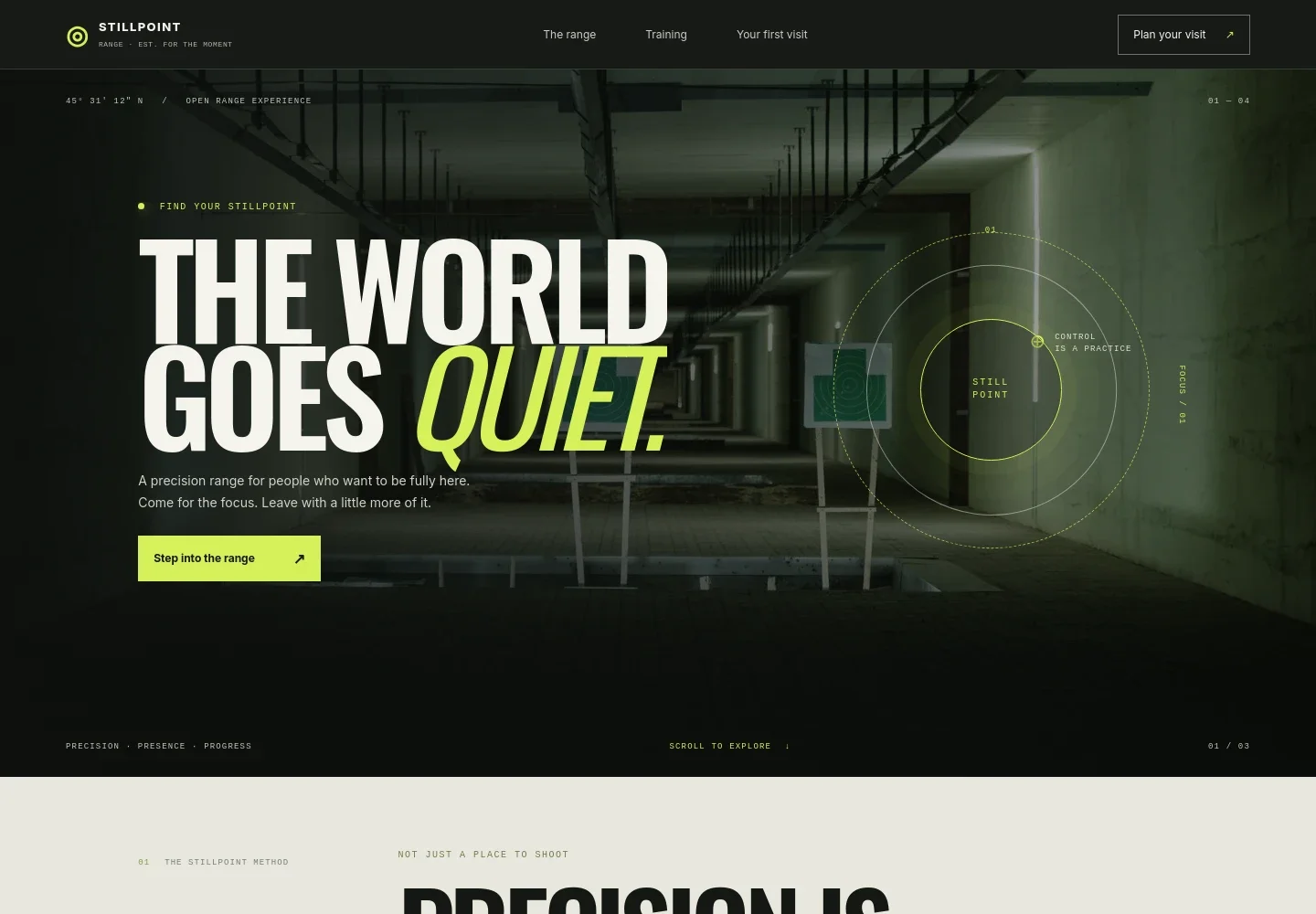
- Range introduction
- A full-width range image and prominent opening message introduce the venue’s focus on precision and presence, with a clear prompt to plan a visit.
- The range approach
- This section explains the range’s emphasis on expert guidance, thoughtfully designed lanes, and room for visitors to find their own rhythm.
- Visitor experience
- A short set of principles describes clear orientation for beginners, coaching shaped around each visitor’s pace, and a considered setting for focused practice.
- Training and coaching
- The training area describes coaching for beginners and returning shooters, and names private introductions, foundations and skill building, and small-group sessions.
- First-visit guide
- Three steps cover reaching out, making a plan with the team, and allowing time for orientation. A safety note mentions range orientation and required eye and ear protection.
- Contact and footer
- A contact prompt invites prospective visitors to ask questions before arriving. The footer provides a return-to-top link and space for the range identity.
How to use this template
Open in Revamp
Click Use this template and sign in or create an account. You’ll start with your own copy of the design, ready to personalize.
Bring your content
Replace the sample text, photos, and logo with your own. Share your content, a document, or an existing website, and ask Revamp to adapt the template to your business.
Refine and publish
Ask Revamp to adjust the colors, layout, or sections, or edit directly on the page. Review desktop and mobile, then publish. You can keep making changes after launch.
Put your website to work
Make it easier to coordinate visits, coaching sessions, and follow-up. Ask Revamp to add a booking or customer-management tool that suits your range’s process.
-

Schedule coaching and introductory visits
CalendlyGive visitors a convenient way to request a time for an introduction or coaching session. Ask Revamp to add appointment booking with Calendly.
-

Keep visit and training schedules organized
Google CalendarCoordinate sessions and staff availability using a shared calendar. Ask Revamp to connect Google Calendar for scheduling.
-

Manage visitor inquiries and follow-up
HubSpotKeep prospective visitor details and conversations organized in one customer relationship system. Ask Revamp to connect HubSpot for inquiry management.
Frequently asked questions
Is this template free?
Yes. This premium template is free to use when you select Use this template. This applies to the template itself, not hosting or other services.
Can I use my own content?
Yes. Ask Revamp to personalize the copy, photos, range details, coaching options, and contact information for your business.
Do I need coding skills?
No. You can ask Revamp to personalize the content and design without coding.
Can I change the design?
Yes. Ask Revamp to adjust the colors, typography, imagery, layout, and other design details to fit your range.
Can I keep editing after publishing?
Yes. You can keep asking Revamp to update your site after launch as your range, services, or information changes.


