About this template
Help prospective guests understand the feeling behind your stays, browse distinct stay styles, and get in touch about their next trip. This editorial design pairs large property imagery with clear, story-led copy.
A dedicated host section invites property owners to share the character of their home, while the contact section gives guests and prospective hosts a direct way to start a conversation.
Who it’s for
Short term rental operators, vacation home hosts, boutique stay collections, and hospitality businesses that want to introduce their properties and invite guest or host inquiries.
What’s included
The page moves from an atmospheric introduction to stay categories, hosting philosophy, a host invitation, and a direct contact prompt. Its image-led layout helps visitors connect with the character of a stay before deciding what to ask about.
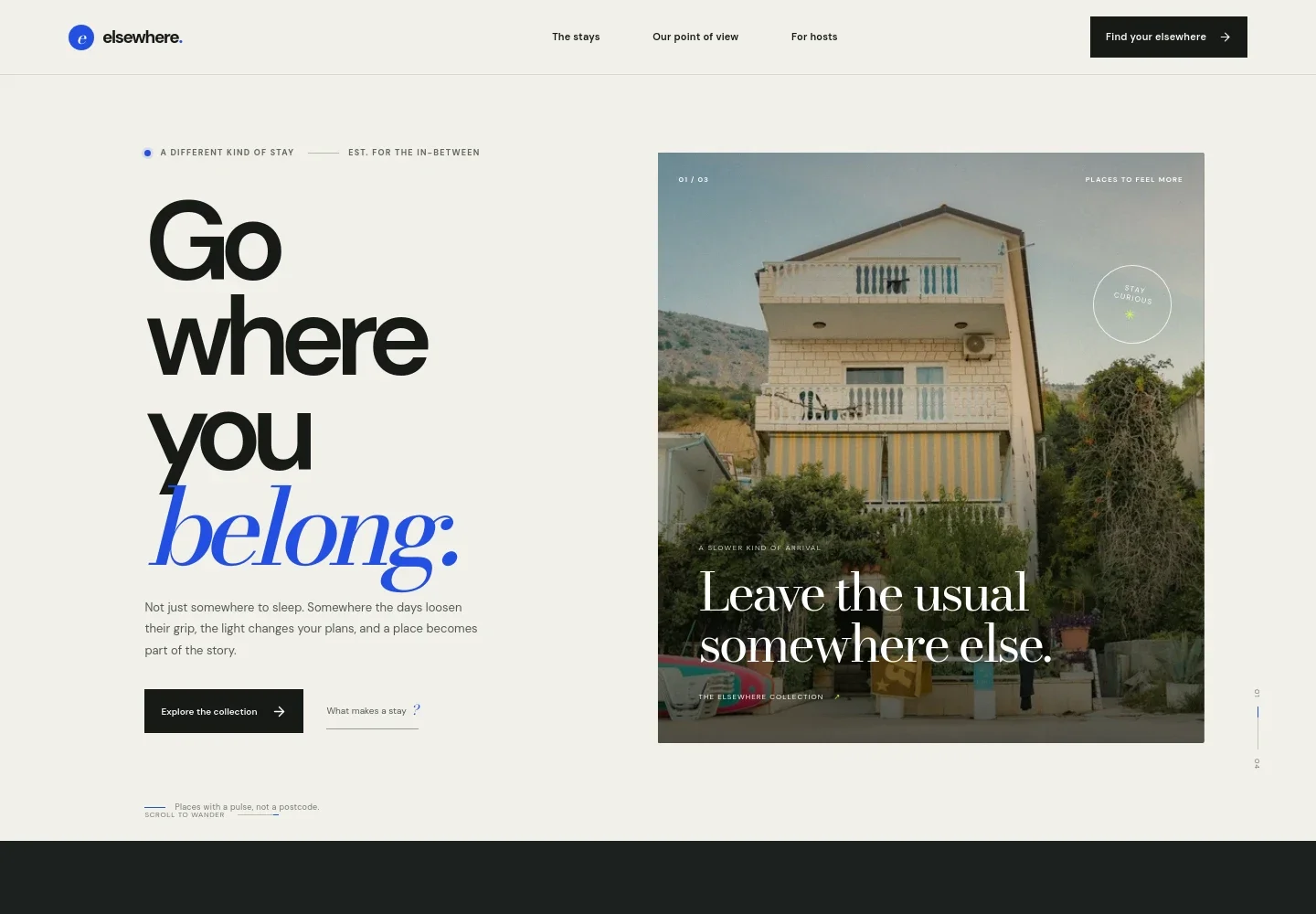
- Image-led introduction
- A prominent stay image, concise introductory copy, and links to the collection and the brand's point of view give visitors an immediate sense of the experience.
- Stay collection and moods
- A featured stay mood is paired with cabin imagery and descriptive text, followed by links to additional categories such as open-ended, sun-chaser, and somewhere-in-between stays.
- Hospitality point of view
- A short statement and supporting copy explain the emphasis on thoughtful hosts, local character, and space that feels personal.
- Invitation for hosts
- A dedicated section speaks to property owners about sharing a home with its own character and story, with a clear link to make contact.
- Contact and footer
- A closing prompt welcomes guest and host inquiries by email. The footer repeats the brand identity and provides a return-to-top link.
How to use this template
Open in Revamp
Click Use this template and sign in or create an account. You’ll start with your own copy of the design, ready to personalize.
Bring your content
Replace the sample text, photos, and logo with your own. Share your content, a document, or an existing website, and ask Revamp to adapt the template to your business.
Refine and publish
Ask Revamp to adjust the colors, layout, or sections, or edit directly on the page. Review desktop and mobile, then publish. You can keep making changes after launch.
Put your website to work
Make it easier to manage property inquiries, availability, and guest communication. Ask Revamp to add a connection that fits your rental operation.
-

Centralize property and booking operations
GuestyKeep reservations, availability, and guest details organized across your properties. Ask Revamp to connect Guesty to your rental workflow.
-

Coordinate bookings and guest messages
HostawayManage reservations and guest communication from one hospitality platform. Ask Revamp to connect Hostaway for your rental business.
-

Keep a direct booking calendar in sync
LodgifyOrganize availability and reservations for your properties. Ask Revamp to connect Lodgify with your booking process.
Frequently asked questions
Is this template free?
Yes. This premium template is free to use when you select Use this template. This applies to the template itself, not hosting or other services.
Can I use my own content?
Yes. Ask Revamp to personalize the template with your property details, images, stay descriptions, contact information, and brand voice.
Do I need coding skills?
No coding is needed. Ask Revamp to make content and design changes in natural language.
Can I change the design?
Yes. Ask Revamp to adjust the colors, typography, imagery, layout, or other visual details to suit your rental business.
Can I keep editing after publishing?
Yes. You can continue asking Revamp to update your content and design after your site launches.