About this template
Help visitors understand how your studio connects brand strategy, visual identity, digital experiences, campaigns, and physical touchpoints. The page presents a clear design approach, followed by a practical overview of services and an invitation to discuss a project.
The layout moves from a distinctive graphic-led introduction to the studio’s point of view, a three-part process, and four service groups. A final studio section gives prospective clients context about the practice and a direct way to start a conversation.
Who it’s for
Independent design studios, branding practices, and creative agencies presenting identity, digital, campaign, packaging, print, or environmental design services.
What’s included
A design-studio homepage with a typographic hero, abstract layered artwork, a concise account of the studio’s approach, and service sections that help prospective clients see how the work fits together.
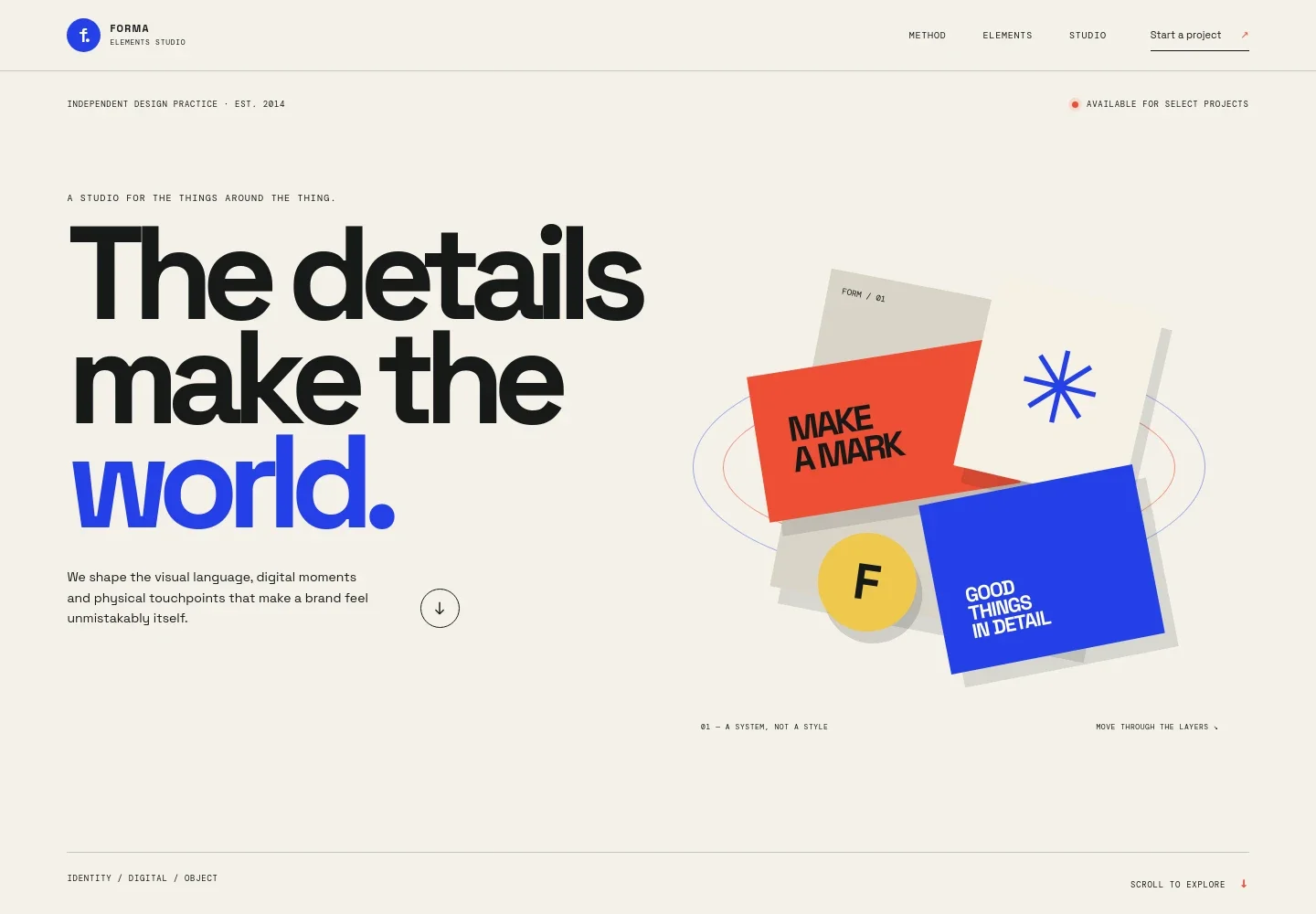
- Hero and studio introduction
- A bold headline and layered graphic composition establish a visual identity, while supporting copy describes work across visual language, digital moments, and physical touchpoints. Navigation links lead visitors to the method, elements, and studio sections.
- Point of view
- A manifesto-style section explains how small interactions, such as a page loading or a printed card, contribute to how a brand is experienced and remembered.
- How the studio works
- Three numbered steps describe the process: finding a brand’s signal through positioning, naming, and verbal direction; building a visual system; and bringing it into digital experiences, packaging, campaigns, and art direction.
- Services and design elements
- Four clearly separated service groups cover identity and strategy, digital experiences, campaigns and image-making, and objects and space. Each group names examples such as websites, motion systems, photography, packaging, print, and environmental graphics.
- The studio and project inquiry
- A closing studio section describes the kinds of people and projects the practice works with and invites visitors to share what they are making. The contact details shown are illustrative.
- Footer
- A compact footer repeats the studio name and provides a link back to the top of the page.
How to use this template
Open in Revamp
Click Use this template and sign in or create an account. You’ll start with your own copy of the design, ready to personalize.
Bring your content
Replace the sample text, photos, and logo with your own. Share your content, a document, or an existing website, and ask Revamp to adapt the template to your business.
Refine and publish
Ask Revamp to adjust the colors, layout, or sections, or edit directly on the page. Review desktop and mobile, then publish. You can keep making changes after launch.
Put your website to work
Make it easier to respond to project inquiries and keep prospective clients informed. Ask Revamp to add the scheduling or contact tools that suit your studio.
-

Schedule project conversations
CalendlyGive prospective clients a way to choose a time for an introductory call. Ask Revamp to add consultation booking with Calendly.
-

Track new project inquiries
HubSpotKeep prospective client details and follow-up organized in one place. Ask Revamp to connect HubSpot for managing studio leads.
-

Share studio updates by email
MailchimpBuild an audience for project news, launches, and studio announcements. Ask Revamp to connect Mailchimp for email sign-ups.
Frequently asked questions
Is this template free?
Yes. This premium template is free to use when you select Use this template. This applies to the template itself, not hosting or other services.
Can I use my own content?
Yes. Ask Revamp to personalize the studio name, services, copy, artwork, and contact details with your own content.
Do I need coding skills?
No. Ask Revamp to personalize the content and design without coding.
Can I change the design?
Yes. Ask Revamp to adjust the colors, typography, layout, imagery, or other design details to fit your studio.
Can I keep editing after publishing?
Yes. You can keep editing your website after launch. Ask Revamp to make further changes as your studio and services develop.