About this template
Help first-time jumpers understand what a tandem skydive involves, from the ground briefing and gear fitting to freefall and the canopy ride. The page pairs clear explanations with skydiving photography and a step-by-step view of the experience.
Separate sections introduce tandem jumps, learning to skydive, and group days, giving visitors a clear place to consider their next step. Practical answers about experience, clothing, weather, and spectators help people prepare before they contact your center.
Who it’s for
Skydiving centers, tandem operators, and instructors who want to explain first jumps, introduce training and group options, and answer common visitor questions.
What’s included
The design guides prospective jumpers from an atmospheric introduction to practical details and a direct invitation to ask about a first jump. Its organized sections make the experience easier to picture while keeping key next steps visible.
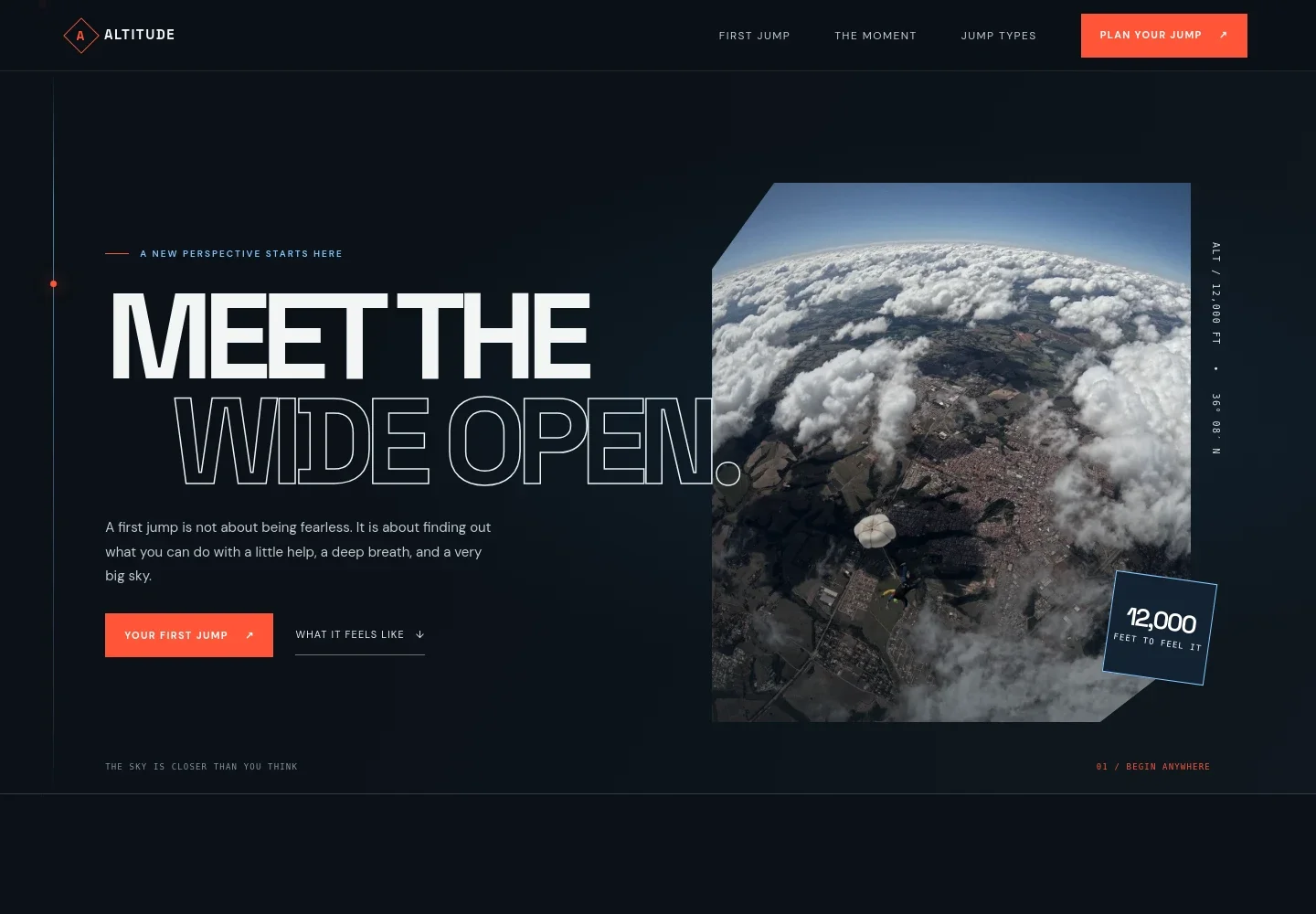
- Hero introduction
- A large skydiving image, welcoming headline, and links to the first-jump and experience information establish the offer immediately.
- First-jump reassurance
- An introductory section acknowledges nerves and describes a clear plan, ground preparation, and support through landing.
- Tandem jump overview
- A tandem photo and concise before, in-the-air, and after details explain what visitors can expect from a first jump.
- The moment
- A visual story breaks the jump into exit, freefall, and canopy stages, helping newcomers imagine how the experience unfolds.
- Jump types
- Three linked options present tandem skydiving, learning to skydive, and asking about group days.
- Before-you-go questions
- Answers cover experience requirements, what to wear, changing weather, and bringing friends to watch.
- Contact invitation and footer
- A closing invitation prompts visitors to ask about a first jump, followed by the center name and a short sign-off.
How to use this template
Open in Revamp
Click Use this template and sign in or create an account. You’ll start with your own copy of the design, ready to personalize.
Bring your content
Replace the sample text, photos, and logo with your own. Share your content, a document, or an existing website, and ask Revamp to adapt the template to your business.
Refine and publish
Ask Revamp to adjust the colors, layout, or sections, or edit directly on the page. Review desktop and mobile, then publish. You can keep making changes after launch.
Put your website to work
Make it easier for visitors to plan and for your team to organize enquiries. Ask Revamp to add or connect tools that fit the way your center handles bookings and follow-up.
-

Let visitors request a jump time
CalendlyAsk Revamp to add appointment booking with Calendly so visitors can request a time to discuss a tandem jump or training.
-

Keep enquiries organized
HubSpotAsk Revamp to connect HubSpot to help your team track prospective jumpers and follow up on questions.
-

Collect payments online
StripeAsk Revamp to add online payment options with Stripe for customers arranging a jump.
Frequently asked questions
Is this template free?
Yes. This premium template is free to use when you select Use this template. The offer is for the template itself.
Can I use my own content?
Yes. Ask Revamp to personalize the text, images, contact details, and skydiving information for your center.
Do I need coding skills?
No. Ask Revamp to make content and design changes for you without coding.
Can I change the design?
Yes. Ask Revamp to adjust the colors, layout, images, and other design details to suit your business.
Can I keep editing after publishing?
Yes. You can keep asking Revamp to update your website after it launches.
Do visitors need skydiving experience for a tandem jump?
The template says no experience is needed for a tandem skydive and describes an instructor briefing visitors before the flight.
What practical information does the page cover?
It addresses what to wear, how weather can affect a jump, and bringing friends to watch. Visitors are invited to contact the center for further details.