About this template
Help people understand your social work practice, the support you offer, and how to begin a conversation. The design leads with a people-first approach, then explains how listening, connection, and practical next steps shape the work.
Dedicated sections introduce one-to-one support, family and relationship support, and community connections. A neighborhood-focused feature makes room to describe how your practice works alongside local people and resources, while a clear contact section gives visitors a direct next step.
Who it’s for
Independent social workers, community-based practices, and social service organizations seeking to explain their approach and support options to individuals, families, and community partners.
What’s included
The page moves from a clear introduction to your approach, practical support areas, community context, and a direct invitation to get in touch. Its prominent headings and concise sections help visitors find relevant information without losing sight of the person-centered message.
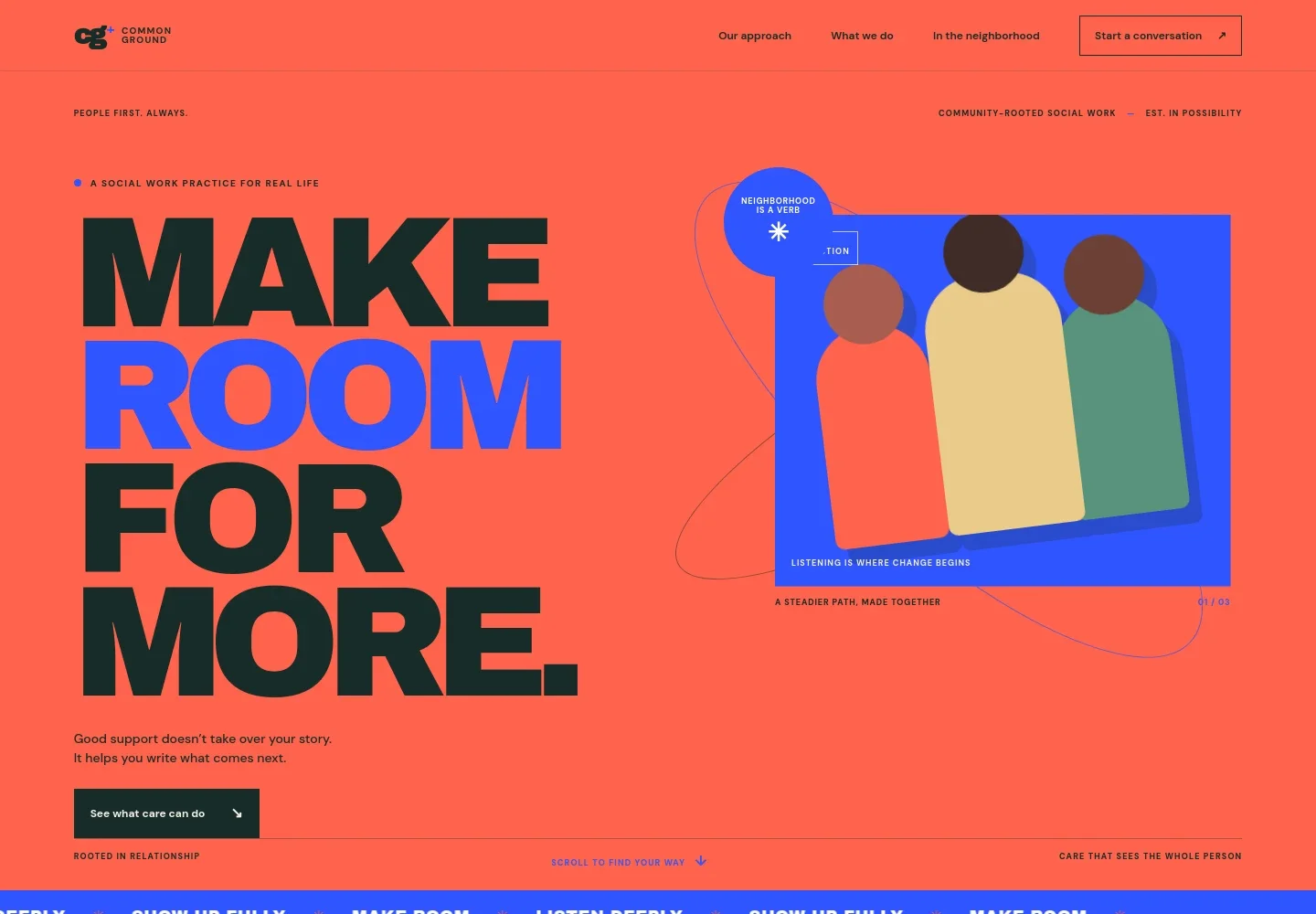
- People-first introduction
- A prominent opening statement and supporting copy introduce the practice as a place for thoughtful support, with a clear link guiding visitors to learn about the approach.
- Approach
- A three-part sequence describes listening first, identifying what matters and existing support, then moving forward with practical steps.
- Support areas
- Three service entries cover one-to-one support, family and relationships, and community connection, each with a concise explanation and a route to contact.
- Community perspective
- A neighborhood-focused section pairs an image with copy about trust, choice, local pathways, and working alongside the people and places that make up a community.
- Values statement
- A distinct statement section reinforces the person-centered message and leads visitors toward a conversation.
- Contact
- A closing contact section invites visitors to share what is on their mind and provides a prominent email link. Replace the illustrative contact details with your own.
- Navigation and footer
- The navigation links to the approach, support areas, neighborhood section, and contact. The footer repeats the practice identity and includes a short closing message.
How to use this template
Open in Revamp
Click Use this template and sign in or create an account. You’ll start with your own copy of the design, ready to personalize.
Bring your content
Replace the sample text, photos, and logo with your own. Share your content, a document, or an existing website, and ask Revamp to adapt the template to your business.
Refine and publish
Ask Revamp to adjust the colors, layout, or sections, or edit directly on the page. Review desktop and mobile, then publish. You can keep making changes after launch.
Put your website to work
Make it easier to manage inquiries, appointments, and follow-up. Ask Revamp to add connections to tools that fit your practice's way of working.
-

Coordinate client appointments
CalendlyGive people a straightforward way to request a meeting time. Ask Revamp to add appointment booking with Calendly.
-

Organize client records and casework
CaseWorthyKeep case notes, tasks, and client information organized in a practice-management system. Ask Revamp to connect your website with CaseWorthy.
-

Manage referrals and service coordination
Apricot by Social SolutionsHelp staff track referrals and coordinate services across a community-based organization. Ask Revamp to connect your site with Apricot by Social Solutions.
Frequently asked questions
Is this template free?
Yes. This premium template is free to use when you select Use this template. The offer applies to the template itself.
Can I use my own content?
Yes. Ask Revamp to personalize the copy, contact details, service descriptions, and images with content for your practice.
Do I need coding skills?
No. Ask Revamp to personalize the content and design for you, without coding.
Can I change the design?
Yes. Ask Revamp to adjust the layout, colors, typography, imagery, or other design details to suit your practice.
Can I keep editing after publishing?
Yes. You can keep asking Revamp to make changes to your website after launch.