About this template
Help prospective clients understand how you approach software problems and where you can contribute. The design introduces an independent software engineering practice focused on product engineering, platforms and systems, and technical direction.
An approach section explains the emphasis on reducing friction, making systems easier to understand, and building for change. Field notes share three working principles, while the capabilities section outlines the kinds of engineering support a client can discuss.
Who it’s for
Independent software engineers, senior developers, technical consultants, and small engineering practices seeking to explain their approach and services to prospective clients.
What’s included
The page moves from a clear introduction to your engineering approach, guiding principles, capabilities, and a direct contact invitation. Its editorial layout gives visitors both a sense of how you think and a practical overview of how you can help.
- Introduction and navigation
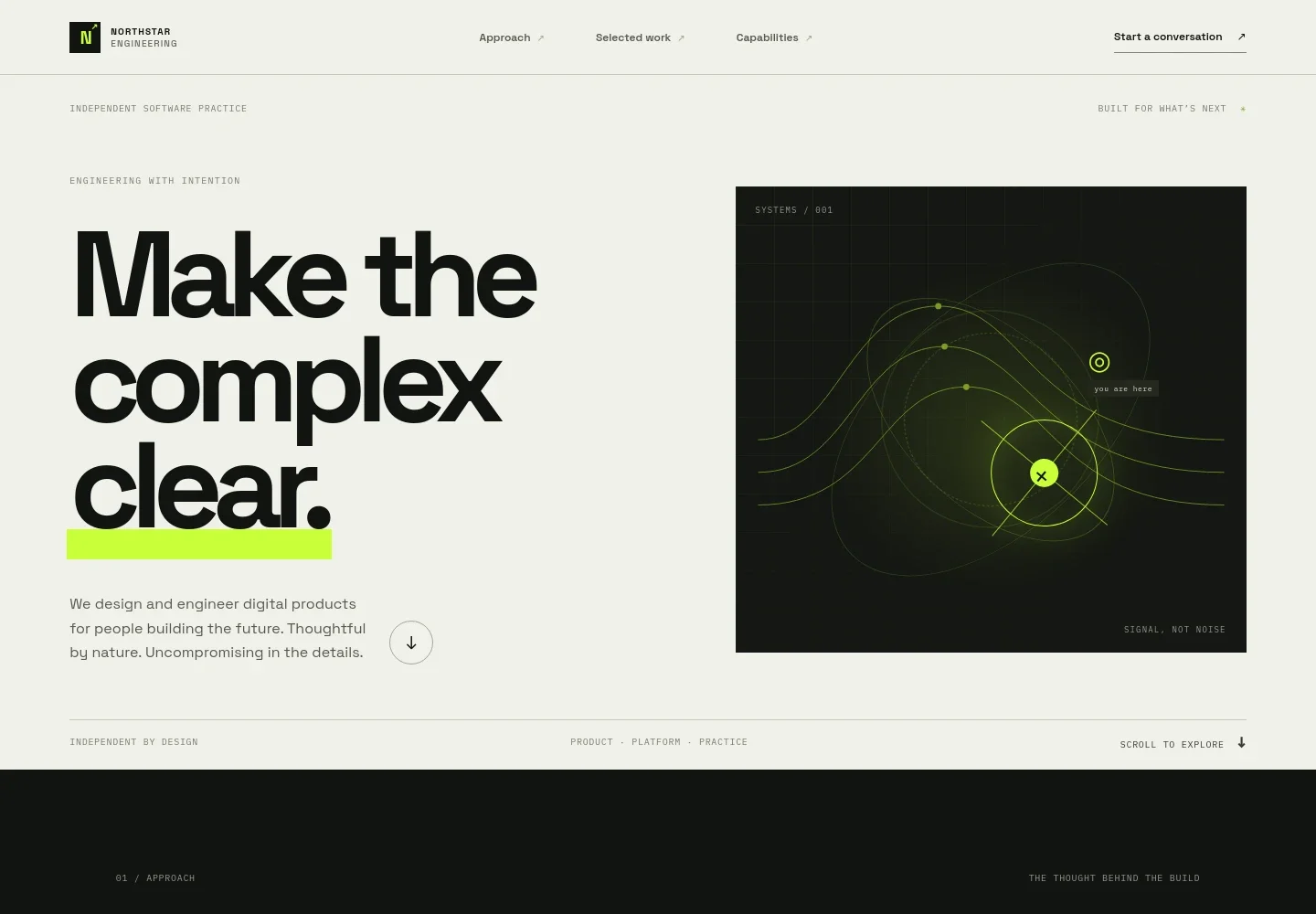
- A branded header links to the approach, selected work, and capabilities sections, with a prominent link to start a conversation. The hero introduces an independent software practice and uses an abstract signal diagram to convey complex systems becoming easier to follow.
- Approach
- A concise statement about clarity in software is paired with an explanation of removing friction, followed by two principles: understand before optimizing and build for the next change.
- Field notes
- Three illustrated notes present the design's engineering convictions: reduce unnecessary complexity, make systems legible, and build for durability. The section clearly frames these as principles rather than case studies.
- Capabilities
- Three service areas describe product engineering, platform and systems work, and technical direction, giving prospective clients a useful starting point for considering their needs.
- Contact and footer
- A closing invitation encourages visitors to describe the problem they want to make clearer and provides an email link. The footer repeats the practice identity and offers a back-to-top link.
How to use this template
Open in Revamp
Click Use this template and sign in or create an account. You’ll start with your own copy of the design, ready to personalize.
Bring your content
Replace the sample text, photos, and logo with your own. Share your content, a document, or an existing website, and ask Revamp to adapt the template to your business.
Refine and publish
Ask Revamp to adjust the colors, layout, or sections, or edit directly on the page. Review desktop and mobile, then publish. You can keep making changes after launch.
Put your website to work
Make it easier for prospective clients to book an initial conversation, track inquiries, and coordinate project work. Ask Revamp to add connections with tools that fit your practice.
-

Schedule introductory calls
CalendlyLet prospective clients choose a time without a long email exchange. Ask Revamp to add consultation booking with Calendly.
-

Organize prospective client inquiries
HubSpotKeep contact details and follow-ups in one place as conversations develop. Ask Revamp to connect your inquiry form with HubSpot.
-

Coordinate project tasks
LinearGive clients and collaborators a shared place to follow project work and responsibilities. Ask Revamp to add a connection with Linear.
Frequently asked questions
Is this template free?
Yes. This premium template is free to use when you select Use this template. This applies to the template itself, not hosting or other services.
Can I use my own content?
Yes. Ask Revamp to personalize the copy, contact details, services, and other page content for your software engineering practice.
Do I need coding skills?
No. You can ask Revamp to personalize the content and design without coding.
Can I change the design?
Yes. Ask Revamp to adjust the visual design, layout, and page sections to better suit your practice.
Can I keep editing after publishing?
Yes. You can continue editing after launch. Ask Revamp to update your content or design as your services and practice evolve.