About this template
Help visitors discover software by what they want to do, with an editorial-style shelf organized around focus, design, writing, planning, and teamwork. The selector, collection descriptions, and clear browsing links give people a useful starting point without presenting the store as a dense product feed.
The page also explains the store’s point of view and how software is selected, from trying products firsthand to considering their fit, clarity, and care. A maker-focused feature and a closing invitation to browse give the story a human context and a clear next step.
Who it’s for
Independent software stores, curated product directories, and software discovery businesses that want to explain their selection approach and help visitors browse tools by purpose.
What’s included
The layout pairs an editorial introduction with an interactive four-part selector, purpose-based collections, and a visible selection process. This helps visitors understand both how to browse the software and the thinking behind the store.
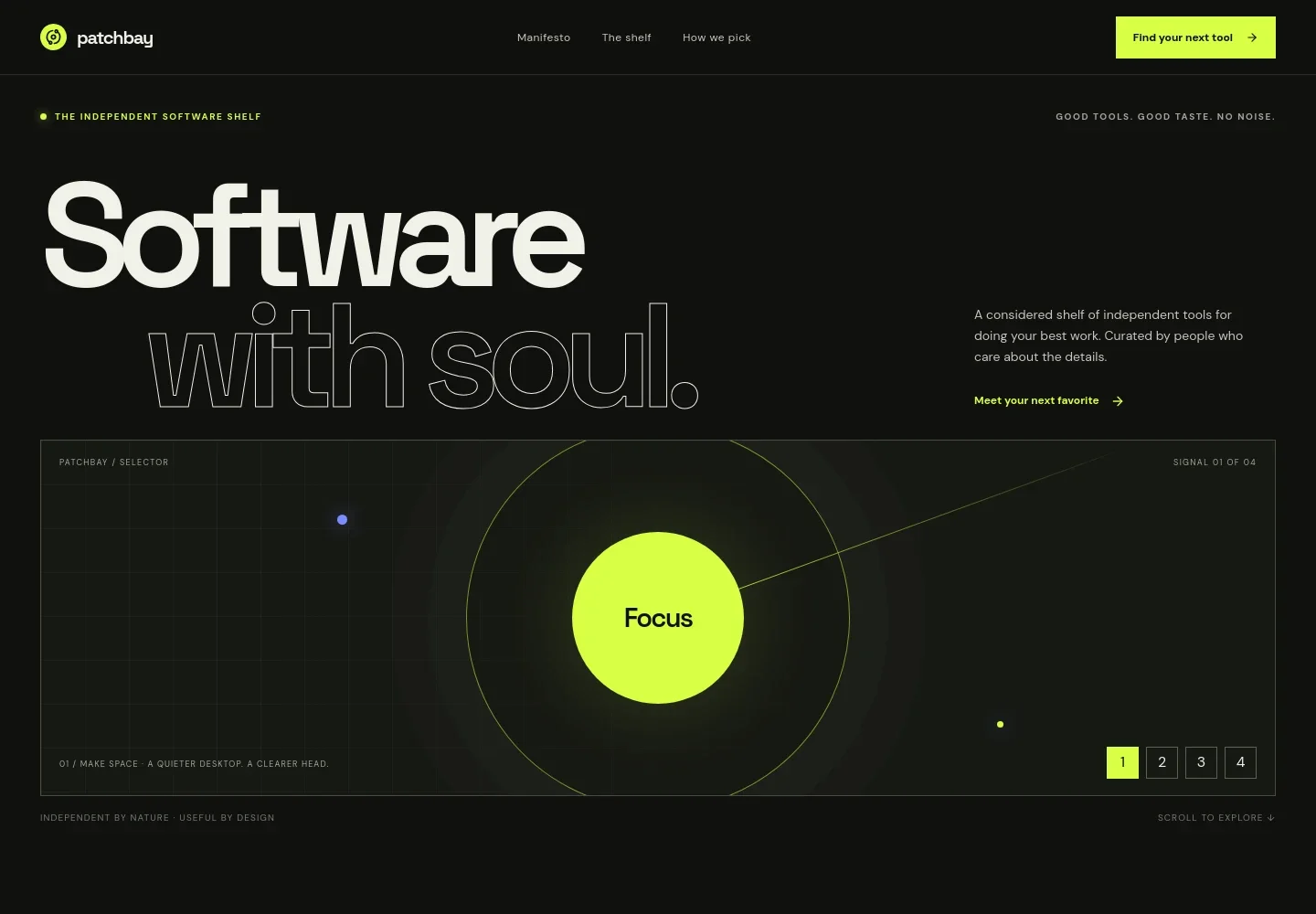
- Intro and software selector
- An opening statement introduces the independent software shelf, followed by a selector with Focus, Create, Connect, and Explore options. Visitors can use it as a quick visual way into the collection.
- Store perspective
- A manifesto describes the store’s preference for thoughtful, useful software and independent makers, followed by three concise principles about product choice and the visitor experience.
- Purpose-based collections
- Five linked collection rows cover focus and flow, design and making, writing and publishing, planning and building, and working together. Brief descriptions help visitors choose a direction.
- Maker feature
- An editorial image and short feature connect the store’s software choices to the people who make the products, with a link to the selection approach.
- How software is selected
- A four-step process explains how the store discovers products, tries them, looks at everyday details, and shares tools it considers useful.
- Closing browse invitation
- A final call to action returns visitors to the software shelf, giving the page a clear browsing next step.
- Navigation and footer
- The navigation links to the store perspective, shelf, and selection method. The footer repeats these destinations for visitors who reach the end of the page.
How to use this template
Open in Revamp
Click Use this template and sign in or create an account. You’ll start with your own copy of the design, ready to personalize.
Bring your content
Replace the sample text, photos, and logo with your own. Share your content, a document, or an existing website, and ask Revamp to adapt the template to your business.
Refine and publish
Ask Revamp to adjust the colors, layout, or sections, or edit directly on the page. Review desktop and mobile, then publish. You can keep making changes after launch.
Put your website to work
Make it easier for visitors to ask questions, receive product updates, and complete purchases. Ask Revamp to add the tools that suit how your software store operates.
-

Collect product inquiries
HubSpotGive prospective customers a clear way to ask about products or partnerships. Ask Revamp to add an inquiry form connected to HubSpot.
-

Share software updates
MailchimpKeep interested visitors informed about new additions to the shelf. Ask Revamp to add an email signup connected to Mailchimp.
-

Accept software payments
StripeOffer a direct checkout option if you sell software or digital products through the store. Ask Revamp to add payment checkout with Stripe.
Frequently asked questions
Is this template free?
Yes. This premium template is free to use through Use this template. Free refers to the template itself.
Can I use my own content?
Yes. Ask Revamp to personalize the copy, product collections, images, and store details for your business.
Do I need coding skills?
No. Ask Revamp to personalize the content and design in plain language, without coding.
Can I change the design?
Yes. Ask Revamp to adjust the layout, colors, typography, imagery, and other design details to suit your brand.
Can I keep editing after publishing?
Yes. You can keep making changes after launch. Ask Revamp to update the content or design as your store develops.


