About this template
Present a software studio that brings product strategy, design, and engineering together. The page explains how the studio approaches complex problems and describes its capabilities in clear, visitor-friendly language.
A dark, editorial layout pairs a prominent headline with an abstract orbit graphic, concise service descriptions, and a direct invitation to start a conversation. Visitors can understand the studio’s point of view, review its three service areas, and find the contact section.
Who it’s for
Independent software studios, product consultancies, and technology teams that want to explain their strategy, design, and engineering services to prospective clients.
What’s included
The page is structured to guide prospective clients from the studio’s central idea to its approach, capabilities, and contact invitation. Strong section headings and a numbered capabilities list make the offering easy to scan.
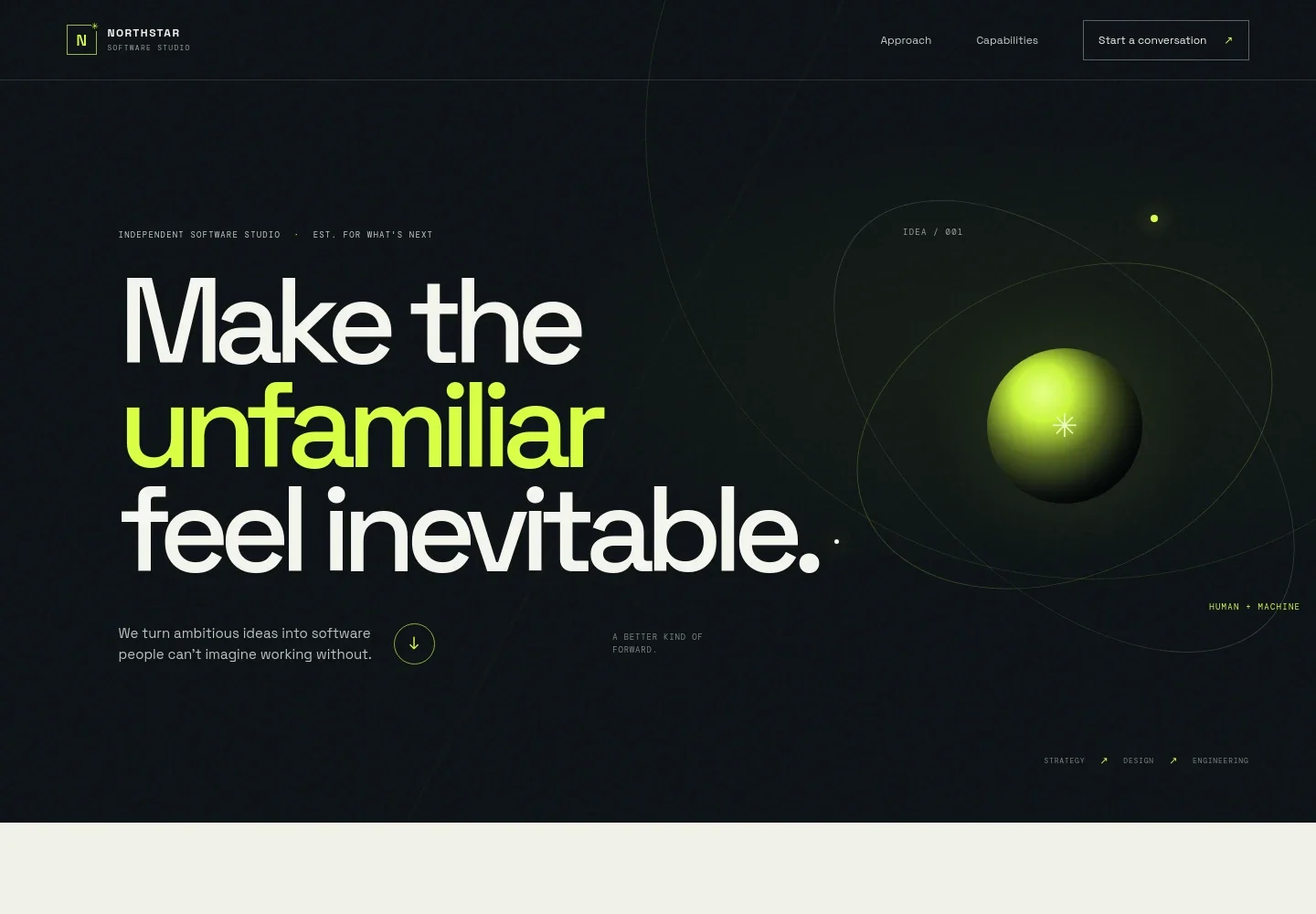
- Hero and studio introduction
- A large headline introduces the studio’s focus on turning ambitious ideas into software. An orbit-style graphic, studio label, and references to strategy, design, and engineering establish the visual identity and core disciplines.
- Approach
- This section explains the studio’s view that good technology should create clarity. Supporting copy describes bringing strategy, design, and engineering into one team, with a visual line that moves from complexity toward clarity.
- Capabilities
- Three numbered entries describe product strategy, product design, and software engineering. Each pairs a concise service heading with copy that explains the work in practical terms.
- Point of view
- A focused statement frames progress as creating more possibility, with a reminder to keep people involved. The separate visual treatment gives the studio’s perspective a clear moment on the page.
- Contact invitation and footer
- The closing section invites visitors to share what they are working on and provides a start-a-conversation email link. The footer repeats the studio identity and includes a back-to-top link.
How to use this template
Open in Revamp
Click Use this template and sign in or create an account. You’ll start with your own copy of the design, ready to personalize.
Bring your content
Replace the sample text, photos, and logo with your own. Share your content, a document, or an existing website, and ask Revamp to adapt the template to your business.
Refine and publish
Ask Revamp to adjust the colors, layout, or sections, or edit directly on the page. Review desktop and mobile, then publish. You can keep making changes after launch.
Put your website to work
Make it easier to capture interest, manage prospective client conversations, and coordinate project work. Ask Revamp to add or connect the tools that fit your studio’s process.
-

Schedule introductory calls
CalendlyLet prospective clients choose a time to discuss a project. Ask Revamp to add consultation booking with Calendly.
-

Organize prospective client relationships
HubSpotKeep inquiries, follow-ups, and client details in one place. Ask Revamp to connect HubSpot for contact management.
-

Coordinate project discussions
Google CalendarGive clients a familiar way to schedule meetings around project conversations. Ask Revamp to add meeting scheduling with Google Calendar.
Frequently asked questions
Is this template free?
Yes. This premium template is free to use through Use this template. The offer applies to the template itself.
Can I use my own content?
Yes. Ask Revamp to personalize the page with your studio name, service descriptions, messaging, contact details, and other content.
Do I need coding skills?
No coding skills are needed. Ask Revamp to personalize the content and design in plain language.
Can I change the design?
Yes. Ask Revamp to adjust the visual style, colors, typography, layout, or other design details to suit your studio.
Can I keep editing after publishing?
Yes. You can keep editing the site after launch. Ask Revamp to make updates as your services or business details change.


