About this template
Help prospective investors understand your brokerage's approach, the markets it serves, and how to take a first step. The page introduces equities, exchange-traded funds, bonds, and options, with clear paths to learn about the firm's approach or contact its team.
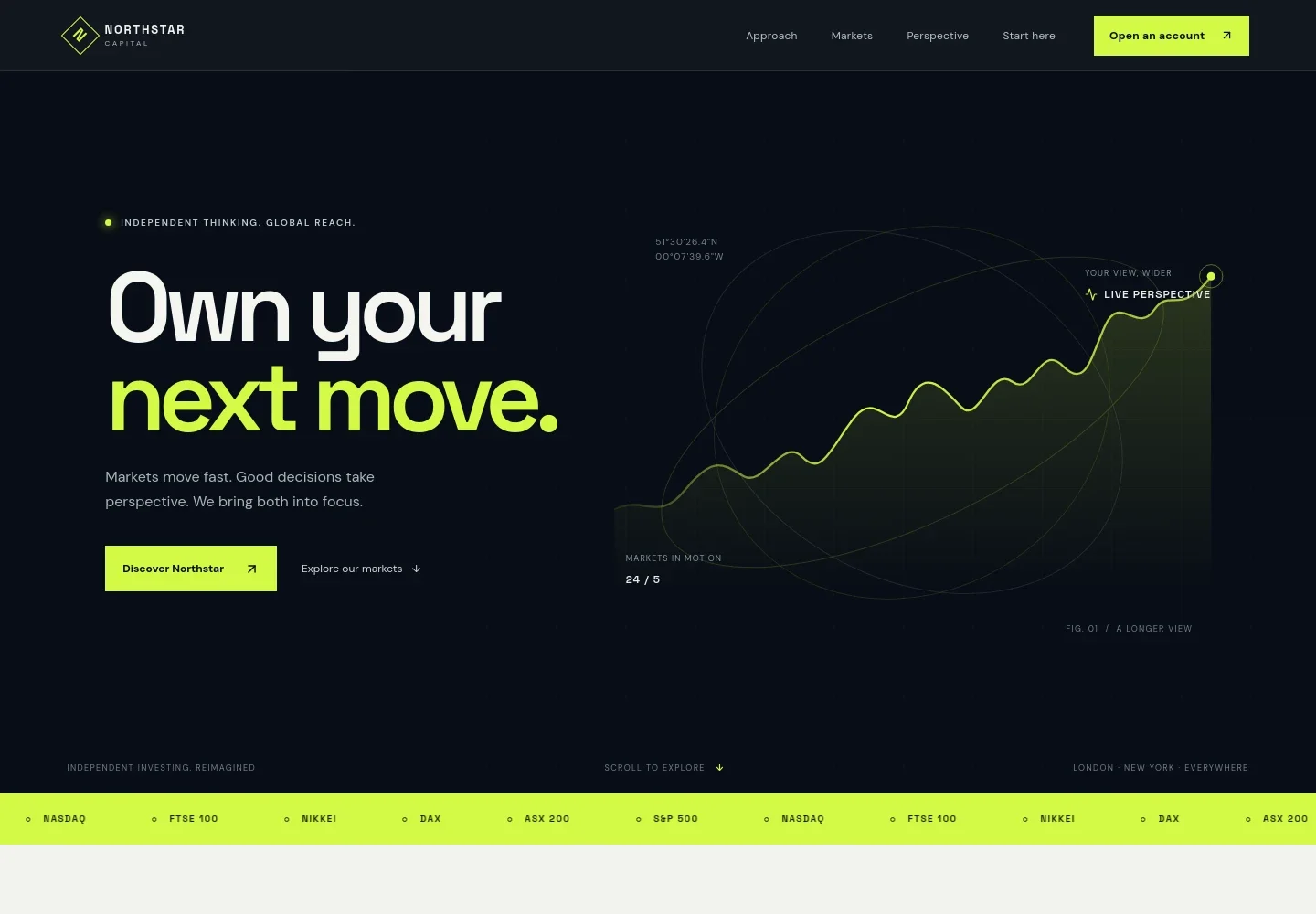
A dark, editorial design pairs a market-line illustration and global index ticker with concise investment messaging. A dedicated perspective section adds room to explain your outlook, while visible risk language helps frame the investment information responsibly.
Who it’s for
Stock brokers, brokerage firms, and investment businesses introducing their approach and market offerings to prospective investors.
What’s included
The page guides visitors from the brokerage's investment principles to its markets, perspective, and a contact prompt. Its organized sections help prospective clients find relevant information without presenting market examples as personalized investment advice.
- Hero and market overview
- An introductory message and illustrated market line establish the firm's global perspective. A ticker names major indexes including the S&P 500, NASDAQ, FTSE 100, Nikkei, DAX, and ASX 200.
- Investment approach
- A focused introduction and three principles explain the design's themes of market context, investor choice, clear costs, useful insight, and access to a human perspective.
- Markets and investment types
- Separate rows introduce equities, exchange-traded funds, bonds, and options, each with a short description. A visible risk notice reminds visitors that investments can fall as well as rise.
- Investment perspective
- An editorial image sits beside copy about looking beyond headlines and considering the wider forces that shape markets.
- Getting started and contact
- A closing section invites visitors to consider their goals and contact the team. The footer provides links back to the approach, markets, and contact sections, along with an investment-risk note.
How to use this template
Open in Revamp
Click Use this template and sign in or create an account. You’ll start with your own copy of the design, ready to personalize.
Bring your content
Replace the sample text, photos, and logo with your own. Share your content, a document, or an existing website, and ask Revamp to adapt the template to your business.
Refine and publish
Ask Revamp to adjust the colors, layout, or sections, or edit directly on the page. Review desktop and mobile, then publish. You can keep making changes after launch.
Put your website to work
Support investor inquiries and organize follow-up by asking Revamp to connect business tools suited to your client communication and lead-management needs.
-

Organize prospective client inquiries
HubSpotKeep track of investor questions and follow-up by asking Revamp to connect HubSpot for contact and relationship management.
-

Make introductory conversations easier to arrange
CalendlyLet prospective clients choose a time to speak with your team by asking Revamp to add consultation booking with Calendly.
-

Coordinate calls with your team's availability
Google CalendarHelp visitors request a suitable conversation time by asking Revamp to add scheduling with Google Calendar.
Frequently asked questions
Is this stock broker template free?
Yes. This premium template is free to use through Use this template. The offer applies to the template itself.
Can I use my own content?
Yes. Ask Revamp to personalize the copy, market information, contact details, and other content for your brokerage.
Do I need coding skills to customize it?
No. Ask Revamp to adjust the content and design in plain language, without coding.
Can I change the design?
Yes. Ask Revamp to tailor the layout, colors, imagery, and other design details to your business.
Can I keep editing after publishing?
Yes. You can continue asking Revamp to update your site after launch.