About this template
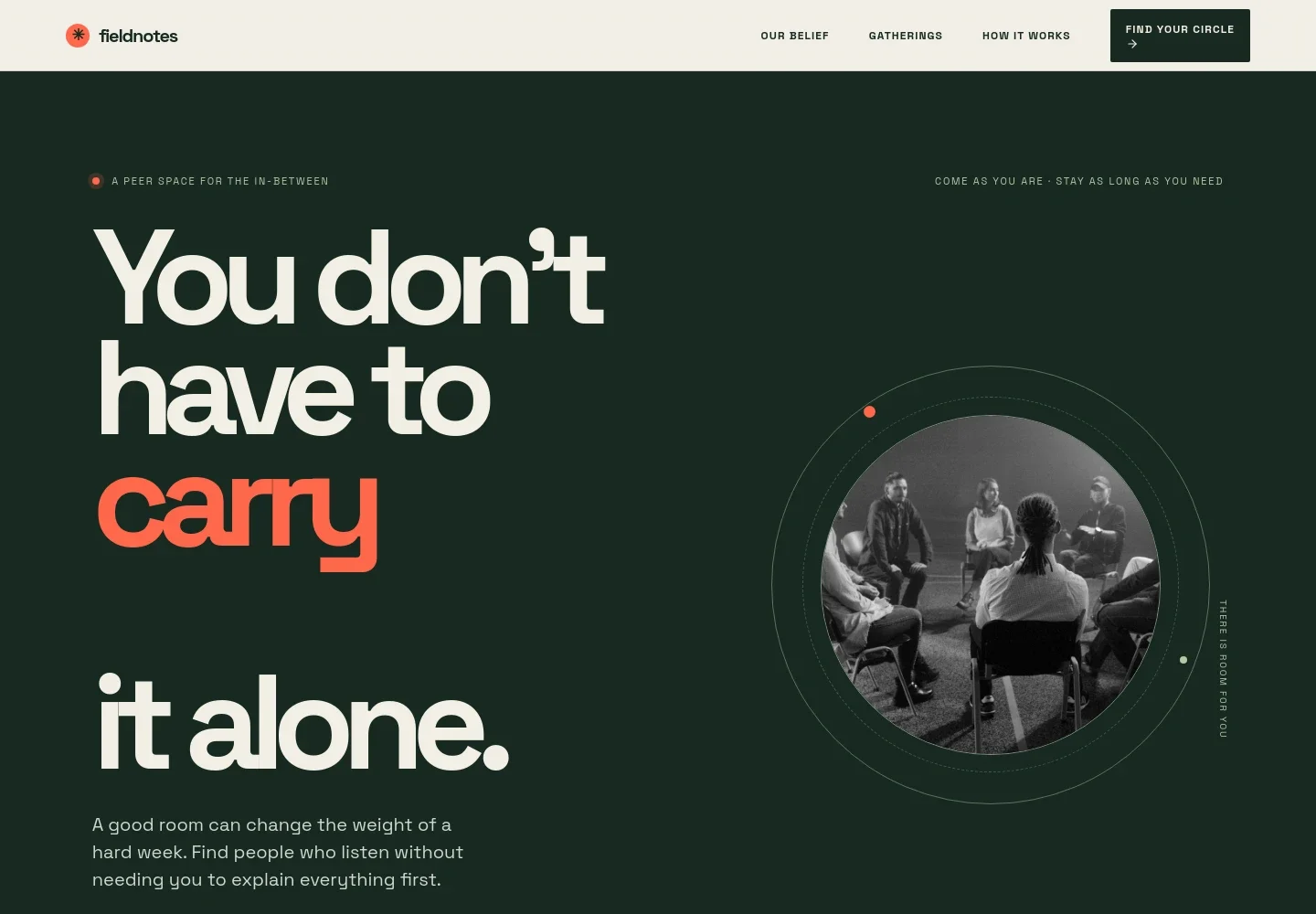
Help visitors understand what your peer support group offers, how gatherings work, and how to take a first step. The design centers on small facilitated circles, shared experience, and a clear distinction between peer support and clinical care.
A welcoming hero leads into your group's guiding belief, an introduction to peer circles, a three-step overview, a note on care, and a closing invitation to get in touch. The language makes room for people who may want to speak, listen, or simply learn more before joining.
Who it’s for
Designed for peer support groups, community organizations, and nonprofit teams that want to explain their approach, set clear expectations, and help prospective members ask about a gathering.
What’s included
The page pairs reassuring, direct copy with an open-circle visual and generous space between sections. Its structure moves from your group's purpose to the gathering experience and practical next steps, helping visitors decide whether to reach out.
- Welcome and first step
- A prominent introduction invites visitors to find a place to begin, with supporting copy about being heard and an image of people gathered in conversation.
- Group belief
- A short statement explains the value of being heard and describes the setting as a circle for honest company, rather than therapy or a lecture.
- Peer circles
- An introduction explains that facilitated circles bring together people navigating similar changes, and that visitors can speak, listen, or settle in.
- How to get started
- Three numbered steps describe choosing a circle, attending a first gathering with a facilitator, and returning when ongoing connection feels useful.
- Note on care
- A clear boundary explains that the circles provide peer support, not clinical care or crisis response, and directs visitors needing immediate help to local emergency or crisis services.
- Contact invitation
- A closing section encourages visitors to write with questions and ask about finding a suitable gathering. It also makes clear that gathering details and sample contact information are illustrative.
How to use this template
Open in Revamp
Click Use this template and sign in or create an account. You’ll start with your own copy of the design, ready to personalize.
Bring your content
Replace the sample text, photos, and logo with your own. Share your content, a document, or an existing website, and ask Revamp to adapt the template to your business.
Refine and publish
Ask Revamp to adjust the colors, layout, or sections, or edit directly on the page. Review desktop and mobile, then publish. You can keep making changes after launch.
Put your website to work
Make it easier to answer enquiries, keep members informed, and coordinate group gatherings. Ask Revamp to add or connect tools suited to how your organization communicates and schedules.
-

Organize member enquiries
HubSpotKeep track of prospective members and follow-up conversations. Ask Revamp to add a HubSpot enquiry form and contact-management workflow.
-

Coordinate gathering times
CalendlyLet visitors find a suitable time to speak with your welcome team. Ask Revamp to add consultation scheduling with Calendly.
-

Share group updates
MailchimpSend announcements and useful information to people who choose to receive them. Ask Revamp to connect Mailchimp for email communications.
Frequently asked questions
Is this support group template free?
Yes. This premium template is free to use when you select Use this template. The offer applies to the template, not hosting or other services.
Can I use my own content?
Yes. Ask Revamp to personalize the page with your group's name, mission, circle descriptions, contact details, and other content.
Do I need coding skills?
No. You can ask Revamp to personalize the content and design without coding.
Can I change the design?
Yes. Ask Revamp to adjust the colors, imagery, layout, and other design details to suit your organization.
Can I keep editing after publishing?
Yes. You can keep asking Revamp to update your website after launch as your group and its information change.