About this template
Help prospective clients understand your approach to bespoke tailoring, from choosing cloth and shaping a garment to refining it through fittings. The page presents a personal, appointment-led atelier with clear invitations to start a conversation.
Editorial photography, generous typography, and a restrained layout keep attention on the craft: how garments fit into a client's life, the feel of the cloth, and the steps involved in creating a piece.
Who it’s for
Independent tailors, bespoke clothing ateliers, and custom garment makers who want to explain their process and encourage prospective clients to get in touch.
What’s included
The page moves from the atelier's point of view to its tailoring process, cloth selection, and an invitation to begin a conversation. Its clear sequence gives clients a useful overview before they make contact.
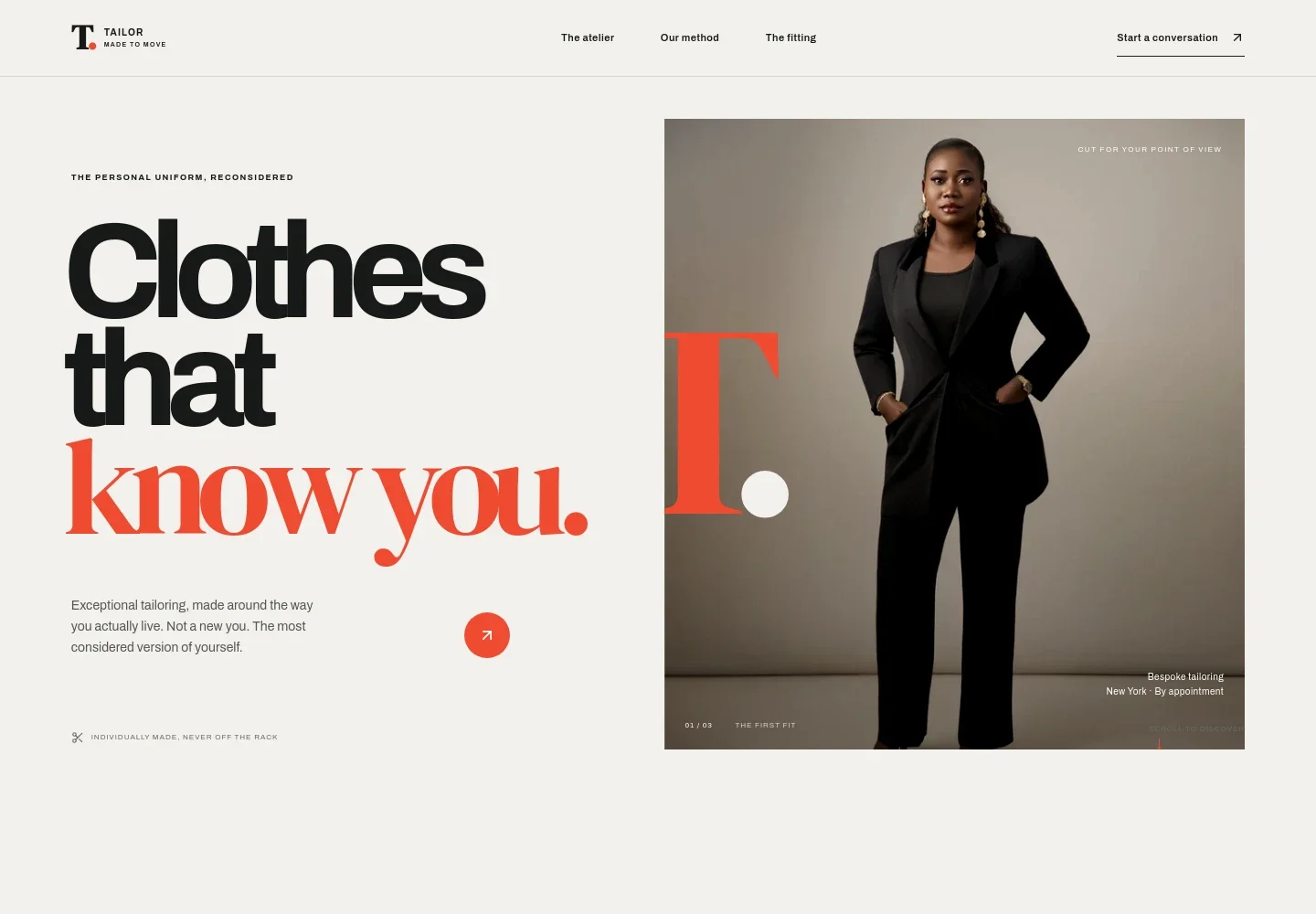
- Hero and atelier introduction
- A prominent tailoring portrait and concise introduction establish the bespoke focus. Navigation links lead visitors to the atelier, method, and fitting sections.
- What the atelier believes
- A short manifesto frames the goal as making clothing that feels personal and easy to wear, rather than presenting tailoring as simply buying another suit.
- Three-step tailoring method
- Listen, Shape, and Refine explain how the process considers a client's daily life, cloth and design choices, and a series of fittings.
- Cloth and materials
- A fabric image and supporting copy introduce material choices such as wool and linen, with attention to feel, color, and intended wear.
- Fitting and contact invitation
- The closing section invites visitors to discuss their ideas and what a first fitting looks like, with an email link to begin a conversation.
- Appointment and location details
- The footer identifies the atelier as appointment-based in New York, providing a concise location and service context.
How to use this template
Open in Revamp
Click Use this template and sign in or create an account. You’ll start with your own copy of the design, ready to personalize.
Bring your content
Replace the sample text, photos, and logo with your own. Share your content, a document, or an existing website, and ask Revamp to adapt the template to your business.
Refine and publish
Ask Revamp to adjust the colors, layout, or sections, or edit directly on the page. Review desktop and mobile, then publish. You can keep making changes after launch.
Put your website to work
Make it easier to manage inquiries and arrange client meetings. Ask Revamp to add a booking or client-management tool that fits your atelier's process.
-

Offer consultation booking
CalendlyGive prospective clients a straightforward way to request a conversation. Ask Revamp to add consultation booking with Calendly.
-

Keep appointment times organized
Google CalendarCoordinate fitting and consultation availability around your calendar. Ask Revamp to add appointment scheduling with Google Calendar.
-

Track client inquiries
HubSpotKeep prospective client details and follow-ups organized in one place. Ask Revamp to connect HubSpot for contact management.
Frequently asked questions
Is this template free?
Yes. This premium template is free to use through Use this template. Free refers to the template itself.
Can I use my own content?
Yes. Ask Revamp to personalize the text, images, contact details, and tailoring information for your atelier.
Do I need coding skills?
No coding skills are needed. Ask Revamp to make content and design changes for you.
Can I change the design?
Yes. Ask Revamp to adjust the colors, typography, imagery, and layout to suit your brand and services.
Can I keep editing after publishing?
Yes. You can keep editing after launch. Ask Revamp to update your content or design as your atelier evolves.


