About this template
Help prospective clients understand how your telephone answering service can give their callers a warm, capable first point of contact. The page explains human call answering, message taking, call screening, appointment enquiries, and team escalation.
A clear call-flow section shows how an incoming call moves from a personal greeting to a useful message or agreed escalation. A separate service-fit section highlights overflow and out-of-hours cover, helping businesses see where answering support could fit their team.
Who it’s for
Telephone answering services, virtual receptionist businesses, and call-handling providers serving practices, busy service teams, and other businesses that want callers to reach a person instead of voicemail.
What’s included
The design pairs a people-focused introduction with practical explanations of what happens when a call comes in. Its numbered call-flow and scannable service list help prospective clients quickly understand the answering approach and possible types of cover.
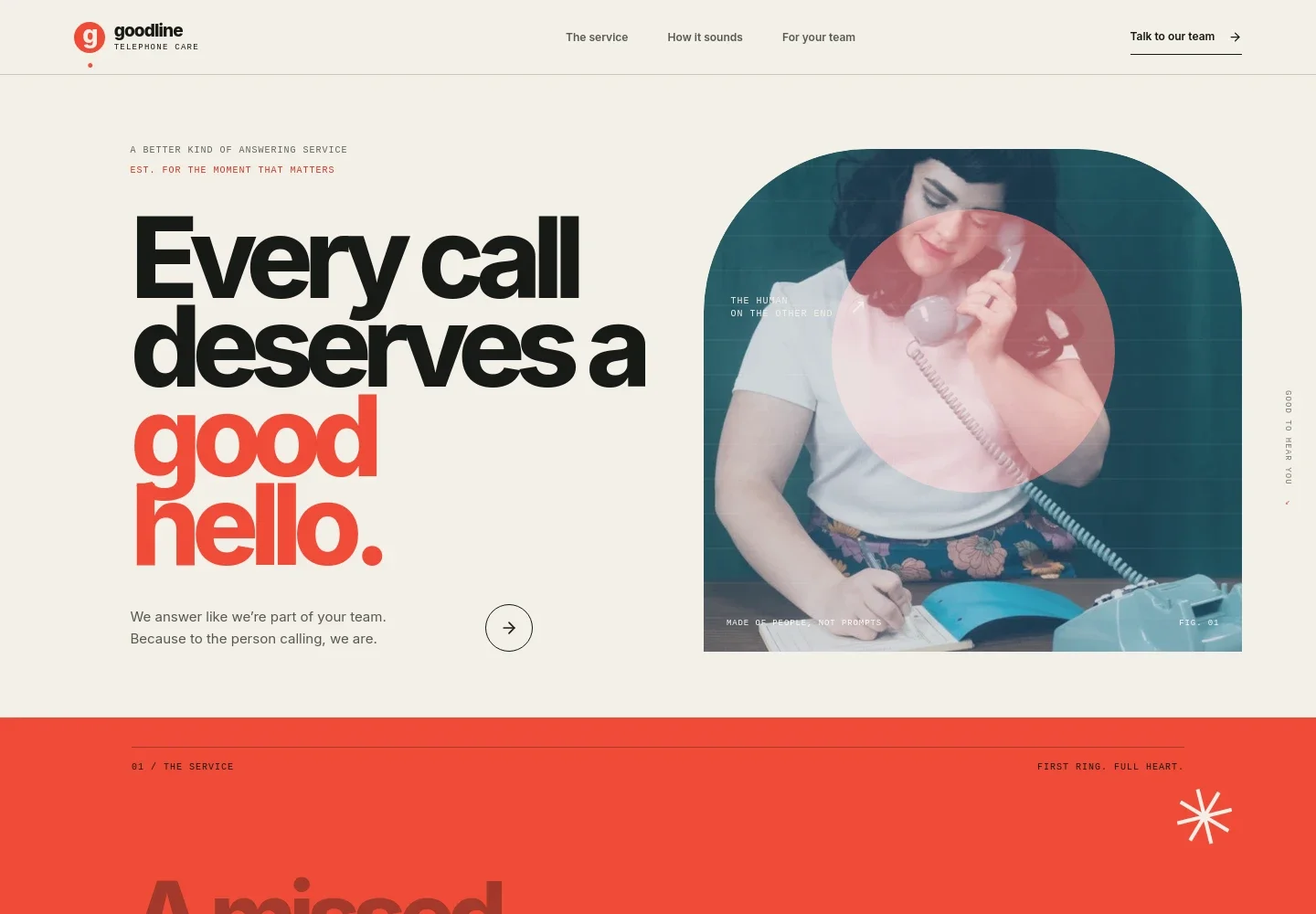
- Human-first hero
- A prominent headline, attentive listener portrait, and short introduction establish the service around a real human answer. A direct link leads visitors to the service details.
- The answering service
- This section explains how a real answering team can pick up in a business name, understand what matters to the caller, and help them reach the right place.
- How a call is handled
- A three-step explanation covers answering the call, following guidance to take a useful message, and passing messages or urgent calls to the team as agreed.
- Cover for different teams
- A separate service-fit section lists overflow and out-of-hours cover, message taking and call screening, and appointment enquiries and team escalation.
- Contact invitation
- The closing section invites visitors to describe what a good first hello means for their business, with a contact button to start a conversation.
How to use this template
Open in Revamp
Click Use this template and sign in or create an account. You’ll start with your own copy of the design, ready to personalize.
Bring your content
Replace the sample text, photos, and logo with your own. Share your content, a document, or an existing website, and ask Revamp to adapt the template to your business.
Refine and publish
Ask Revamp to adjust the colors, layout, or sections, or edit directly on the page. Review desktop and mobile, then publish. You can keep making changes after launch.
Put your website to work
Ask Revamp to connect tools that help your team manage enquiries, consultations, and follow-up alongside your answering service.
-

Book consultations
CalendlyGive callers a convenient way to choose a consultation time. Ask Revamp to add appointment booking with Calendly.
-

Organize client enquiries
HubSpotKeep prospective client details and follow-up activity together. Ask Revamp to connect HubSpot for enquiry management.
-

Coordinate team availability
Google CalendarHelp callers find a suitable meeting time based on your team's calendar. Ask Revamp to add scheduling with Google Calendar.
Frequently asked questions
Is this template free?
Yes. This premium template is free to use when you select Use this template. This applies to the template itself.
Can I use my own content?
Yes. Ask Revamp to personalize the copy, images, services, and contact details for your answering service.
Do I need coding skills?
No. Ask Revamp to personalize the content and design without coding.
Can I change the design?
Yes. Ask Revamp to adjust the layout, colors, typography, imagery, or sections to suit your business.
Can I keep editing after publishing?
Yes. You can keep making changes after launch. Ask Revamp to update your content or design as your service evolves.