About this template
Help audiences understand your theater’s point of view, see what is on stage, and plan an evening around a performance. The page pairs a curtain-lit introduction with a statement about the theater’s approach, a season lineup, and a visit section with an email contact.
Theater imagery, expressive headlines, and a dark, stage-inspired palette create a strong sense of place. The season is presented as three distinct show listings, while the visit information welcomes questions from first-time visitors and regular audience members.
Who it’s for
Independent theaters, performing arts venues, theater companies, and live performance organizations introducing their work and current season to prospective audiences.
What’s included
The design guides visitors from the theater’s artistic perspective to its current program and practical next steps for planning a visit.
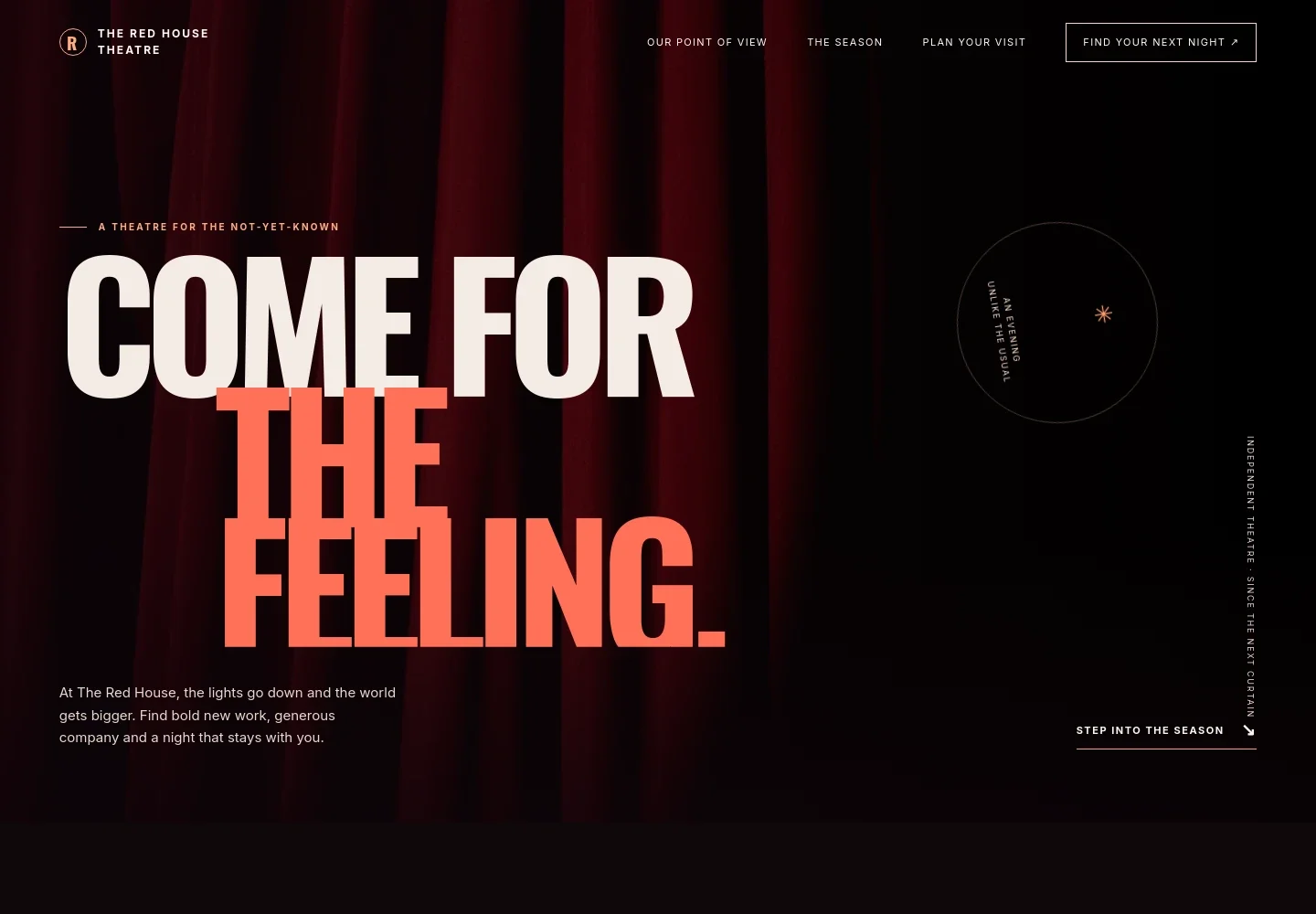
- Theater introduction
- A full-width red-curtain image, theater name, and prominent headline establish the venue’s identity, with a link leading visitors toward the season.
- Artistic point of view
- A statement section explains why the theater gathers audiences and the qualities it values in its work, giving visitors context beyond the show listings.
- Performance imagery
- A large image of a performer in motion and a short statement emphasize the live, changing nature of theater.
- Season lineup
- Three numbered show rows each pair a production title with a brief description, helping visitors scan the program and decide what to explore.
- Plan an evening
- A welcoming note encourages visitors to arrive early, meet over a drink, and ask the team for help, including first-time visitors.
- Visit and contact
- An audience-and-stage image accompanies an invitation to ask about access, a first visit, or what to see next, with an email contact link.
- Footer navigation
- The closing area repeats the theater name and provides links back to the vision, season, and visit sections.
How to use this template
Open in Revamp
Click Use this template and sign in or create an account. You’ll start with your own copy of the design, ready to personalize.
Bring your content
Replace the sample text, photos, and logo with your own. Share your content, a document, or an existing website, and ask Revamp to adapt the template to your business.
Refine and publish
Ask Revamp to adjust the colors, layout, or sections, or edit directly on the page. Review desktop and mobile, then publish. You can keep making changes after launch.
Put your website to work
Make it easier for audiences to find performances, reserve seats, and stay informed. Ask Revamp to add or connect tools that support your theater’s ticketing and communications.
-

Sell tickets online
SpektrixGive audiences a direct route from a show listing to seat selection and ticket purchase. Ask Revamp to connect your theater’s ticketing with Spektrix.
-

Manage ticket sales and fundraising
TessituraBring ticketing, donations, and audience records into your theater’s operational workflow. Ask Revamp to connect Tessitura for your organization.
-

Keep audiences informed
MailchimpShare season announcements and performance updates with subscribers. Ask Revamp to connect Mailchimp for audience email campaigns.
Frequently asked questions
Is this theater template free?
Yes. This premium template is free to use when you select Use this template. This applies to the template itself, not hosting or other services.
Can I use my theater’s own content?
Yes. Ask Revamp to personalize the theater name, artistic statement, production titles and details, imagery, visit information, and contact details with your own content.
Do I need coding skills to customize the template?
No. Ask Revamp to personalize the content and design for your theater without coding.
Can I change the design?
Yes. Ask Revamp to adjust the colors, imagery, typography, and layout to better suit your theater and its productions.
Can I keep editing the site after it is published?
Yes. You can keep asking Revamp to update your site after launch, including when your season, show details, or visitor information changes.


