About this template
Help visitors get a feel for the park before they arrive. This design introduces rides, themed areas, and the shift from daytime adventures to an illuminated evening experience.
A distinctive illustrated twilight scene, bright park imagery, and clear visit-focused calls to action give the site a sense of place while guiding guests toward planning a day.
Who it’s for
Designed for theme parks, amusement parks, and family attractions that want to showcase the visitor experience and encourage guests to plan a visit.
What’s included
The page pairs an expressive park introduction with an easy-to-follow journey through the experience, a dedicated after-dark feature, and a closing visit-planning section.
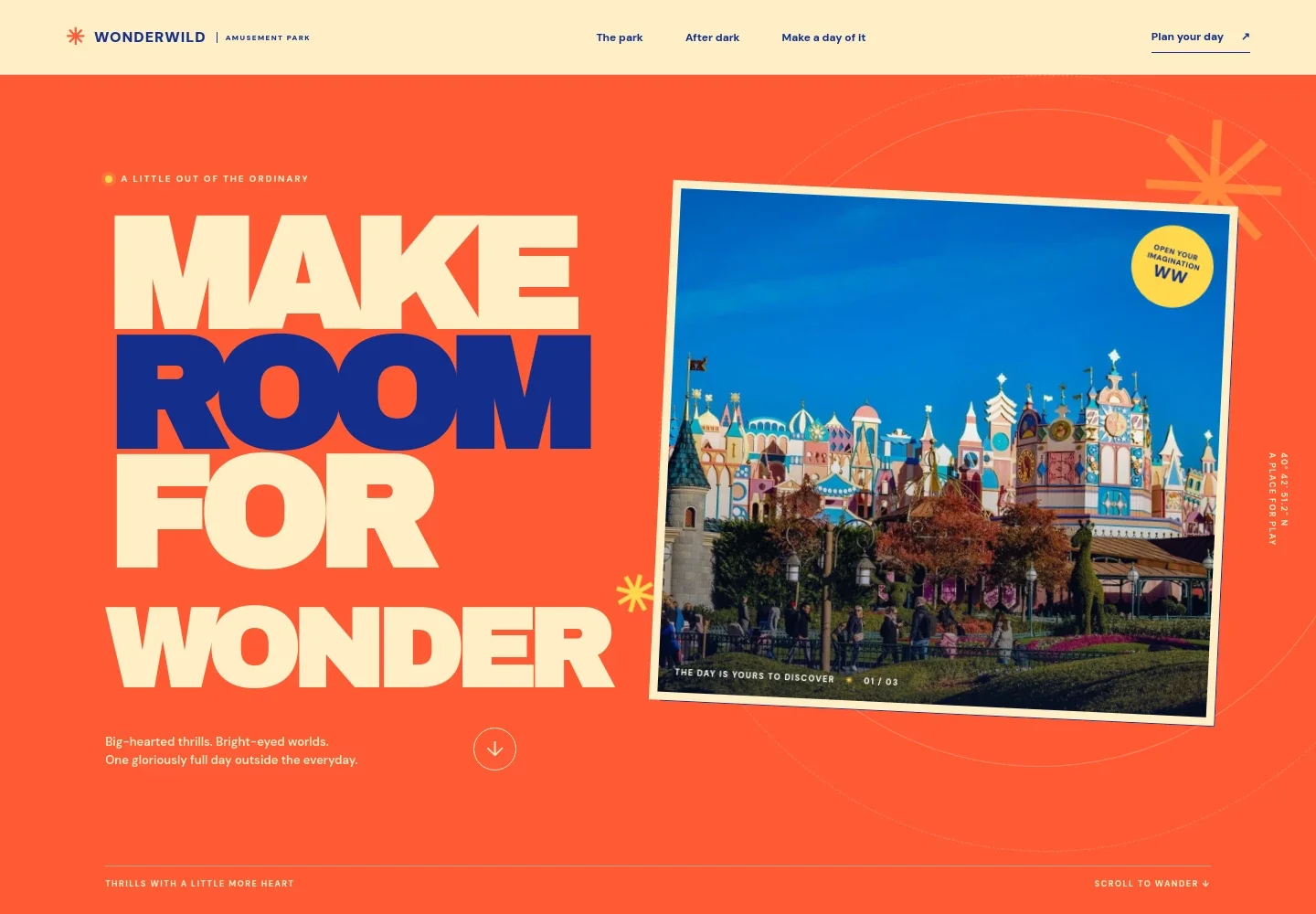
- Park introduction
- A bold headline and colorful park image set the mood, followed by an introduction to the park and three numbered highlights covering coaster thrills, themed areas, and evening atmosphere.
- After-dark experience
- A separate twilight section uses an illustrated midway with a Ferris wheel and coaster track to show how the park takes on a different character after sunset.
- Plan a visit
- The closing section invites visitors to plan a day, pairing a vivid detail image with planning copy and a contact call to action.
- Navigation and footer
- The top navigation links to the park overview, after-dark experience, and visit section. The footer returns visitors to the top and identifies the page as an imagined park concept.
How to use this template
Open in Revamp
Click Use this template and sign in or create an account. You’ll start with your own copy of the design, ready to personalize.
Bring your content
Replace the sample text, photos, and logo with your own. Share your content, a document, or an existing website, and ask Revamp to adapt the template to your business.
Refine and publish
Ask Revamp to adjust the colors, layout, or sections, or edit directly on the page. Review desktop and mobile, then publish. You can keep making changes after launch.
Put your website to work
Give guests practical ways to organize a visit. Ask Revamp to add ticketing, reservation, or email tools that fit how your park handles attendance and visitor updates.
-

Sell tickets and manage admission
accessoMake it easier for guests to choose a visit date and purchase admission. Ask Revamp to add a ticketing option using accesso.
-

Handle ticket sales and timed entry
TicketureOffer a clear route from park discovery to a dated ticket purchase. Ask Revamp to add ticket sales with Ticketure.
-

Share visitor updates by email
MailchimpKeep guests informed about seasonal events and park news. Ask Revamp to add email sign-up and campaigns with Mailchimp.
Frequently asked questions
Is this theme park template free?
Yes. This premium template is free to use when you select Use this template. This applies to the template itself, not hosting or other services.
Can I use my own park content?
Yes. Ask Revamp to personalize the text, images, park details, and calls to action for your attraction.
Do I need coding skills to customize it?
No coding skills are needed. Ask Revamp to make content or design changes in natural language.
Can I change the design?
Yes. Ask Revamp to adjust the colors, typography, imagery, layout, and other visual details to suit your park.
Can I keep editing after publishing?
Yes. You can continue editing after launch. Ask Revamp to update the content or design as your park and visitor information change.