About this template
Help visitors understand the thermal bathing experience before they plan a visit. The design introduces mineral pools, the contrast between warm water and a cool plunge, and a simple sequence of immersion, reset, and rest.
Large water and bathing-space photography, editorial typography, and clearly separated experience sections give a thermal baths business room to explain its atmosphere and approach. A visit section closes with a direct contact prompt.
Who it’s for
For thermal bathhouses, hot springs, geothermal bathing venues, and spa operators who want to introduce their bathing experience and help prospective guests learn what to expect.
What’s included
The page leads with the atmosphere of a thermal house, then guides visitors through the waters, bathing ritual, time to unwind, and a final visit inquiry.
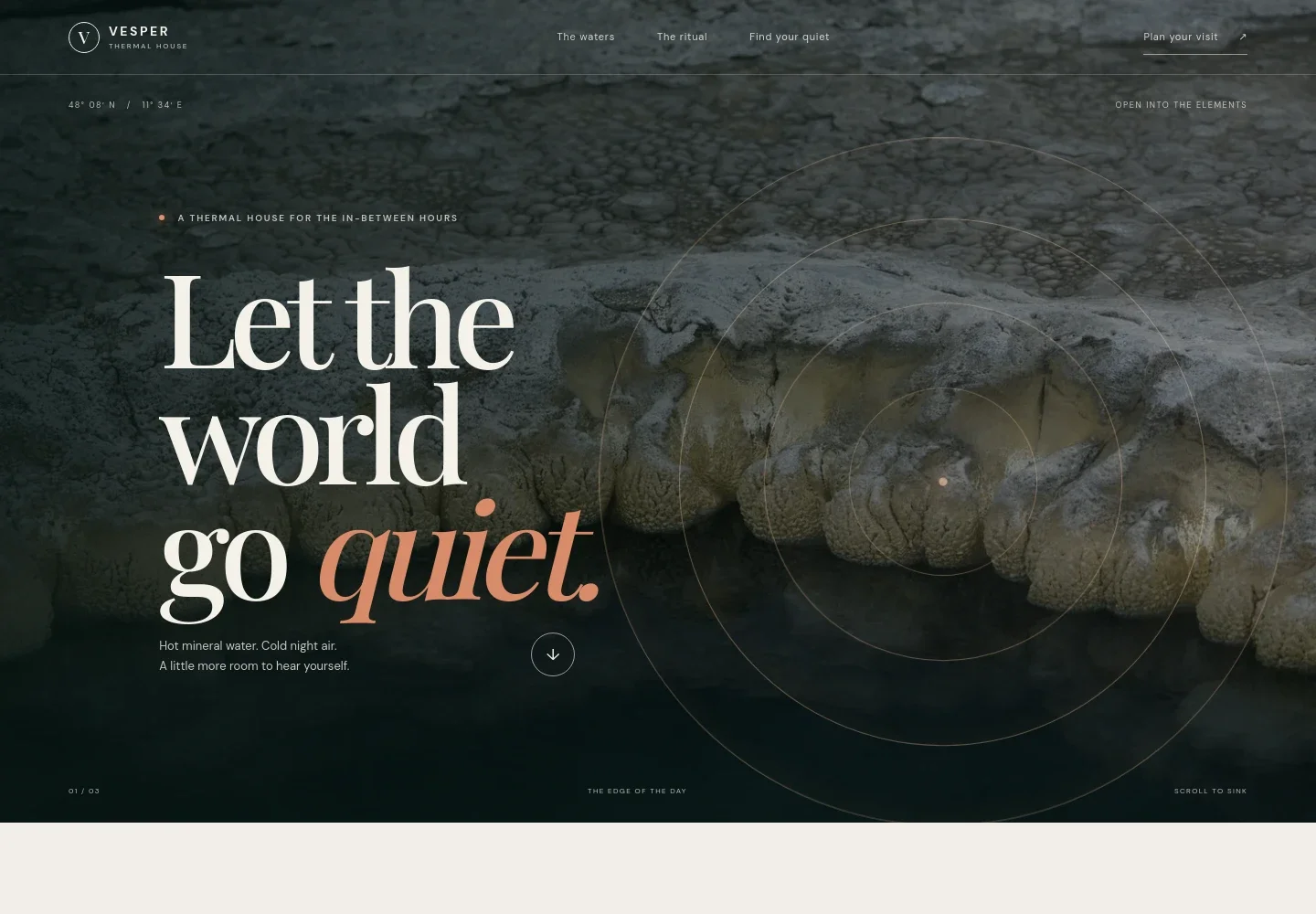
- Atmospheric hero and navigation
- A full-width volcanic-water photograph, concise experience statement, and links to the waters, ritual, quiet, and visit sections establish the setting and help visitors navigate the page.
- The waters
- Introduces mineral-rich warmth and a cold plunge with supporting pool photography. A simple warmth, cold, rest sequence gives visitors a quick overview of the bathing rhythm.
- The ritual
- Explains the thermal circuit through three steps: immerse, reset, and rest. Each step has a short description, with guidance that visitors can move at their own pace.
- After the water
- Describes the quieter part of a visit, including staying for tea and taking time to unwind, alongside a link back to the visit section.
- Plan a visit
- Closes with a clear prompt to ask about a visit and a contact link, giving interested guests a next step.
How to use this template
Open in Revamp
Click Use this template and sign in or create an account. You’ll start with your own copy of the design, ready to personalize.
Bring your content
Replace the sample text, photos, and logo with your own. Share your content, a document, or an existing website, and ask Revamp to adapt the template to your business.
Refine and publish
Ask Revamp to adjust the colors, layout, or sections, or edit directly on the page. Review desktop and mobile, then publish. You can keep making changes after launch.
Put your website to work
Make it easier for guests to plan a visit and for your team to manage inquiries. Ask Revamp to add or connect tools that suit your booking and guest-management needs.
-

Let guests choose and manage visit times
VagaroAsk Revamp to add appointment booking with Vagaro so guests can request or book bathing visits online.
-

Coordinate bookings with your team's calendar
CalendlyAsk Revamp to add consultation or visit scheduling with Calendly, with available times presented for guests to choose from.
-

Organize guest inquiries and follow-ups
HubSpotAsk Revamp to connect HubSpot to help your team track guest inquiries and manage follow-up communications.
Frequently asked questions
Is this thermal baths website template free?
Yes. This premium template is free to use when you select Use this template. Free refers to the template itself.
Can I use my own content?
Yes. Ask Revamp to personalize the page with your business name, photos, bathing details, visit information, and contact details.
Do I need coding skills?
No. Ask Revamp to personalize the content and design for your thermal baths business without coding.
Can I change the design?
Yes. Ask Revamp to adjust the colors, imagery, typography, layout, or other design details to suit your venue.
Can I keep editing after publishing?
Yes. You can keep editing after launch. Ask Revamp to update your content or design as your visitor information changes.