About this template
Help travelers understand the journeys you offer, the places they reach, and the way you travel. This template presents small-group expedition routes in Greenland, the Faroe Islands, and Norway, with space to explain your approach and invite visitors to start a conversation.
A dramatic expedition-vessel image, restrained editorial typography, and clearly organized route listings give visitors a sense of place while making trip details easy to scan. A field-note feature and a direct contact section give prospective travelers useful context before they get in touch.
Who it’s for
Tour operators offering guided expeditions, small-group adventures, walking trips, sailing journeys, or destination-focused travel. It suits businesses that want to introduce their travel philosophy, present a few featured itineraries, and encourage prospective guests to make an inquiry.
What’s included
The page moves from an atmospheric destination-led introduction to the operator’s approach, featured expeditions, a field note, and a conversation prompt. Visitors can get a quick sense of the travel style, compare sample routes, and see how to begin planning.
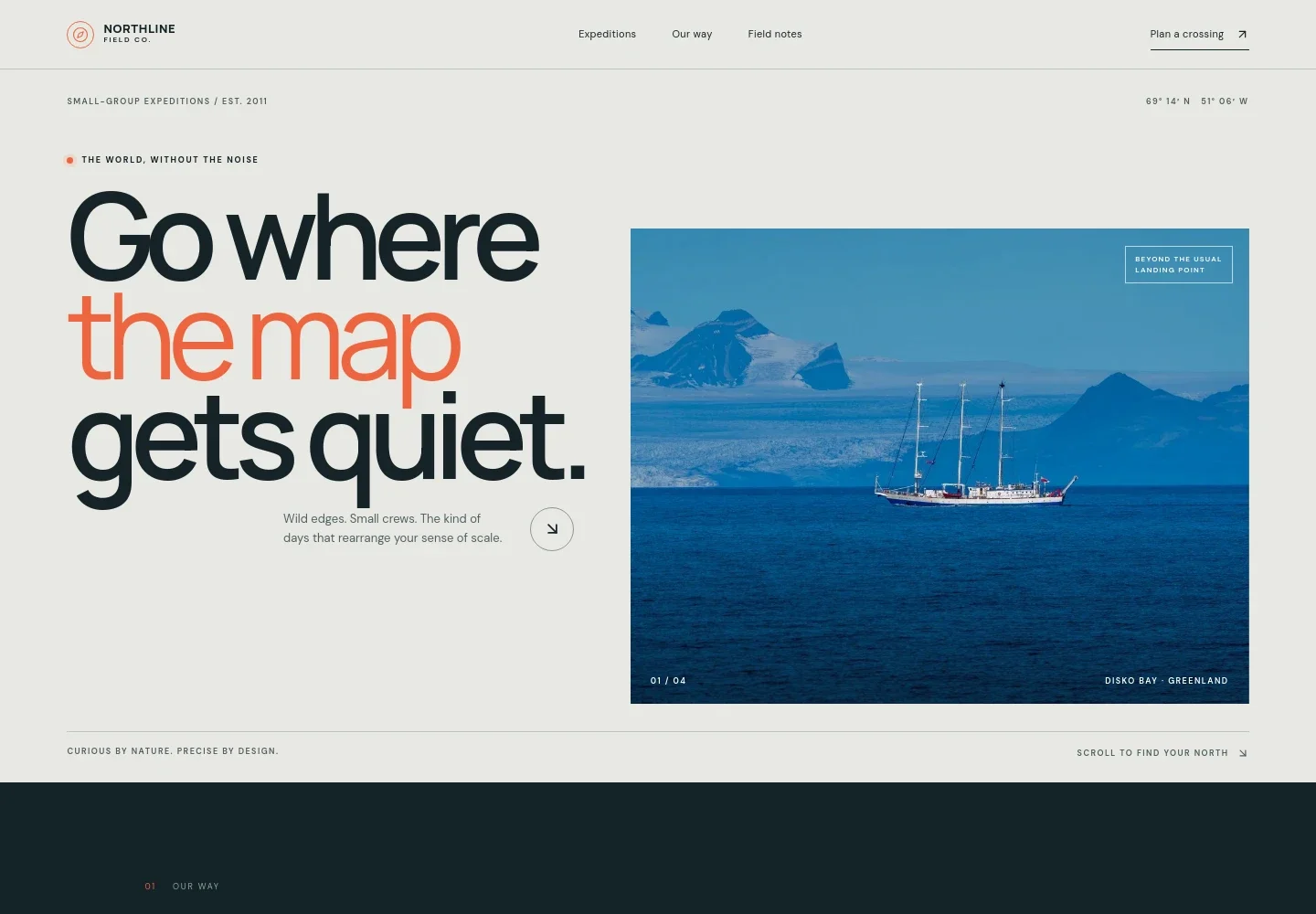
- Expedition-led hero
- A large Arctic vessel image, location label, concise introduction, and links to explore expeditions establish the destination and small-group travel focus at a glance.
- Our way
- This section explains a slower, field-first approach to travel, with text about local knowledge, capable guides, and leaving room for the unexpected.
- Featured expeditions
- Three linked route listings present Greenland by sea, walking in the Faroe Islands, and coastal travel in Lofoten. Each shows a trip style, setting, and sample duration, with a prompt to ask about seasonal plans.
- Field note
- A destination image and short editorial feature explain how weather can shape travel in the north, adding context to the operator’s flexible, place-led approach.
- Start a conversation
- A closing inquiry section invites visitors to bring a question, season, or travel idea and contact the operator to discuss a journey.
- Footer navigation
- A compact footer repeats the brand mark and provides a return-to-top link.
How to use this template
Open in Revamp
Click Use this template and sign in or create an account. You’ll start with your own copy of the design, ready to personalize.
Bring your content
Replace the sample text, photos, and logo with your own. Share your content, a document, or an existing website, and ask Revamp to adapt the template to your business.
Refine and publish
Ask Revamp to adjust the colors, layout, or sections, or edit directly on the page. Review desktop and mobile, then publish. You can keep making changes after launch.
Put your website to work
Make it easier to turn itinerary interest into organized inquiries and trip planning. Ask Revamp to add or connect travel tools that suit the way your tour business handles bookings and guest communication.
-

Organize tour bookings
FareHarborKeep tour availability, reservations, and booking details in one place. Ask Revamp to add a booking flow connected with FareHarbor.
-

Manage guest inquiries
HubSpotTrack prospective travelers and follow-ups as they consider a trip. Ask Revamp to connect your inquiry forms with HubSpot.
-

Schedule planning calls
CalendlyGive travelers a straightforward way to arrange a conversation about a route or season. Ask Revamp to add consultation booking with Calendly.
Frequently asked questions
Is this template free?
Yes. This premium template is free to use when you select Use this template. The template is free; other services may have their own costs.
Can I use my own content?
Yes. Ask Revamp to personalize the page with your tour descriptions, destinations, trip details, photography, and contact information.
Do I need coding skills?
No. Ask Revamp to personalize the content and design for your tour business without coding.
Can I change the design?
Yes. Ask Revamp to adjust the layout, colors, images, typography, and other design details to suit your brand.
Can I keep editing after publishing?
Yes. You can continue editing your website after launch. Ask Revamp to update trip information, imagery, or other page content as your plans change.