About this template
Help prospective clients see what your transcription service handles, from interviews and oral histories to research sessions, media, meetings, and proceedings. The design explains the difference between a raw transcript and a carefully edited record, with options such as verbatim, clean-read, and edited-for-clarity transcripts.
A dark, editorial layout pairs large typography with recording and transcript imagery. Sections on your approach, service types, and working standards give visitors a clear path from understanding your work to starting a conversation about a recording.
Who it’s for
Transcription studios and independent transcription professionals serving researchers, interviewers, media producers, and organizations that need a clear written record of spoken material.
What’s included
The page guides visitors from your transcription approach through specific service types and working standards to a contact prompt. Its visual emphasis on listening and transcript details fits a service where accuracy, context, and readability matter.
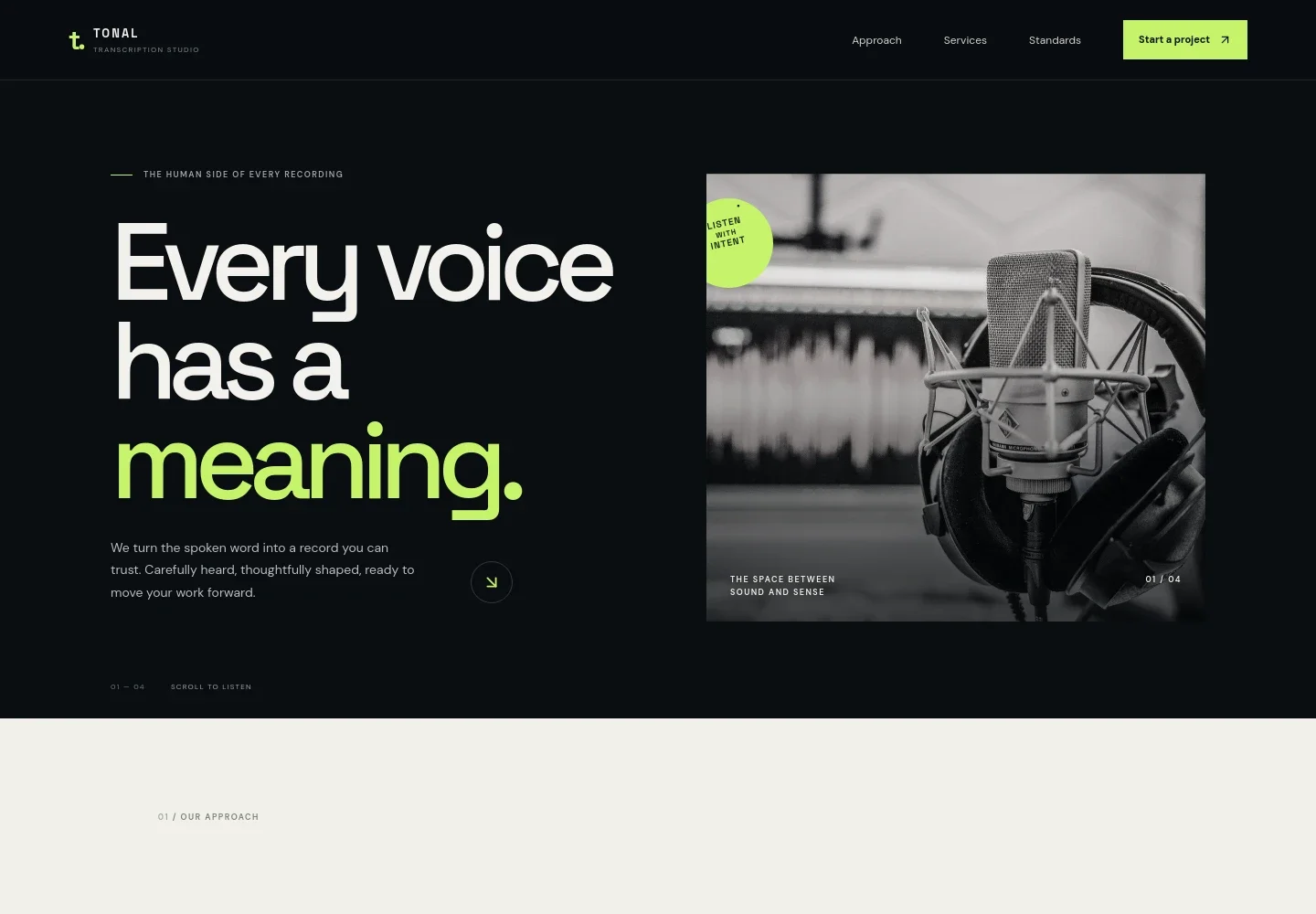
- Hero and service introduction
- A prominent statement and studio microphone image introduce the idea of turning recordings into useful written records, with a link leading visitors into the approach section.
- Approach
- Explains why context, pauses, and speaker intent matter alongside the words themselves, supported by a listening-focused image and a short editorial statement.
- Transcription services
- Four service rows describe interview and oral history, research and focus groups, film, podcast and media, and meetings and proceedings. Each includes a concise explanation and a category label.
- Working standards
- Outlines the template's stated principles: agreeing on transcript style, handling material carefully, and tailoring speaker labels, timestamps, and formatting to the job.
- Contact prompt
- Invites visitors to describe their recording, what they need it to become, and their timing, with a link to start a conversation.
- Transcript sample visual
- A waveform and sample transcript lines illustrate time-coded dialogue and a marked pause, reinforcing the focus on listening and readable records.
How to use this template
Open in Revamp
Click Use this template and sign in or create an account. You’ll start with your own copy of the design, ready to personalize.
Bring your content
Replace the sample text, photos, and logo with your own. Share your content, a document, or an existing website, and ask Revamp to adapt the template to your business.
Refine and publish
Ask Revamp to adjust the colors, layout, or sections, or edit directly on the page. Review desktop and mobile, then publish. You can keep making changes after launch.
Put your website to work
Make it easier to handle new enquiries, schedule conversations, and organize client relationships. Ask Revamp to add connections with tools your business uses.
-

Schedule client consultations
CalendlyGive prospective clients a simple way to arrange an introductory conversation. Ask Revamp to add consultation booking with Calendly.
-

Organize client enquiries
HubSpotKeep prospective client details and follow-ups organized in one place. Ask Revamp to connect HubSpot for contact management.
-

Track incoming project requests
Google SheetsCollect enquiry details in a shared spreadsheet for review and follow-up. Ask Revamp to send form responses to Google Sheets.
Frequently asked questions
Is this template free?
Yes. This premium template is free to use when you select Use this template. Free refers to the template itself.
Can I use my own content?
Yes. Ask Revamp to personalize the copy, images, service descriptions, and contact details for your transcription business.
Do I need coding skills?
No. You can ask Revamp to make changes to your content and design without coding.
Can I change the design?
Yes. Ask Revamp to adjust the visual style, layout, colors, and imagery to suit your business.
Can I keep editing after publishing?
Yes. You can keep asking Revamp to update your site after launch.


