About this template
Help prospective clients understand what your language studio translates, how it approaches nuance, and which language pairs it serves. The design introduces creative translation, transcreation, specialist translation, and interpretation, with a clear path to start a conversation about a project.
An editorial visual style pairs expressive typography and language-inspired graphics with a practical services list, language-pair examples, and a contact section. Visitors can move from your approach to relevant expertise and language coverage before reaching out.
Who it’s for
Translation agencies, localization studios, language service providers, and interpreters who want to explain their services and language coverage to prospective business clients.
What’s included
The page guides visitors from the studio’s approach to its services and language coverage, then invites them to discuss a project. The structured sections make it easier to see what the agency does and how to get in touch.
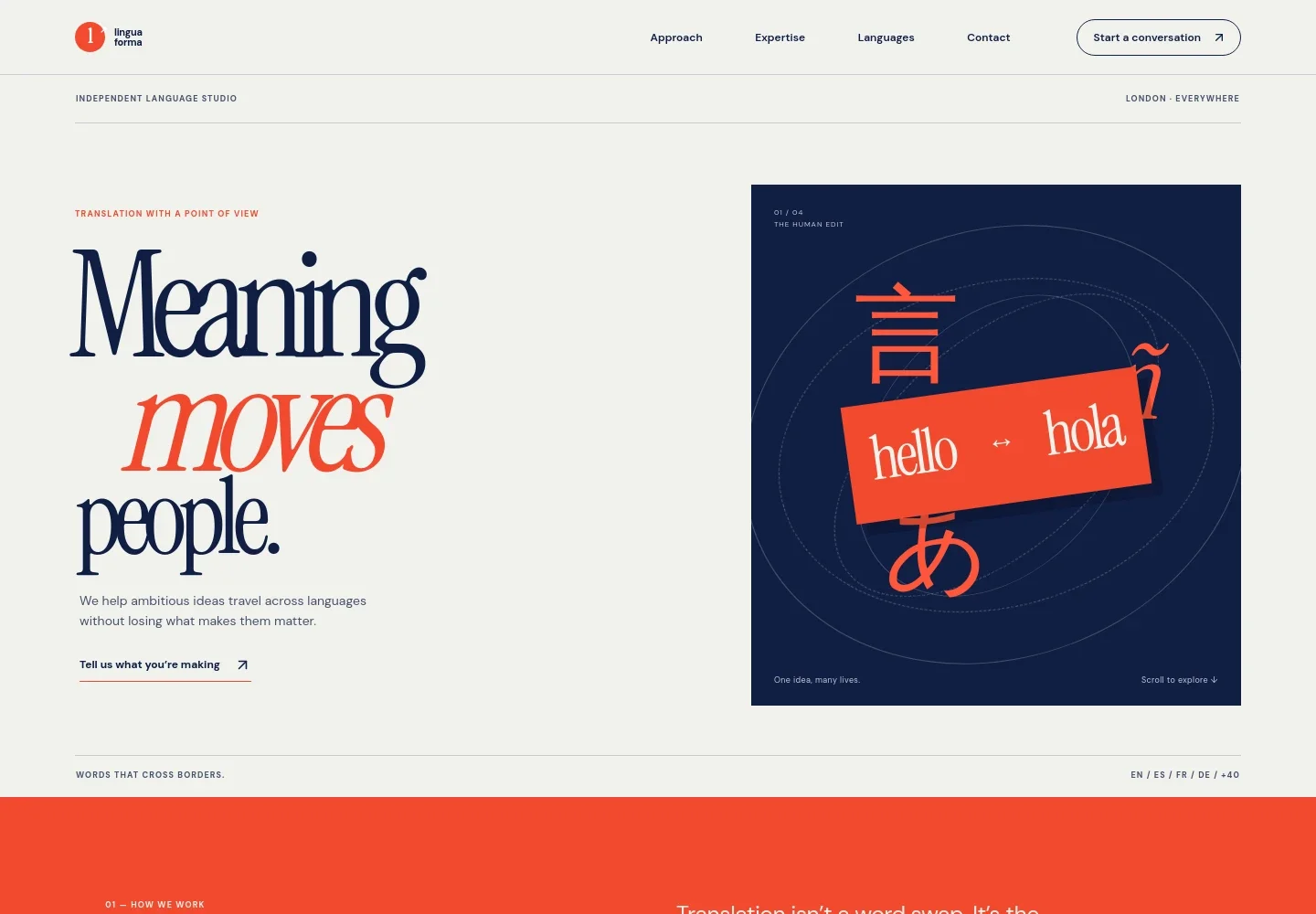
- Hero and navigation
- A prominent studio introduction pairs the message “Meaning moves people” with a language-themed illustration, a brief description, and navigation to the approach, expertise, languages, and contact sections.
- Approach
- Explains translation as carrying intent between languages, supported by a visual sequence showing a message finding a new voice.
- Expertise and services
- A numbered list describes creative translation, transcreation, legal and specialist translation, and interpretation, helping visitors identify the type of language support they need.
- Languages
- Shows example language pairs, including English and Spanish, French and English, and Japanese and English, alongside a note inviting inquiries about other pairs.
- Human practice
- An editorial manuscript image and copy describe the role of translators as writers, listeners, and cultural readers, reinforcing the studio’s focus on nuance.
- Contact
- A project-focused closing section asks visitors to share their project, audience, and timeline, with an email link as the contact prompt.
- Footer
- Repeats the studio wordmark and closing message, with a back-to-top link and copyright line.
How to use this template
Open in Revamp
Click Use this template and sign in or create an account. You’ll start with your own copy of the design, ready to personalize.
Bring your content
Replace the sample text, photos, and logo with your own. Share your content, a document, or an existing website, and ask Revamp to adapt the template to your business.
Refine and publish
Ask Revamp to adjust the colors, layout, or sections, or edit directly on the page. Review desktop and mobile, then publish. You can keep making changes after launch.
Put your website to work
Make it easier to handle new inquiries, organize client conversations, and coordinate project information. Ask Revamp to add or connect tools that support your agency’s workflow.
-

Organize prospective client conversations
HubSpotKeep inquiry details and follow-up activity together. Ask Revamp to connect HubSpot for managing prospective client relationships.
-

Let clients request a consultation time
CalendlyGive prospective clients a straightforward way to request a time to talk. Ask Revamp to add consultation booking with Calendly.
-

Track project and client details
PlunetKeep project information and client records organized in one place. Ask Revamp to connect Plunet for translation business management.
Frequently asked questions
Is this translation agency template free?
Yes. This premium template is free to use when you select Use this template. Free refers to the template itself.
Can I use my own content?
Yes. Ask Revamp to personalize the text, language pairs, services, contact details, and imagery with your own business content.
Do I need coding skills?
No coding skills are needed. Ask Revamp to personalize the content and design for your translation agency.
Can I change the design?
Yes. Ask Revamp to adjust the visual style, layout, colors, and other design details to suit your studio.
Can I keep editing after publishing?
Yes. You can keep editing after launch. Ask Revamp to update your content or design as your services and business change.