About this template
Help prospective clients understand your translation and interpretation services, the kinds of projects you support, and how to start a conversation. The design brings translation, localization, interpretation, transcreation, and cultural review into a clear service overview.
A distinctive typographic hero and multilingual visual details set the context, while the approach and language sections explain how you consider audience, tone, and cultural fit. A direct contact section gives visitors a next step for discussing a launch, meeting, or story.
Who it’s for
Independent translators, interpreters, localization professionals, and language studios presenting services to businesses, creative teams, and other clients.
What’s included
The page is organized around what language professionals do, how they approach a project, and how a visitor can make an inquiry. Large editorial typography and multilingual character details give the site a clear language-services identity.
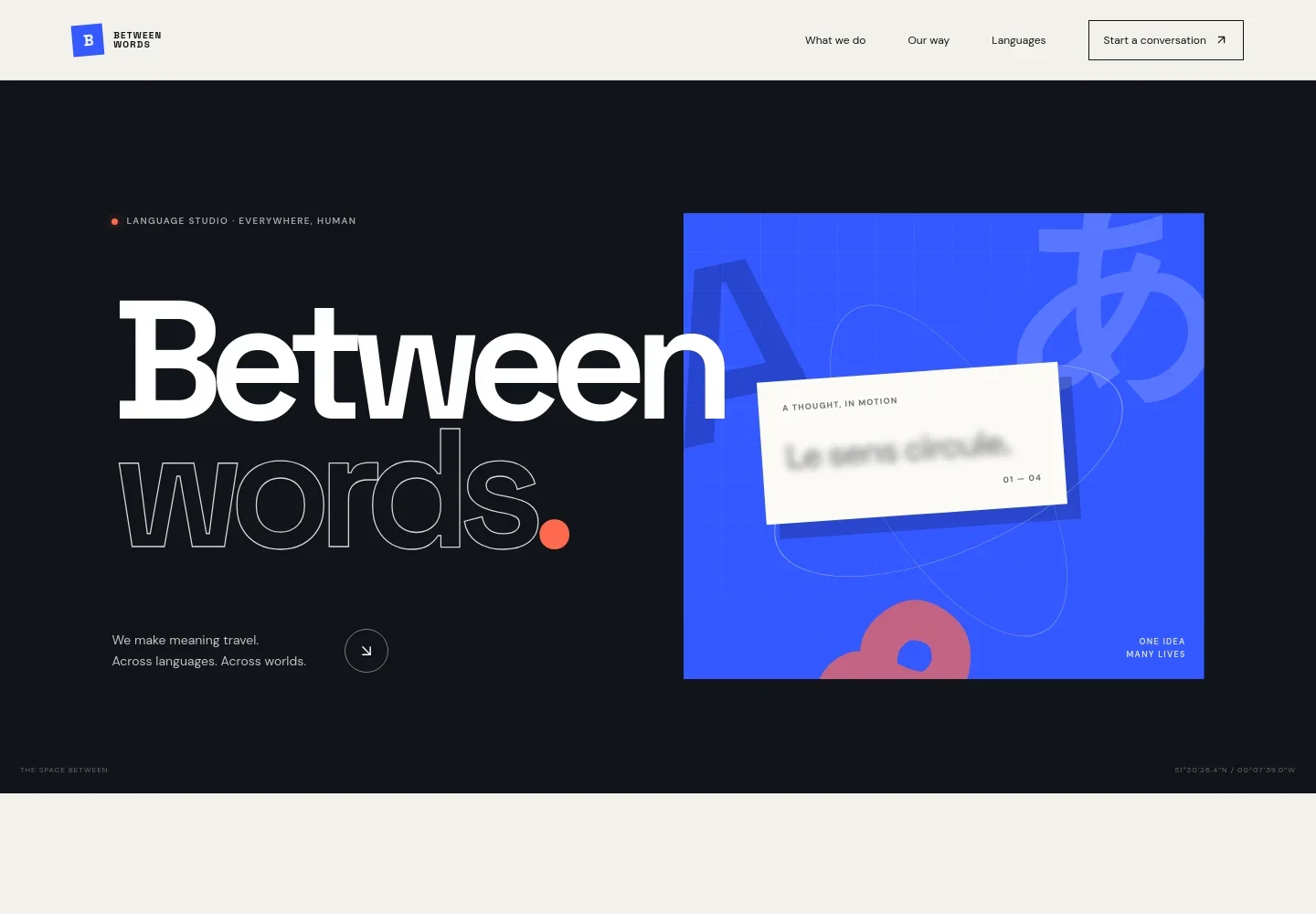
- Hero and studio identity
- A typographic opening introduces the language studio, with multilingual characters and a visual message about meaning moving between languages.
- Approach
- A short statement explains the design’s focus on linguistic precision, cultural understanding, and carrying a message’s feeling across languages.
- Services
- Three service rows describe translation and localization, consecutive and simultaneous interpretation, and transcreation with cultural review. Their concise details help prospective clients identify a relevant service.
- Working approach
- A dedicated section describes beginning with questions about the speaker, audience, and intended response, then finding the right linguist for the context.
- Languages
- A language list names Arabic, Chinese, English, French, German, Japanese, and Spanish, followed by an invitation to discuss other language needs.
- Contact
- A closing inquiry section invites visitors to share details about a launch, meeting, or story, with a prominent email contact link.
How to use this template
Open in Revamp
Click Use this template and sign in or create an account. You’ll start with your own copy of the design, ready to personalize.
Bring your content
Replace the sample text, photos, and logo with your own. Share your content, a document, or an existing website, and ask Revamp to adapt the template to your business.
Refine and publish
Ask Revamp to adjust the colors, layout, or sections, or edit directly on the page. Review desktop and mobile, then publish. You can keep making changes after launch.
Put your website to work
Make it easier to manage inquiries, schedule interpretation, and coordinate translation projects. Ask Revamp to add connections with tools such as these.
-

Schedule consultations
CalendlyGive prospective clients a straightforward way to choose a time to discuss a project. Ask Revamp to add consultation booking with Calendly.
-

Coordinate appointments
Google CalendarLet clients request meeting times around your existing calendar. Ask Revamp to add appointment scheduling with Google Calendar.
-

Organize client relationships
HubSpotKeep prospective and current client details together as you manage inquiries and follow-ups. Ask Revamp to connect a client workflow with HubSpot.
Frequently asked questions
Is this translator website template free?
Yes. This premium template is free to use through Use this template. Free refers to the template itself, not hosting or other services.
Can I use my own content?
Yes. Ask Revamp to personalize the site with your services, language pairs, project details, contact information, and other content.
Do I need coding skills?
No. You can ask Revamp to personalize the content and design without coding.
Can I change the design?
Yes. Ask Revamp to adjust the visual style, layout, colors, typography, and other design details to suit your language business.
Can I keep editing after publishing?
Yes. You can keep asking Revamp to update your content and design after your site launches.