About this template
Help homeowners understand your tree removal services, how you plan work around a property, and what to expect before a job begins. The page presents removal, technical dismantling, stump and site clearance, and storm-damaged tree work in clear, practical terms.
A distinctive illustrated canopy introduces the theme of making room for what grows. From there, the layout pairs a considered approach with service details, a three-step process, and a direct invitation to talk through a tree.
Who it’s for
Tree removal companies, arborists, and residential tree care professionals who want to explain their services and give homeowners a clear first step toward discussing a tree or site.
What’s included
The design moves from a clear tree-care message to specific services, an explanation of the working approach, and a simple contact invitation. Its residential details help visitors see that the work considers the garden, house, access, and surrounding property, not just the tree.
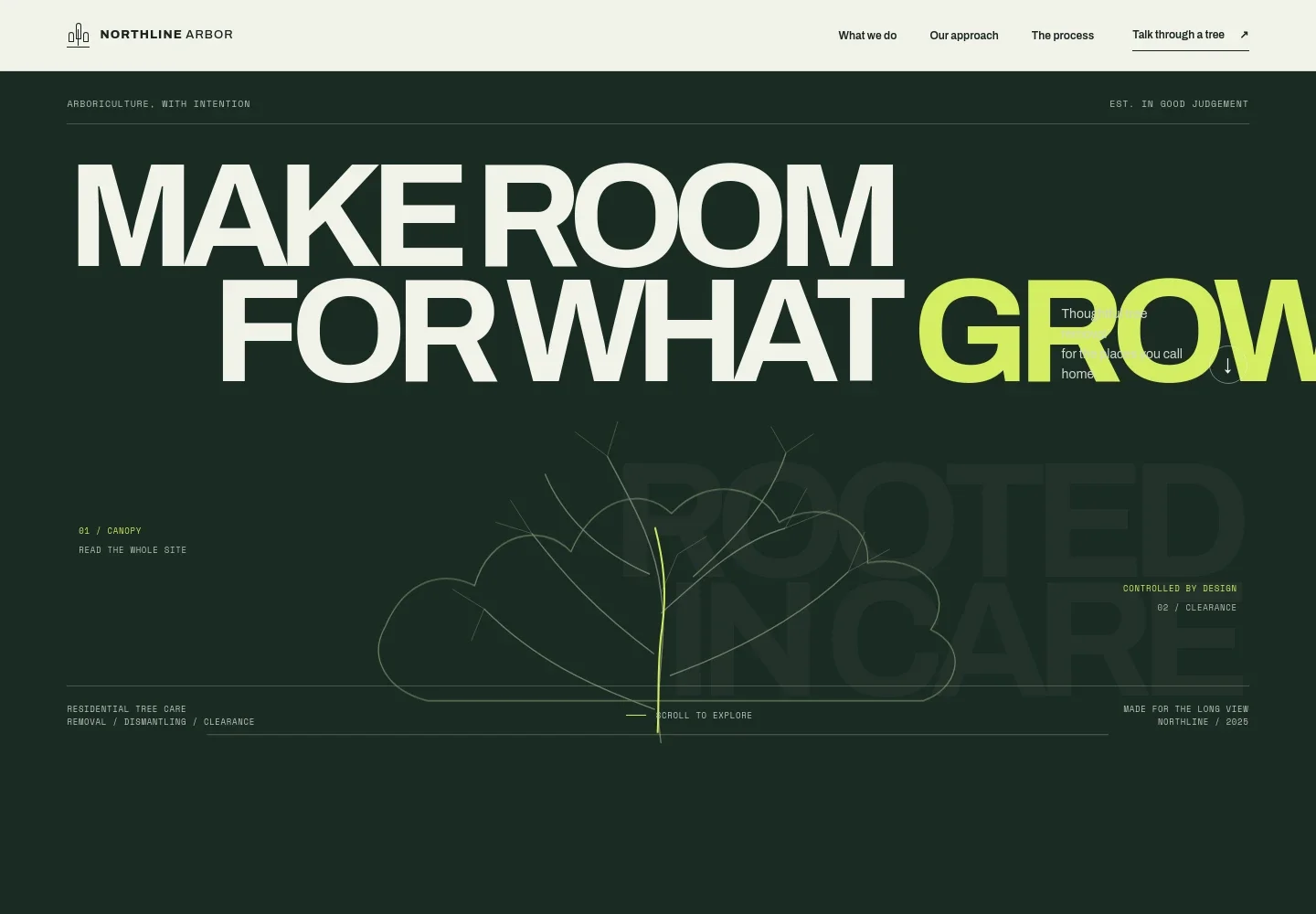
- Hero with illustrated canopy
- Opens with a prominent tree-removal message, a custom canopy illustration, and a short introduction to residential removal, dismantling, and clearance.
- Approach
- Explains the value of planning around the wider site, including features that remain such as light, soil, fences, and nearby planting. A supporting woodland image reinforces the focus on the landscape.
- Services
- Describes tree removal, technical dismantling for constrained sites, stump and site clearance, and responses to storm-damaged trees.
- Three-step process
- Shows how a job moves from listening to the homeowner and understanding the site, to explaining the plan, then carrying out the agreed work and tidying the area.
- Contact invitation
- Encourages visitors who are unsure what a tree needs to start a conversation about what they have noticed and consider a next step.
- Footer
- Closes with the business identity, a note identifying the page as an illustrative template, and a link back to the top.
How to use this template
Open in Revamp
Click Use this template and sign in or create an account. You’ll start with your own copy of the design, ready to personalize.
Bring your content
Replace the sample text, photos, and logo with your own. Share your content, a document, or an existing website, and ask Revamp to adapt the template to your business.
Refine and publish
Ask Revamp to adjust the colors, layout, or sections, or edit directly on the page. Review desktop and mobile, then publish. You can keep making changes after launch.
Put your website to work
Make enquiries easier to manage and keep estimates and job details organized. Ask Revamp to add or connect tools that suit the way your tree care business works.
-

Organize estimates and customer enquiries
JobberKeep homeowner conversations, property details, and follow-ups together. Ask Revamp to connect Jobber for customer and job management.
-

Coordinate crews and field jobs
ServiceTitanPlan field work and keep job information accessible to your team. Ask Revamp to connect ServiceTitan for field service management.
-

Schedule site visits and consultations
CalendlyGive prospective customers a way to request a convenient time to discuss a tree. Ask Revamp to add consultation booking with Calendly.
Frequently asked questions
Is this template free?
Yes. This premium template is free to use through Use this template. Free refers to the template itself.
Can I use my own content?
Yes. Ask Revamp to personalize the page with your business name, service details, photographs, contact information, and other content.
Do I need coding skills?
No coding skills are needed. Ask Revamp to make content and design changes for you.
Can I change the design?
Yes. Ask Revamp to adjust the layout, colors, typography, imagery, and other design details to suit your business.
Can I keep editing after publishing?
Yes. You can keep asking Revamp to update your content and design after launch.