About this template
Introduce a film studio’s point of view and show visitors how a story can move from its first idea to a finished screen experience. The layout presents development, production, and post-production as distinct disciplines, with a cinematic visual style that keeps the focus on storytelling.
A process section describes the journey from an initial spark toward a finished film, while an audience-focused section explains the studio’s belief in cinema as a meeting place. The closing contact area invites filmmakers and collaborators to start a conversation.
Who it’s for
Independent film studios, production companies, and screen storytellers who want to present their creative approach, outline production disciplines, and invite prospective collaborators to get in touch.
What’s included
The design pairs dramatic film imagery, oversized headlines, and restrained navigation with clear sections for a studio’s point of view, creative process, services, audience, and contact.
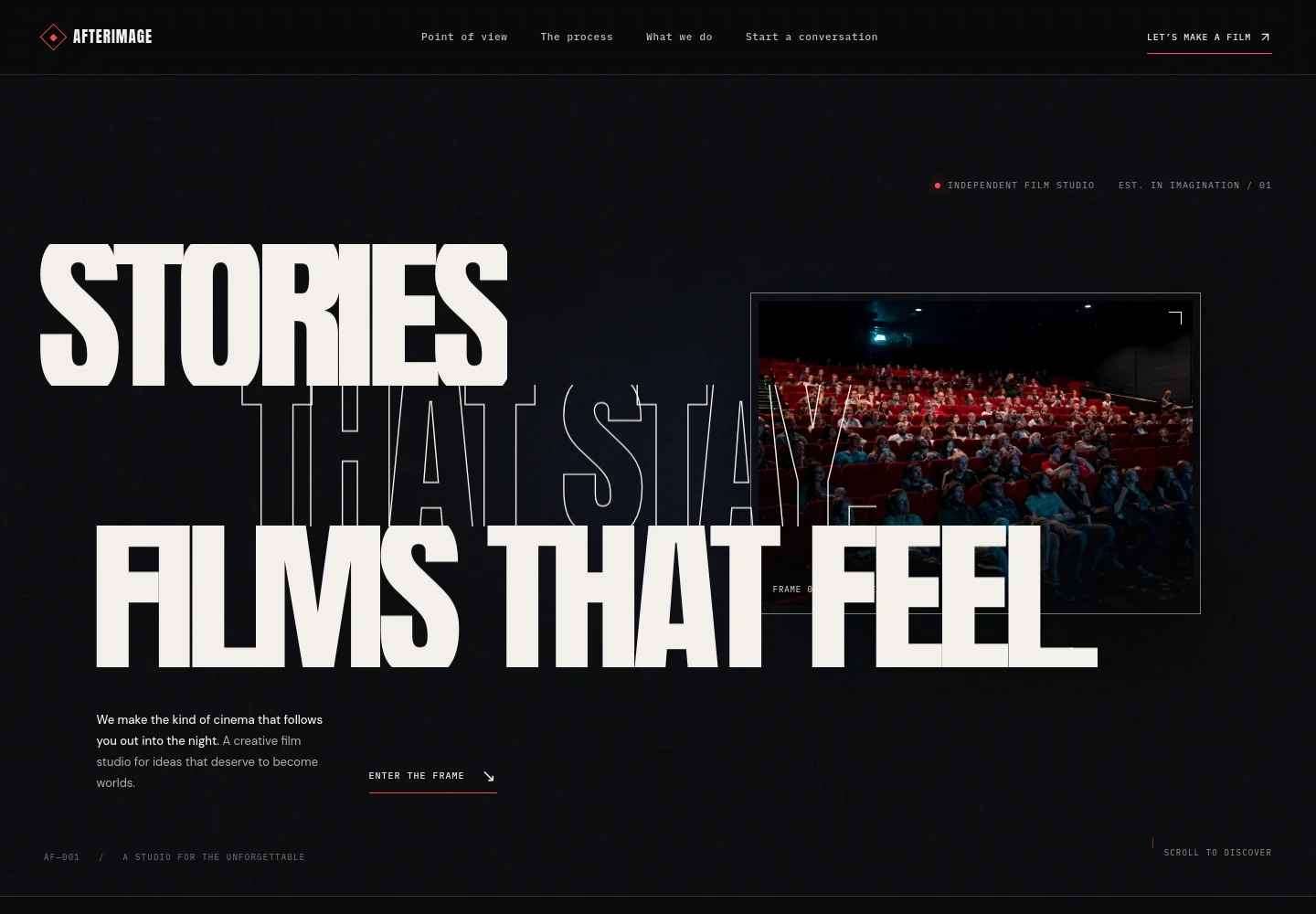
- Cinematic introduction
- A film-frame image, studio label, and prominent headline establish the studio’s identity and creative focus, with a link leading visitors into the page.
- Studio point of view
- A dedicated section shares the studio’s perspective on making purposeful images and stories, giving visitors context for its creative choices.
- Creative process
- Film imagery and copy describe a story’s progression from its first spark toward the final frame, helping prospective collaborators understand the studio’s approach.
- Production disciplines
- Three service entries cover development, production, and post-production and finishing, with brief descriptions of the work involved in each.
- Audience perspective
- A cinema image and supporting copy present the screen as a shared experience and explain the studio’s interest in how stories connect with audiences.
- Contact invitation
- A closing call to bring an idea to the studio is paired with an illustrative email address and a clear prompt to replace it with the studio’s own contact details.
- Studio navigation and footer
- The navigation links to the page’s point of view, process, disciplines, and contact sections. The footer repeats the studio name and offers a link back to the top.
How to use this template
Open in Revamp
Click Use this template and sign in or create an account. You’ll start with your own copy of the design, ready to personalize.
Bring your content
Replace the sample text, photos, and logo with your own. Share your content, a document, or an existing website, and ask Revamp to adapt the template to your business.
Refine and publish
Ask Revamp to adjust the colors, layout, or sections, or edit directly on the page. Review desktop and mobile, then publish. You can keep making changes after launch.
Put your website to work
A few production and project tools could help organize creative work or make it easier to discuss an idea. Ask Revamp to add or connect the tools that suit your studio’s workflow.
-

Coordinate production schedules
StudioBinderKeep production schedules and call sheets organized for a film crew. Ask Revamp to add a link to StudioBinder.
-

Manage production projects
monday.comTrack project tasks, timelines, and team responsibilities in one workspace. Ask Revamp to add a link to monday.com.
-

Arrange a first conversation
CalendlyLet prospective collaborators request a time to discuss a project. Ask Revamp to add consultation booking with Calendly.
Frequently asked questions
Is this template free?
Yes. This premium template is free to use when you select Use this template. The template itself is free; hosting and other services are separate.
Can I use my own content?
Yes. Ask Revamp to personalize the studio name, story, production disciplines, film imagery, and contact details with your own content.
Do I need coding skills?
No coding skills are needed. Ask Revamp to personalize the content and design for your studio.
Can I change the design?
Yes. Ask Revamp to adjust the colors, typography, imagery, layout, or other design details to fit your studio.
Can I keep editing after publishing?
Yes. You can keep editing after launch. Ask Revamp to update your copy, services, imagery, or design as your studio’s needs change.


