About this template
Introduce a television production company and help prospective partners understand its editorial point of view, the kinds of work it makes, and how to start a conversation. The design is framed around independent television, live moments, and stories built around real people.
A dark, editorial layout pairs prominent broadcast and field photography with concise statements and three selectable work themes: live television, enduring stories, and a signal worth following. A field-story feature adds room to describe the people and perspective behind the work, while the closing contact section gives visitors a clear next step.
Who it’s for
Independent television companies, production studios, and screen teams presenting their work and inviting conversations about new ideas.
What’s included
The page guides visitors from the company’s television point of view to its work themes, production perspective, and contact details. Its image-led sections and restrained copy give a production business a clear way to explain what it makes without relying on unsupported claims or a large project archive.
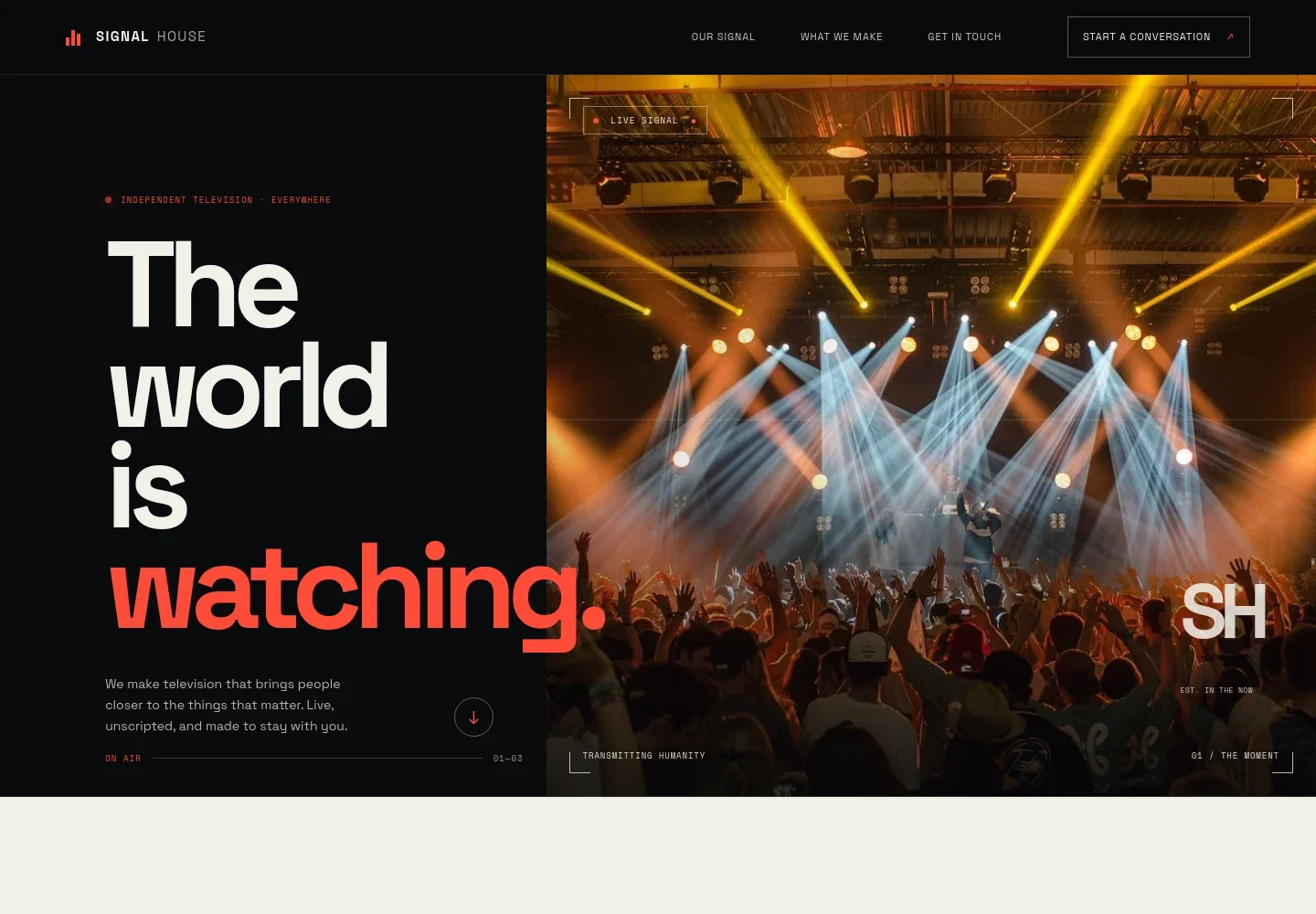
- Broadcast hero
- A large live-event image, independent television positioning, and a concise introduction establish the company’s focus immediately. A prominent link leads visitors further into the page.
- Company point of view
- A manifesto-style section explains the studio’s perspective on television and directs visitors toward its work themes.
- Three work themes
- Selectable tabs introduce live moments, stories with staying power, and a signal worth following. The visible panel pairs a concert image with a short description of live production.
- Field story
- A documentary camera image and supporting copy describe an approach centered on listening, observation, and giving stories room to develop. A link invites visitors to bring an idea.
- Contact
- A dedicated open-channel section invites a conversation and displays an email contact link, making the next step easy to find.
- Navigation and footer
- Top navigation links to the company introduction, work themes, and contact section. The footer repeats the studio identity and includes a back-to-top link.
How to use this template
Open in Revamp
Click Use this template and sign in or create an account. You’ll start with your own copy of the design, ready to personalize.
Bring your content
Replace the sample text, photos, and logo with your own. Share your content, a document, or an existing website, and ask Revamp to adapt the template to your business.
Refine and publish
Ask Revamp to adjust the colors, layout, or sections, or edit directly on the page. Review desktop and mobile, then publish. You can keep making changes after launch.
Put your website to work
A few industry tools can help a production team organize projects, track prospective partners, and coordinate the work behind a pitch. Ask Revamp to add or connect the tools that fit your workflow.
-

Organize production projects
NotionKeep project plans, tasks, and production notes organized in one workspace. Ask Revamp to connect Notion for project planning and shared production documentation.
-

Track partner conversations
HubSpotKeep prospective commissioners, collaborators, and follow-ups in view. Ask Revamp to connect HubSpot for contact and relationship management.
-

Coordinate team schedules
Google CalendarGive a production team a shared view of meetings and key dates. Ask Revamp to connect Google Calendar for schedule coordination.
Frequently asked questions
Is this template free?
Yes. This premium template is free to use when you select Use this template. The offer applies to the template itself.
Can I use my own content?
Yes. Ask Revamp to personalize the wording, images, work themes, and contact details with your own content.
Do I need coding skills?
No coding skills are needed. Ask Revamp to personalize the content and design for your television business.
Can I change the design?
Yes. Ask Revamp to adjust the page’s colors, imagery, layout, and other design choices to suit your studio.
Can I keep editing after publishing?
Yes. You can keep editing after launch. Ask Revamp to update your content or design as your work and priorities change.


