About this template
Present an interface design studio and explain how it brings visual foundations, components, interaction patterns, and documentation together into a coherent design system. The page moves from a clear studio introduction to the system’s principles and capabilities, then gives visitors a direct way to start a conversation.
The visual direction pairs bold editorial typography with modular specimen graphics, numbered sections, and dark, high-contrast panels. These details make the page feel like a considered design practice while helping visitors follow the studio’s approach from defining a product’s visual language to making it usable across teams.
Who it’s for
Independent UI and product design studios, design system consultants, and interface designers who want to explain their process and services to product teams and prospective clients.
What’s included
The completed page is structured as a studio presentation, with a prominent introduction, a step-by-step explanation of design system thinking, a capabilities list, and a contact section.
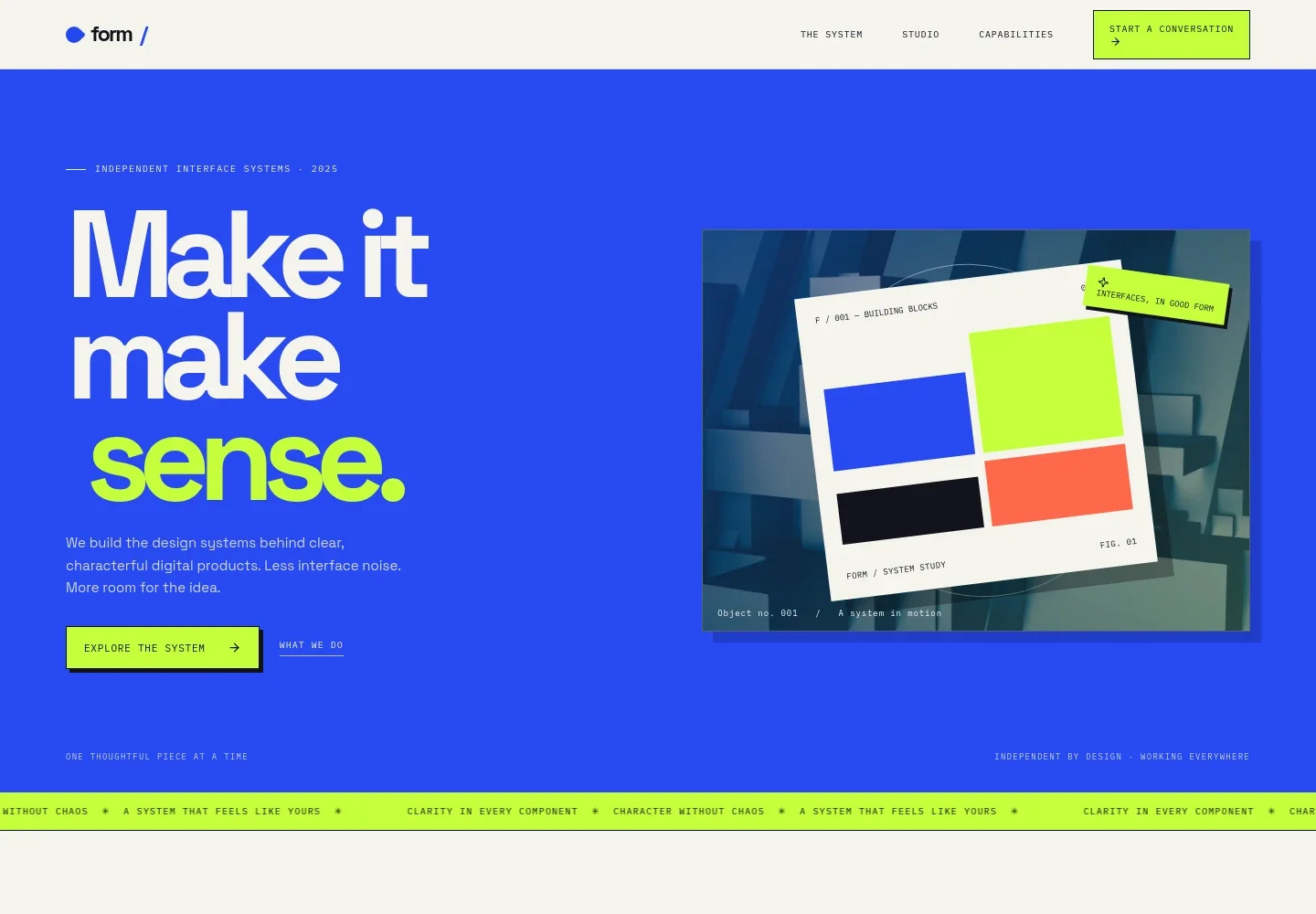
- Studio introduction
- A large headline and concise introduction position the studio around clear, characterful digital products, with links directing visitors to the system and capabilities.
- Studio point of view
- An editorial statement explains how a design system can support consistent decisions without making every product screen look alike.
- The system
- Three numbered stages describe defining a product’s visual signal, composing components and patterns, and providing guidance that helps the system grow across teams.
- Product-specific design
- A text-and-specimen layout emphasizes shaping interface systems around a product, its people, and its particular interaction needs.
- Capabilities
- Four concise service entries cover interface foundations, flexible components, connected patterns such as navigation and forms, and documentation and handoff.
- Contact
- A closing invitation asks visitors to start a conversation and provides an email link, alongside a note identifying the contact details as illustrative.
How to use this template
Open in Revamp
Click Use this template and sign in or create an account. You’ll start with your own copy of the design, ready to personalize.
Bring your content
Replace the sample text, photos, and logo with your own. Share your content, a document, or an existing website, and ask Revamp to adapt the template to your business.
Refine and publish
Ask Revamp to adjust the colors, layout, or sections, or edit directly on the page. Review desktop and mobile, then publish. You can keep making changes after launch.
Put your website to work
Help prospective clients take the next step and keep studio inquiries organized. Ask Revamp to add a contact or scheduling tool that suits your studio’s intake process.
-

Schedule a studio conversation
CalendlyMake it easier for prospective clients to find a time to talk. Ask Revamp to add consultation booking with Calendly.
-

Organize studio inquiries
HubSpotKeep prospective client details and follow-ups in one place. Ask Revamp to connect HubSpot for inquiry management.
Frequently asked questions
Is this template free?
Yes. This premium template is free to use when you select Use this template. The offer is for the template itself.
Can I use my own content?
Yes. Ask Revamp to personalize the copy, contact details, services, and visual content for your studio.
Do I need coding skills?
No. You can ask Revamp to personalize the content and design without coding.
Can I change the design?
Yes. Ask Revamp to adjust the colors, typography, layout, imagery, and other design details to fit your studio.
Can I keep editing after publishing?
Yes. You can keep asking Revamp to update your content and design after launch.