About this template
Help visitors understand how your farm grows and shares seasonal vegetables. This design introduces your approach to growing, explains how the harvest changes through the year, and shows ways home cooks, neighborhood customers, and chefs can find produce.
A seasonal timeline gives spring, summer, autumn, and winter their own place, while the offerings section describes weekly produce boxes, market mornings, and kitchen partnerships. A direct contact prompt gives interested customers a clear next step.
Who it’s for
Designed for vegetable farms and market gardens serving local households, neighborhood shoppers, restaurants, and chefs through seasonal produce, market sales, or farm-to-kitchen partnerships.
What’s included
The page moves from the farm’s growing approach to what is in season and how customers can bring the harvest to their table. Editorial farm photography, seasonal references, and clearly grouped offerings help visitors understand the farm’s point of view and ways to connect.
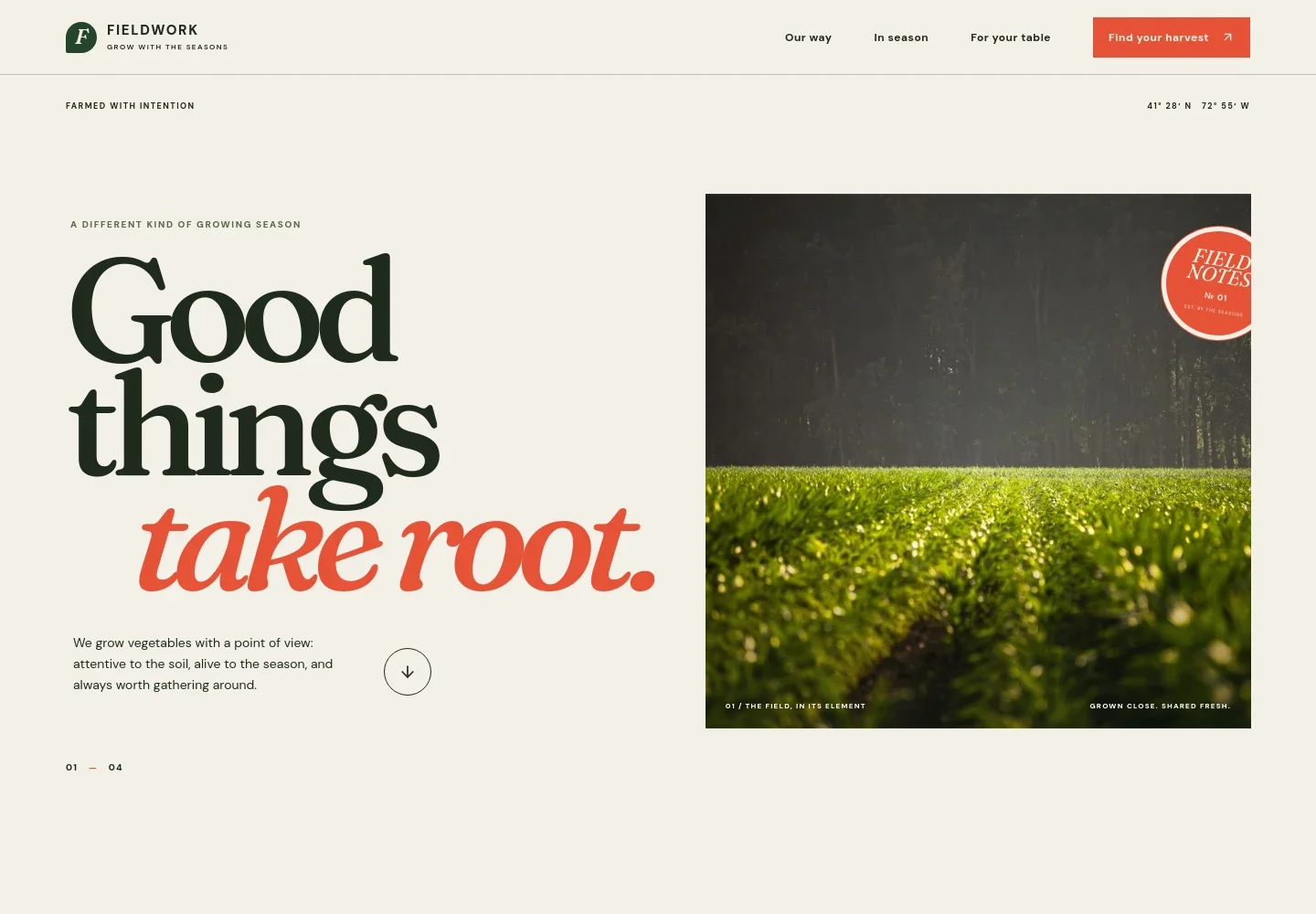
- Farm introduction
- A prominent field photograph and concise introduction establish the farm’s seasonal focus and growing approach, with navigation to the main page sections.
- Our way
- An overview describes the farm’s small-scale seasonal approach, with three guiding ideas: listen to the land, pick at the peak, and pass it around.
- In season
- Seasonal copy and a circular harvest timeline organize the year into spring, summer, autumn, and winter, helping visitors see how produce and farm rhythms change.
- For your table
- Three offering descriptions address different ways to work with the harvest: weekly produce boxes for home cooks, market mornings for the neighborhood, and kitchen partnerships for cooks and chefs.
- Contact prompt and footer
- A conversation prompt with an email link gives prospective customers a way to get in touch. The footer repeats the farm identity and includes a return-to-top link.
How to use this template
Open in Revamp
Click Use this template and sign in or create an account. You’ll start with your own copy of the design, ready to personalize.
Bring your content
Replace the sample text, photos, and logo with your own. Share your content, a document, or an existing website, and ask Revamp to adapt the template to your business.
Refine and publish
Ask Revamp to adjust the colors, layout, or sections, or edit directly on the page. Review desktop and mobile, then publish. You can keep making changes after launch.
Put your website to work
Make it easier to share farm updates, coordinate market information, and keep customer or order records organized. Ask Revamp to add or connect tools that suit your farm’s sales channels.
-

Coordinate farm updates and customer lists
MailchimpKeep seasonal announcements and customer mailing lists organized. Ask Revamp to connect Mailchimp for email updates about the harvest, markets, or produce boxes.
-

Track produce orders and sales
Google SheetsBring order or market sales information into a shared record for planning and follow-up. Ask Revamp to connect Google Sheets for produce and customer tracking.
-

Offer a way to schedule farm visits
CalendlyGive visitors a straightforward way to request a time for a farm visit or meeting. Ask Revamp to add appointment booking with Calendly.
Frequently asked questions
Is this template free?
Yes. This premium template is free to use through Use this template. This applies to the template itself, not hosting or other services.
Can I use my own farm content?
Yes. Ask Revamp to personalize the page with your farm’s name, growing approach, seasonal produce, offerings, photos, contact details, and other content.
Do I need coding skills?
No coding skills are needed. Ask Revamp to personalize the content and design in natural language.
Can I change the design?
Yes. Ask Revamp to adjust the colors, typography, images, layout, and other design details to suit your farm.
Can I keep editing after publishing?
Yes. You can keep editing after launch. Ask Revamp to make updates as your offerings, seasons, or farm information change.