About this template
Help prospective clients understand how your visa guidance works, which destinations you cover, and how to begin a conversation. The page presents the process as a clear sequence, from discussing a visitor’s circumstances to planning documents and preparing application materials.
Dedicated pathway rows highlight the United States, United Kingdom, Schengen area, Canada, and Australia. A separate questions section addresses when to start, whether visitors need to know which visa they want, and the limits of outcome guarantees.
Who it’s for
Visa advisers and immigration support businesses that want to explain their approach, outline destination-specific services, and give prospective clients a clear first step.
What’s included
The layout pairs direct service information with a reassuring, step-by-step explanation of the client journey. Its destination list makes geographic coverage easy to scan, while the questions and contact sections help visitors understand what to expect before reaching out.
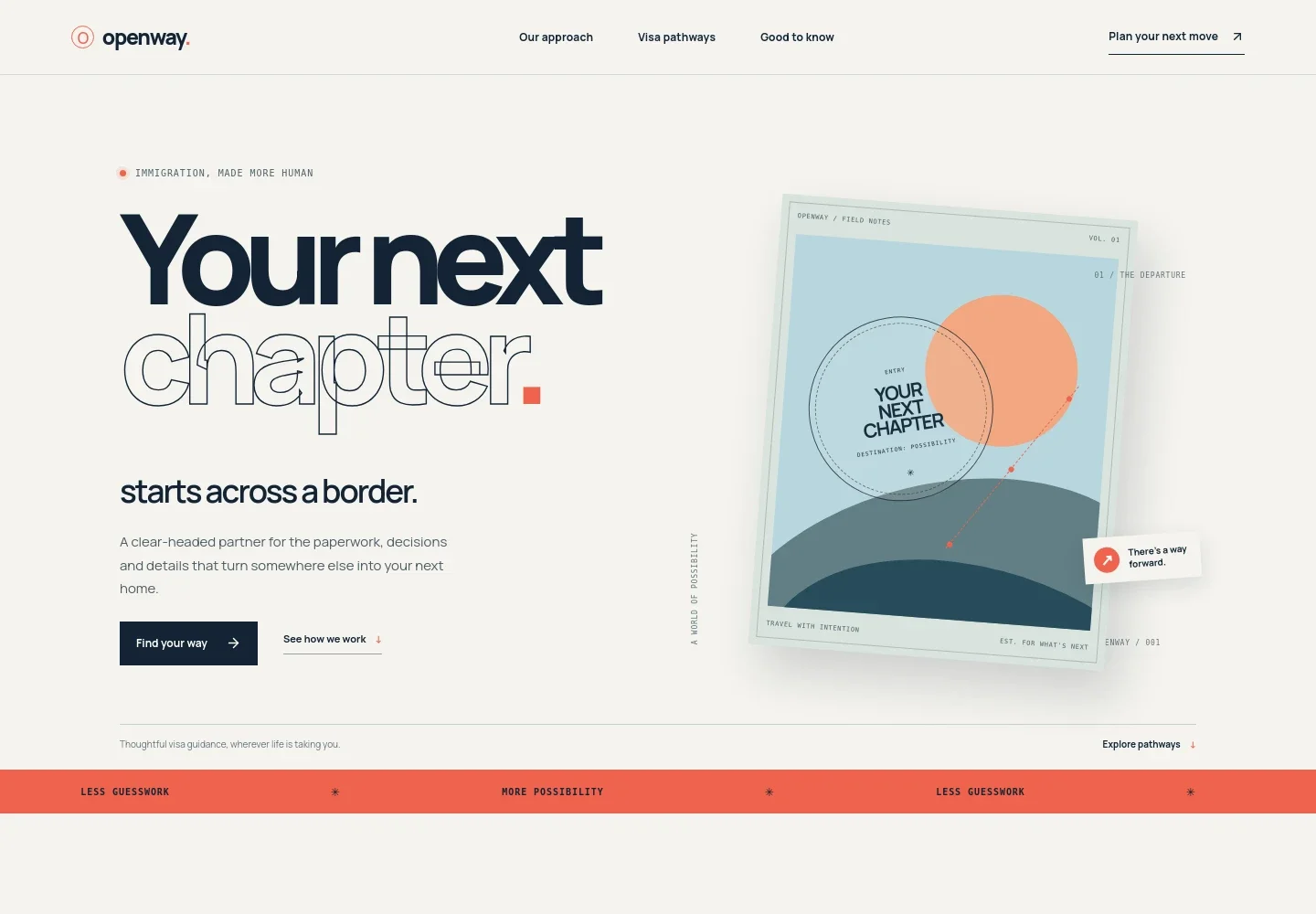
- Hero and primary action
- Introduces the service with a clear message about visa guidance, an illustrated passport-themed visual, and links directing visitors to the process or contact section.
- Approach
- Explains the people-focused perspective behind the service and emphasizes careful advice, honest expectations, and support from an initial question through application preparation.
- Three-step process
- Sets out how the work can progress: understand the visitor’s plans and circumstances, map requirements and documents, then prepare and review application materials.
- Visa pathways
- Lists guidance for the United States, United Kingdom, Schengen area, Canada, and Australia, with a prompt for visitors who have another destination in mind.
- Common questions
- Answers practical questions about timing, outcome guarantees, and whether a visitor needs to know which visa they want. It also clarifies that the depicted brand is illustrative and points visitors toward a qualified immigration professional for advice on their circumstances.
- Contact invitation and footer
- Closes with an invitation to start a conversation and a footer linking back to the approach, pathways, and questions sections.
How to use this template
Open in Revamp
Click Use this template and sign in or create an account. You’ll start with your own copy of the design, ready to personalize.
Bring your content
Replace the sample text, photos, and logo with your own. Share your content, a document, or an existing website, and ask Revamp to adapt the template to your business.
Refine and publish
Ask Revamp to adjust the colors, layout, or sections, or edit directly on the page. Review desktop and mobile, then publish. You can keep making changes after launch.
Put your website to work
Make it easier for prospective clients to arrange an initial conversation and for your team to manage enquiries. Ask Revamp to add or connect tools that suit your intake process.
-

Offer a straightforward way to book consultations
CalendlyLet prospective clients choose an available meeting time. Ask Revamp to add consultation booking with Calendly.
-

Keep prospective-client enquiries organized
HubSpotTrack conversations and follow-up details in one place. Ask Revamp to connect your enquiry process with HubSpot.
-

Coordinate consultation times with your calendar
Google CalendarHelp visitors request a meeting time that fits your schedule. Ask Revamp to add calendar scheduling with Google Calendar.
Frequently asked questions
Is this visa services template free?
Yes. This premium template is free to use through Use this template. The template being free does not mean hosting or other services are free.
Can I use my own content?
Yes. Ask Revamp to personalize the copy, destinations, services, and contact details for your visa guidance business.
Do I need coding skills?
No. You can ask Revamp to personalize the content and design without coding.
Can I change the design?
Yes. Ask Revamp to change the layout, colors, imagery, and other design details to suit your business.
Can I keep editing after publishing?
Yes. You can keep editing the site after launch. Ask Revamp to update the content or design as your services change.


