About this template
Help prospective clients understand what your web design studio does, see examples of its work, and find a clear way to start a project. The page presents a distinctive creative studio identity with bold typography, abstract artwork, and concise, editorial-style copy.
The layout brings selected projects, the studio’s point of view, and its strategy, identity, and digital services into a guided story. A prominent contact section gives interested visitors a natural next step.
Who it’s for
Independent web designers, digital studios, brand and design agencies, and creative professionals who want to present selected work, explain their services, and invite project inquiries.
What’s included
A visual portfolio and service overview for a web design studio, combining expressive studio branding with clear routes to view work, understand the approach, and make contact.
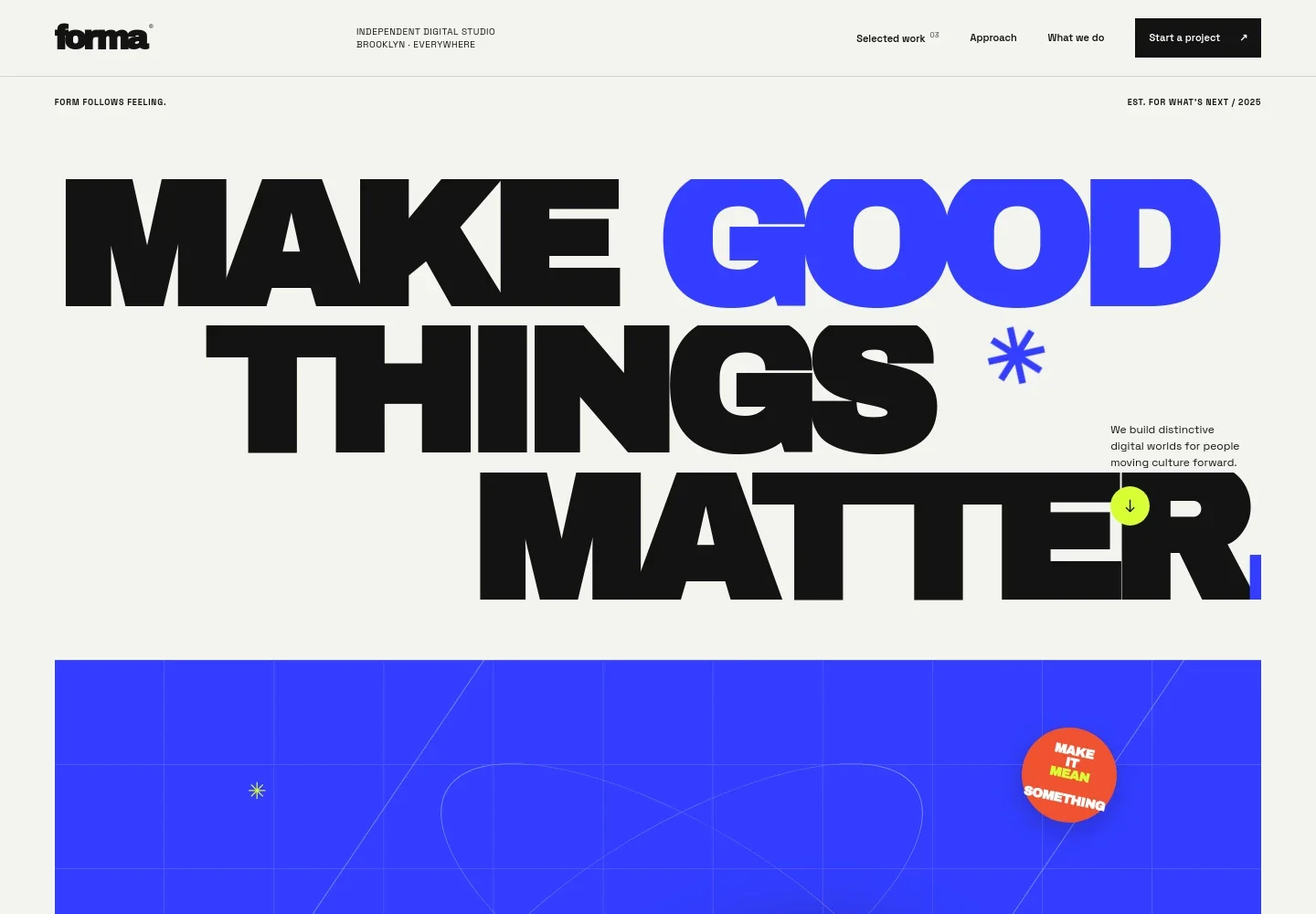
- Studio header and navigation
- A wordmark, brief studio location note, and navigation links guide visitors to selected work, the approach, services, and project contact.
- Hero and visual artwork
- Large headline typography, a short studio introduction, and an abstract graphic composition establish a memorable first impression and introduce the studio’s digital focus.
- Studio approach
- An introductory statement explains the studio’s interest in making digital experiences people remember, alongside a link for learning more about the studio.
- Selected work
- Three visually distinct project cards identify each example by name, discipline, and year, giving visitors a quick overview of the studio’s portfolio.
- Point of view
- A manifesto-style section explains the studio’s belief in digital work that helps people connect with a brand and encourages visitors to continue to the services.
- Services
- Three service entries cover strategy, visual identity, and digital work, with short descriptions clarifying the kinds of creative support the studio presents.
- Project contact
- A prominent project inquiry prompt and contact details provide a direct next step for visitors considering a conversation.
- Footer
- The closing area repeats the studio wordmark, includes a back-to-top link, and provides a copyright line.
How to use this template
Open in Revamp
Click Use this template and sign in or create an account. You’ll start with your own copy of the design, ready to personalize.
Bring your content
Replace the sample text, photos, and logo with your own. Share your content, a document, or an existing website, and ask Revamp to adapt the template to your business.
Refine and publish
Ask Revamp to adjust the colors, layout, or sections, or edit directly on the page. Review desktop and mobile, then publish. You can keep making changes after launch.
Put your website to work
Streamline project inquiries, client follow-up, and studio scheduling by asking Revamp to add or connect tools that suit your workflow.
-

Organize prospective client inquiries
HubSpotKeep track of prospective clients and follow-up conversations. Ask Revamp to connect HubSpot for contact and inquiry management.
-

Let clients book a consultation
CalendlyMake it easier for prospective clients to choose a time to talk. Ask Revamp to add consultation booking with Calendly.
-

Coordinate project meetings
Google CalendarKeep client and team conversations organized around your schedule. Ask Revamp to connect Google Calendar for calendar management.
Frequently asked questions
Is this template free?
Yes. This premium template is free to use when you select Use this template. The offer applies to the template itself.
Can I use my own content?
Yes. Ask Revamp to personalize the studio name, project examples, service descriptions, imagery, and contact details with your own content.
Do I need coding skills?
No. Ask Revamp to personalize the content and design in plain language, without coding.
Can I change the design?
Yes. Ask Revamp to adjust the colors, typography, imagery, layout, or other design details to fit your studio.
Can I keep editing after publishing?
Yes. You can keep asking Revamp to update your content and design after your site launches.