About this template
Help visitors understand how to begin choosing a wheelchair around their routines, body, terrain, and home. The design brings together information on lightweight frames, seating and positioning, power mobility, and practical everyday considerations.
A clear, editorial layout guides people from your approach to options that may fit, then explains what a conversation with a specialist can involve. Calls to action lead visitors toward discussing their needs and arranging a visit.
Who it’s for
Wheelchair retailers, mobility equipment stores, and mobility specialists who want to explain their selection approach and help prospective customers and families prepare for a conversation.
What’s included
The page moves from a people-centered introduction to practical wheelchair considerations and a simple consultation process. Prominent links help visitors find options and contact the store.
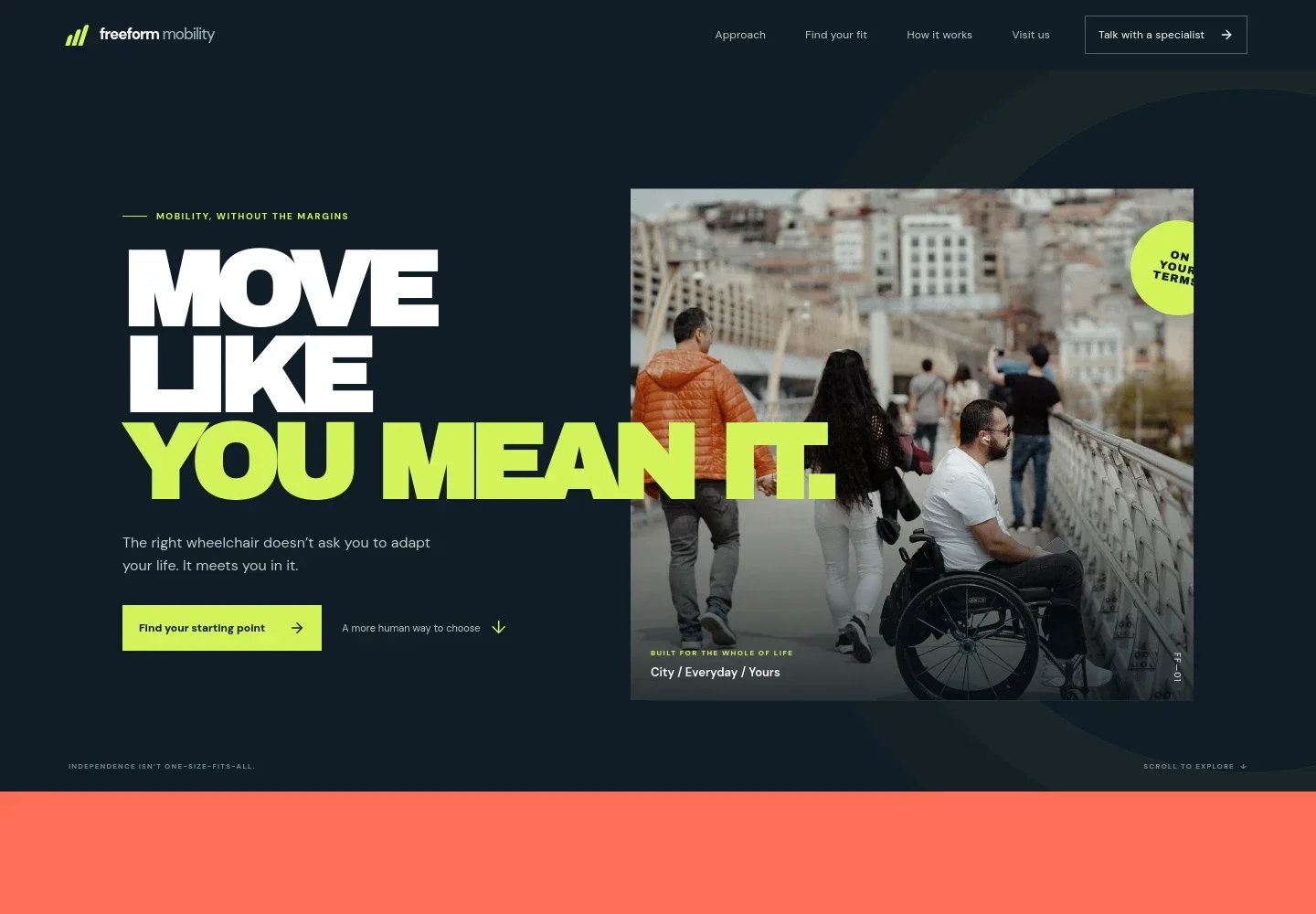
- Hero and primary actions
- A large lifestyle image and concise introduction frame wheelchair choice around everyday life, with links to explore options or speak with a specialist.
- Approach
- An editorial statement introduces a personal, listening-led approach to choosing a chair and leads into the process.
- Wheelchair design details
- A visual feature discusses how a chair can respond to the user's movement, with labels for a responsive frame and hand-fit controls.
- Find your fit
- Three scannable options cover active use and lightweight frames, seating and power mobility support, and considerations such as home access, storage, and transport.
- How choosing works
- A three-step outline helps visitors understand the conversation: describe their day, compare choices with a specialist, and take time to consider next steps.
- Closing invitation
- A prominent call to start a conversation gives visitors a clear next step after reviewing the options and process.
- Contact and navigation
- The footer provides a phone contact, appointment-oriented visit information, and links back to the main page sections. Contact details are illustrative and can be replaced with the store's own information.
How to use this template
Open in Revamp
Click Use this template and sign in or create an account. You’ll start with your own copy of the design, ready to personalize.
Bring your content
Replace the sample text, photos, and logo with your own. Share your content, a document, or an existing website, and ask Revamp to adapt the template to your business.
Refine and publish
Ask Revamp to adjust the colors, layout, or sections, or edit directly on the page. Review desktop and mobile, then publish. You can keep making changes after launch.
Put your website to work
Make it easier to manage product questions and in-store conversations. Ask Revamp to add or connect tools that suit your store's customer service and retail operations.
-

Manage product inquiries
HubSpotKeep customer questions and follow-ups organized in one sales workspace. Ask Revamp to connect HubSpot for managing wheelchair inquiries and customer conversations.
-

Offer appointment booking
CalendlyLet visitors request a convenient time to discuss wheelchair options. Ask Revamp to add consultation booking with Calendly.
-

Track product and customer records
ShopifyOrganize sales and inventory information for your retail operation. Ask Revamp to connect Shopify to support your store's product and customer management.
Frequently asked questions
Is this wheelchair store template free?
Yes. This premium template is free to use when you select Use this template. Free refers to the template itself.
Can I use my own store content?
Yes. Ask Revamp to personalize the page with your store name, product information, photos, contact details, and other content.
Do I need coding skills?
No. Ask Revamp to personalize the content and design for your store without coding.
Can I change the design?
Yes. Ask Revamp to adjust the layout, colors, imagery, and other design details to suit your business.
Can I keep editing after publishing?
Yes. You can keep asking Revamp to update your site after launch.


